
williamr13652308
Participating Frequently
May 6, 2024
Question

Parent page issue

  • May 6, 2024
  • 3 replies
  • 336 views

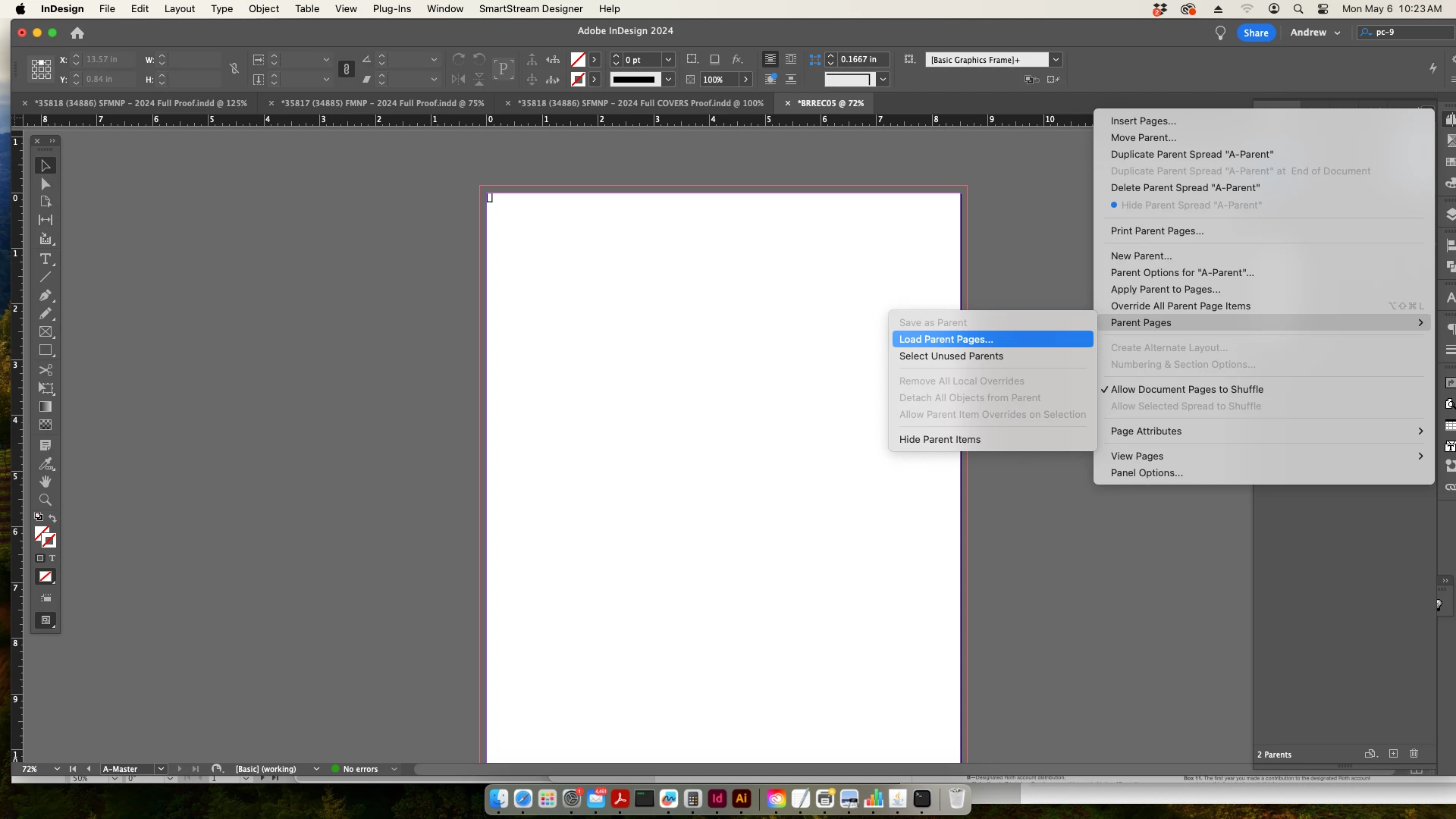
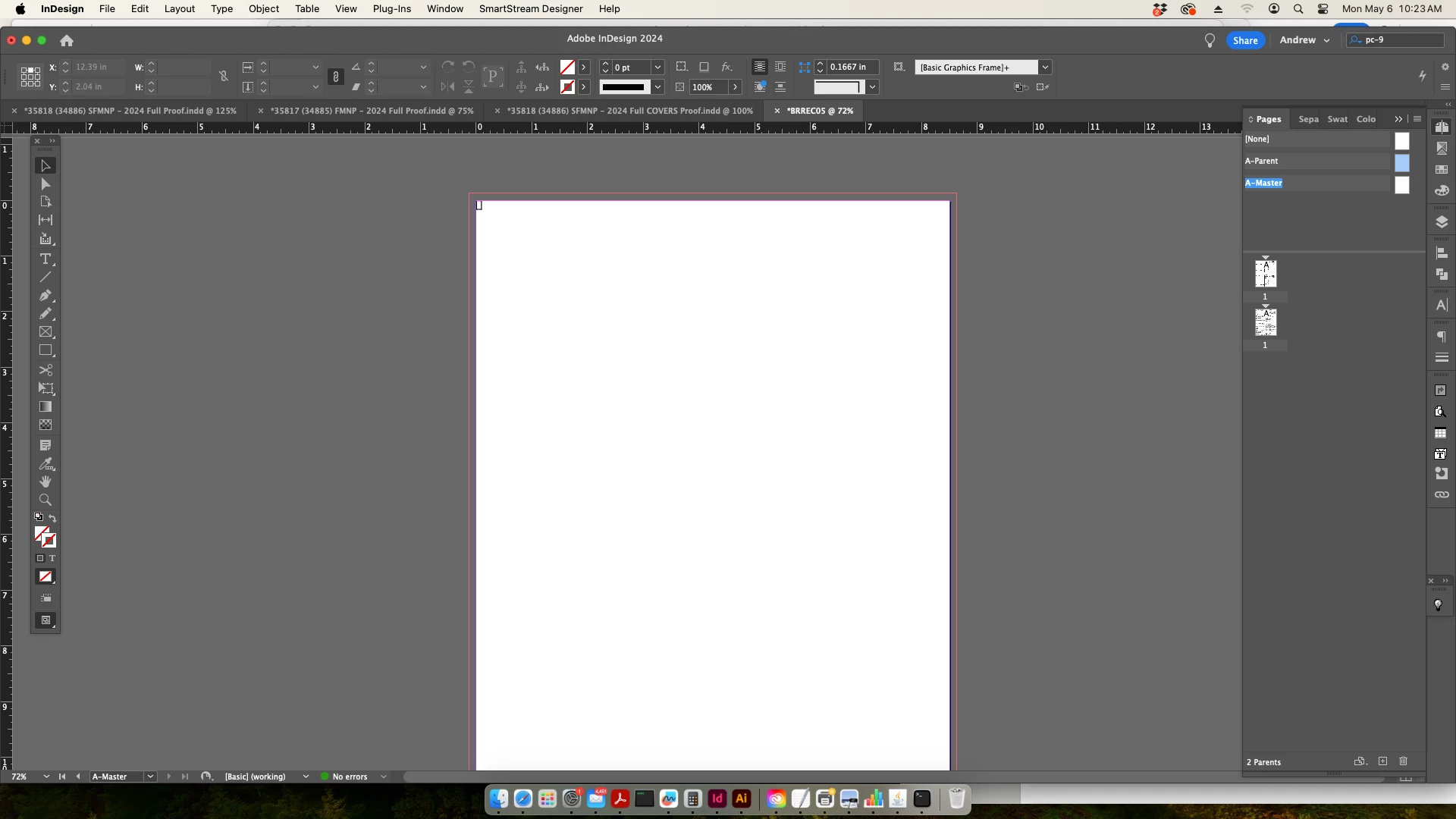
Over the years, I created a library of templates that I would just import as needed to the Master Page/s. Since the update to Parent Pages, when I select Parent Pages - Load Parent Pages, I select my template but it still opens as a Master Page. I know they should be the same, just a name change, but they are not operating like they used to. I used to be able to use Master Page A, B, C etc., but now I can only load a single Master Page. If I attempt to load a second template, it overrides Master Page A so am I unable to apply multiple templates to different pages. 


From the photos below, I'll select 'Load Parent Pages', but they show up as 'Master Pages'. Then I have both Parent Pages and Master Pages in my pages window, but I am unable to open any template to get it to show as a Parent Page.


This topic has been closed for replies.

3 replies

williamr13652308
Participating Frequently
May 8, 2024

The only way I can get my templates to import as Parent Pages instead of being designated Master Pages automatically when I open the template is to copy my template to a new indesign file placing it on the Parent Page page. This is extremely unfortunate since I have 100's of templates. I suppose I will start doing this 1 by 1 as I need them. I can't believe a simple name change messed my work flow up this badly. Awful.

Community Expert
May 6, 2024

It's just the name of the Page - you can go into the Parent Options - and change the name of the page.

I've got documents from all over the world, and the page names are in German, French, Dutch, etc. 

You can rename them - but they are probably coming in from the name that they are Loaded from - in this case 'Master Page'


williamr13652308
Participating Frequently
May 6, 2024

The name isn't an issue for me. It's the behavior. It's not working like it used to. I used to be able to load an Master page A, B, C etc., but now I can only load a single page. If I attempt to load a second template, it overwrites my initail template instead of asking if I want to designate it as a Master Page B. This does not work for me as I create many documents with different Master Page templates per document. I would be able to apply Master A to page 1,3,5 and Master B to page 2,4,6 etc., Master Page C to pg 50, but now I cannot do that.  


I feel like if my templates loaded correctly to the "parent pages", it would work as intended but they will not load like that.

James Gifford—NitroPress
Legend
May 6, 2024

Are your templates any fairly current version of ID? You may need to open and re-save them in v19.4 to correct the name and (it seems likely) some links or hooks that changed with the name.

williamr13652308
Participating Frequently
May 6, 2024

They were from an older version. I did however resave one of the templates to the most recent InDesign. Unfortunately it's still creating a "Master Page" section when I open them. It wouldn't be an issue, but I'm not able to create a Master Page A, B, or C anymore.


Also, I forgot to mention that when I previously loaded a master page, it would automatically apply it to my document. Now, I have to apply it manually. Not a huge deal, but I would love it to work how it used to for me.