
Mohammad Modassir
Inspiring
June 16, 2017
Answered

Parentheses around arabic, problem

  • June 16, 2017
  • 4 replies
  • 5535 views

Hi,

When I type arabic text, all goes fine. But when I add brackets to it using special glyph-parentheses (...), then it get messed up. I want the glyph-parentheses where the pink mark are shown:
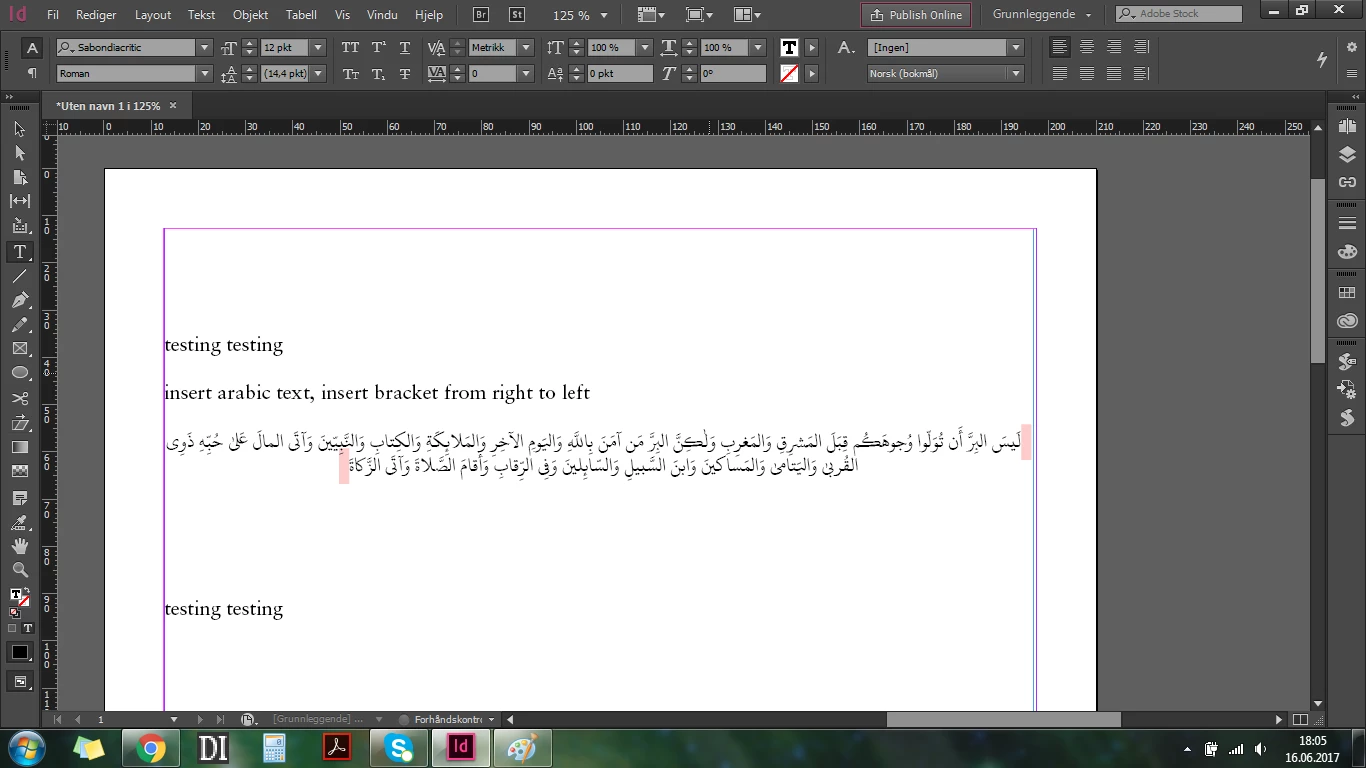
I insert right bracket withput problem...
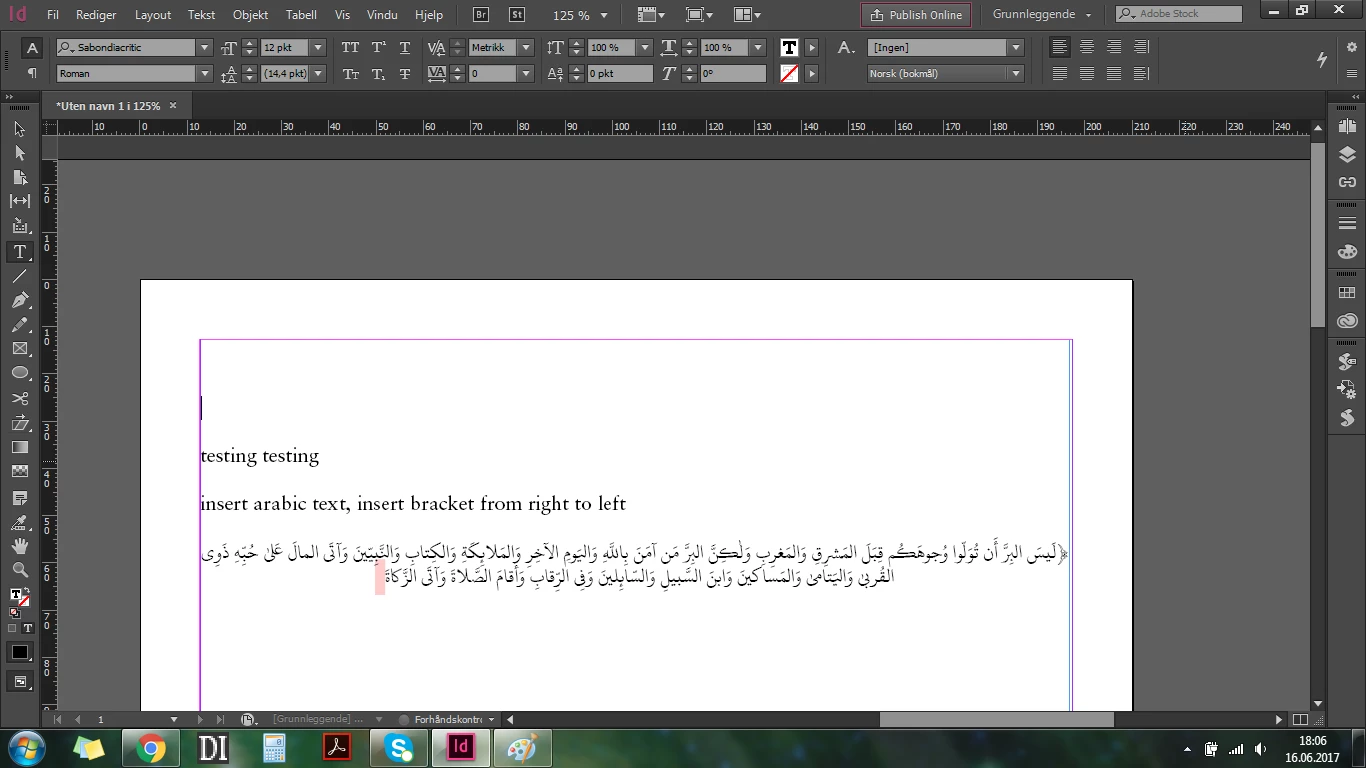
...but when I try to put the left bracket on it gets messed up
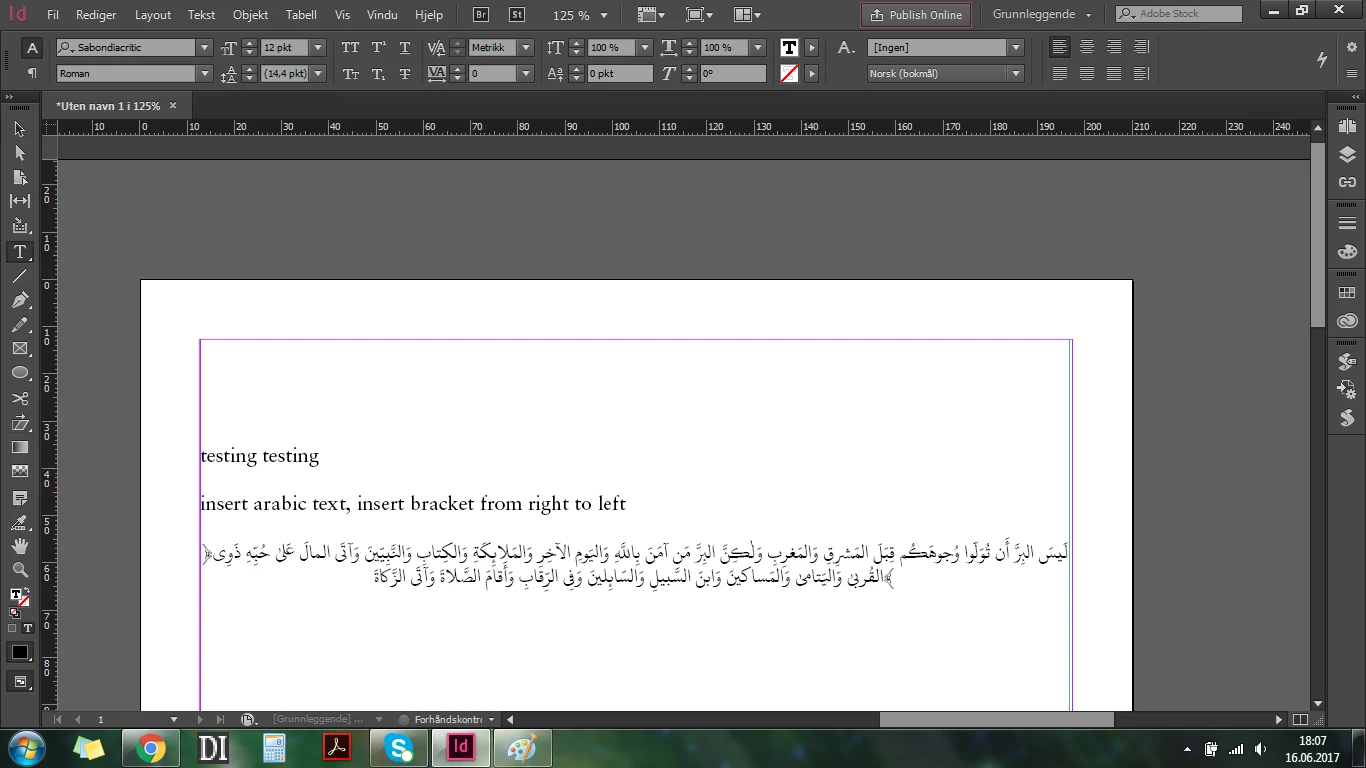
...the brackets turns around and goes to another place.

How can I fix this problem?

Would be very thankful for any help.
This topic has been closed for replies.
Correct answer Zaid Al Hilali

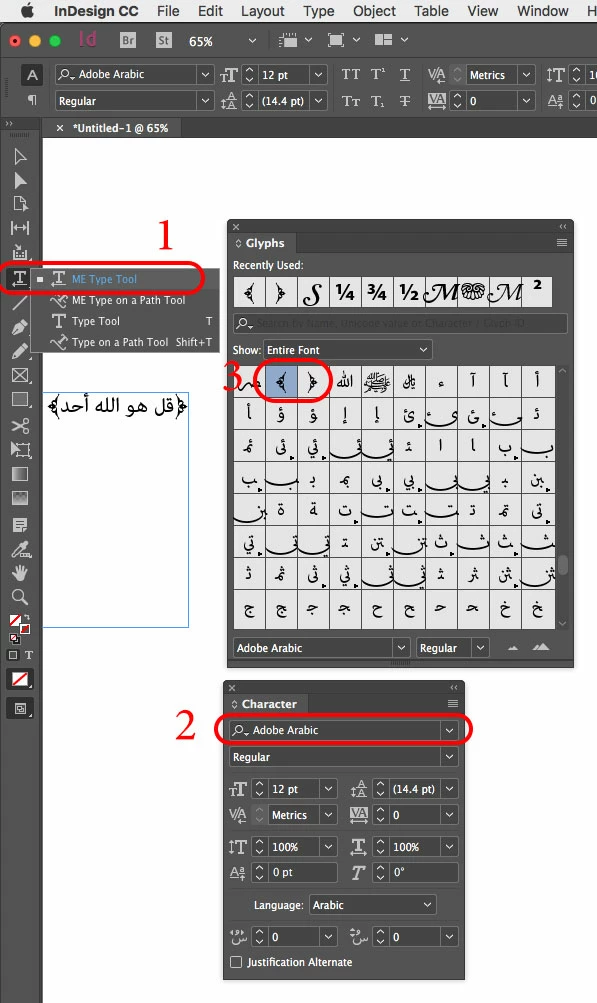
There are no issues with Arabic parenthesis if you're using a Middle Eastern version of InDesign. Just follow these typical basic steps…

1. Use ME Type Tool to create text frame

2. Use any Arabic font that has desired glyphs

3. Choose the glyph you want to insert in your text

4 replies

Legend
June 19, 2017

Please answer my question.

Legend
June 17, 2017

The version number is not the important thing. That does not look like the English version. So did you download the specific English Arabic product shown?

Mohammad Modassir
Inspiring
June 19, 2017

So it doesn't matter if I select 2017 or 2015 from the list?

Inspiring
June 17, 2017

First check your paragraph direction, it should be Right to Left, Not Left to Right!!

Mohammad Modassir
Inspiring
June 17, 2017

Yes, and still not working.

The glyph-sign jumps to the next line, as shown above in my first post.

It's not a standard pharantes, it is rather a glyph-sign.

Zaid Al Hilali
Community Expert
Zaid Al HilaliCommunity ExpertCorrect answer
Community Expert
June 18, 2017

There are no issues with Arabic parenthesis if you're using a Middle Eastern version of InDesign. Just follow these typical basic steps…

1. Use ME Type Tool to create text frame

2. Use any Arabic font that has desired glyphs

3. Choose the glyph you want to insert in your text

Zaid Al Hilali
Community Expert
Community Expert
June 16, 2017

Apparently your InDesign is not a Middle Eastern version. If you have Adobe CC subscription you'd better download a copy of InDesign that supports Arabic.

You can see the steps needed to download another copy of InDesign with a language supports both Arabic and Latin languages known as "English يدعم العربية" in this topic.

Mohammad Modassir
Inspiring
June 16, 2017

I just downloaded Indesign 2015 CC as your tutorial, but this doesn't solve my problem. My problem is not that I can't type arabic in the Indesign 2017 CC, the problem is something whole lot different, it is that when I insert a pharentes-glyph, a special bracket, it just move to the next sentence automatically. It doesn't keep there, where I type it, it jumps to the second end of the line, as shown in the pictures above.

Legend
June 17, 2017

Please confirm it was not the ordinary English version Of CC2015.  Did you download and use the English - Arabic version?