
Answered
PDF bookmark levels don't match InDesign TOC levels
Windows 11, InDesign 20.5 x64
I have a TOC for my book file:
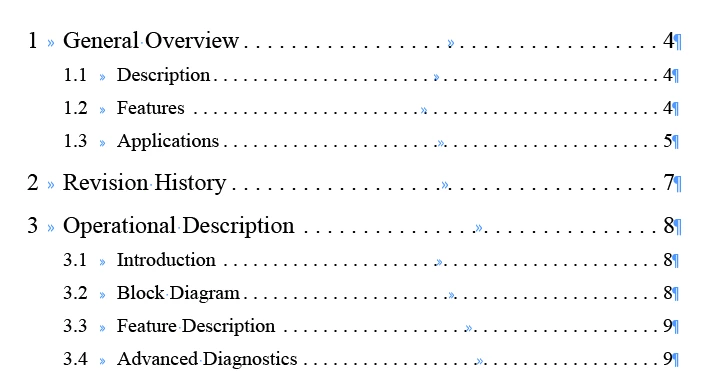
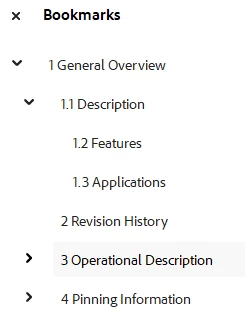
When I generate the PDF for the book, the Bookmarks panel has all the bookmarks after section 1.1 one level down from where they should be, so if I collapse the section 1.1 bookmark, sections 1.2 and 1.3 collapse; or if I collapse the Chapter 1 bookmark, the whole doc collapses:
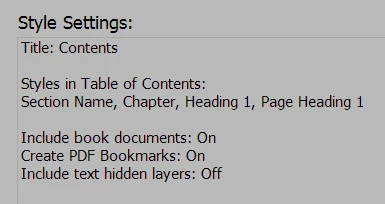
The TOC styles are set as shown:
I'm not sure what other information would be helpful.


 AdChoices