
SimonBoon
Participant
November 13, 2020
Answered

PDF Export Not Correctly Displaying "Exclusion" Blending Modes

  • November 13, 2020
  • 1 reply
  • 2501 views

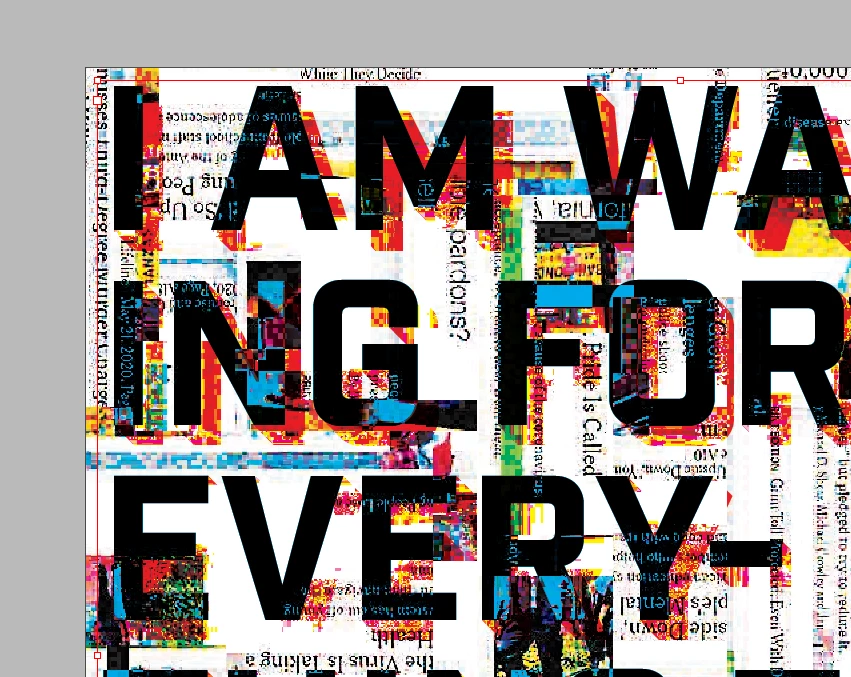
I have text in my Indesign file that has the "exclusion" blending mode applied. It looks fine in InDesign, and turns out fine when I export it as .PNG. This is how it looks:
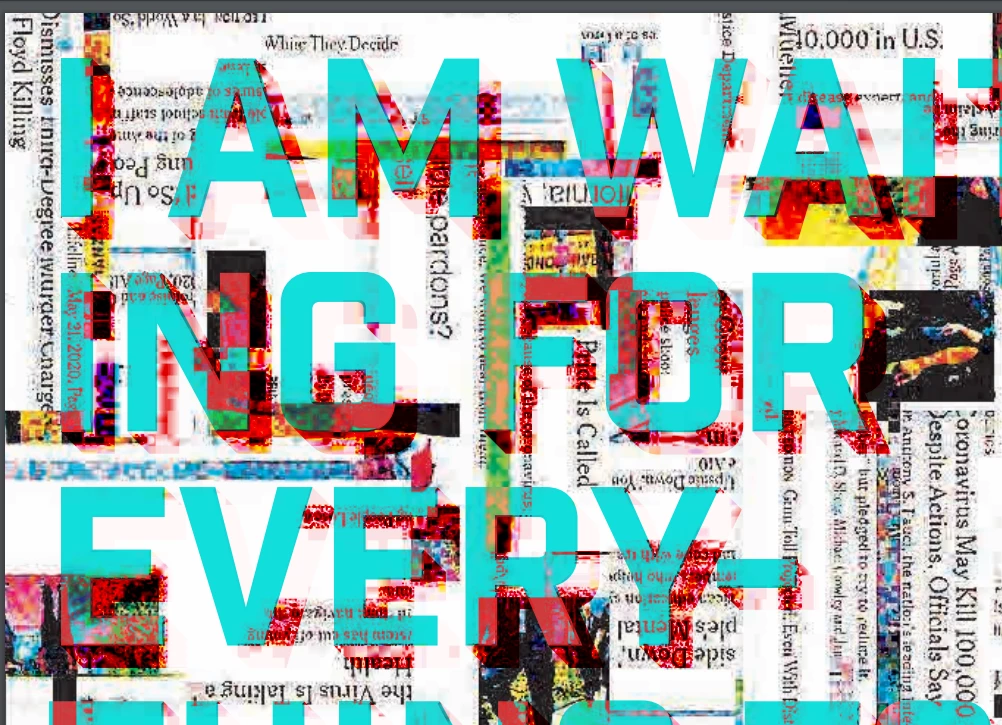
However, when I export this as .PDF, it comes out like this:
Does anyone know a fix for this?
This topic has been closed for replies.
Correct answer rob day

A Blending Mode Effect changes depending on the document’s Transparency Blend Space—some modes produce very different results when switching between blend spaces. 


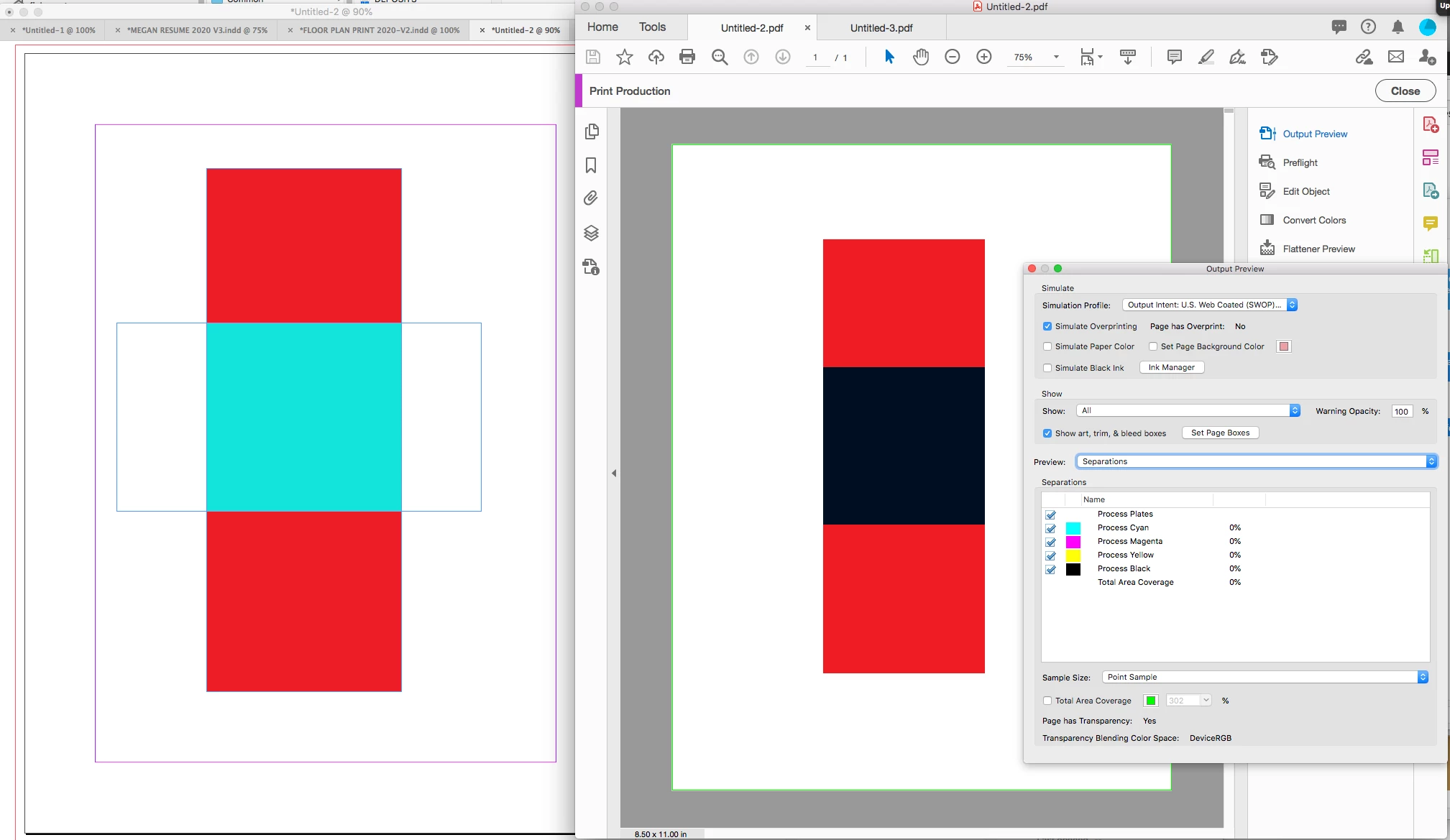
Setting your blend space to RGB in InDesign and exporting to a press preset that keeps transparency live and includes a CMYK Output Intent (PDF/X-4), could produce unexprected results with some blend modes. For example here is a red fill set to Exclusion over a white fill, exported to PDF/X-4 with Output Preview turned on in Acrobat:


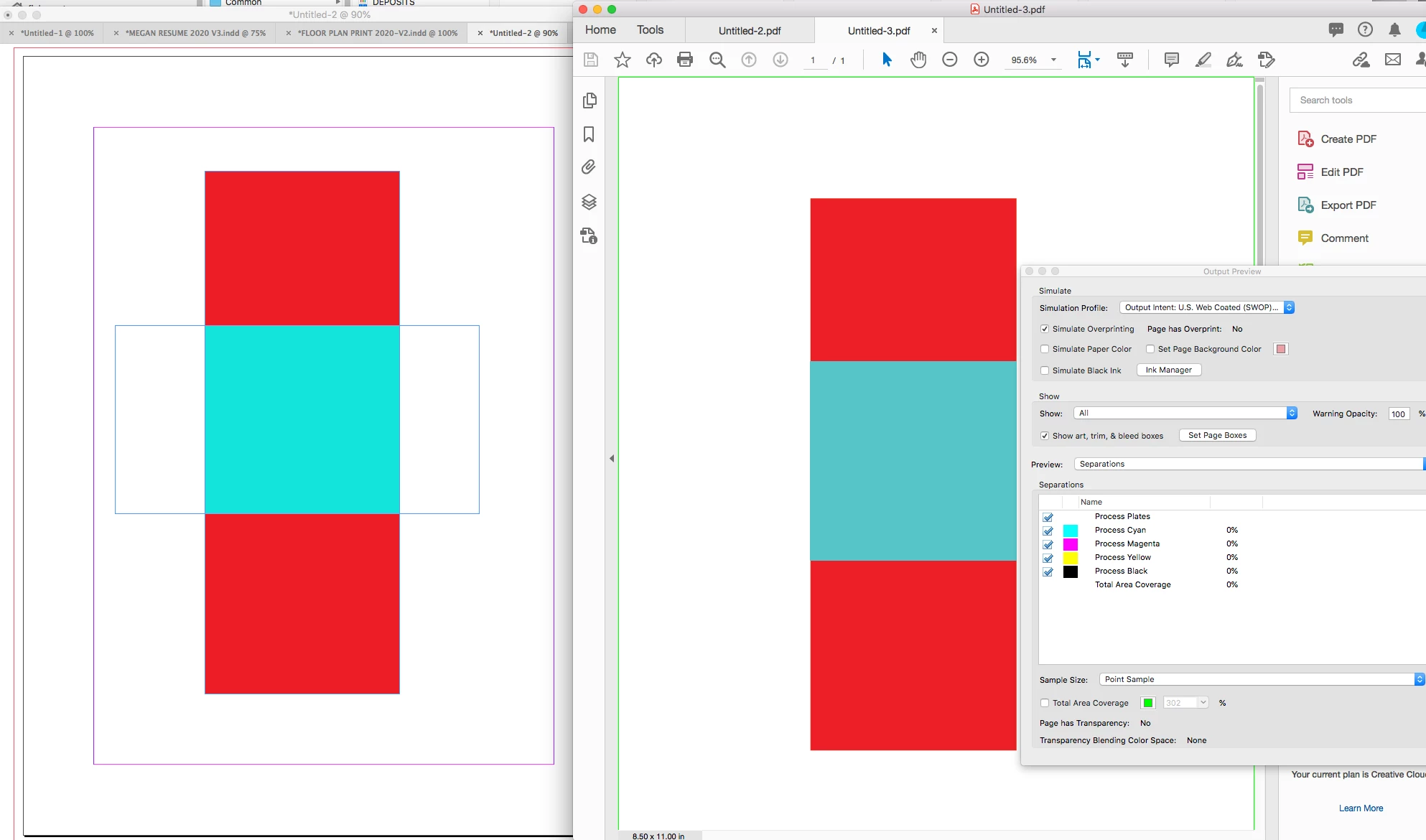
While an export to the flattened PDF/X-1a produces the expected output preview:


1 reply

rob day
Community Expert
rob dayCommunity ExpertCorrect answer
Community Expert
November 13, 2020

A Blending Mode Effect changes depending on the document’s Transparency Blend Space—some modes produce very different results when switching between blend spaces. 


Setting your blend space to RGB in InDesign and exporting to a press preset that keeps transparency live and includes a CMYK Output Intent (PDF/X-4), could produce unexprected results with some blend modes. For example here is a red fill set to Exclusion over a white fill, exported to PDF/X-4 with Output Preview turned on in Acrobat:


While an export to the flattened PDF/X-1a produces the expected output preview: