Participant
March 22, 2021
Answered

pdf file will not place into Indesign

  • March 22, 2021
  • 3 replies
  • 2063 views

Hi All


When i try and place a pdf into Indesign i get the following message "cannot open the pdf file". The pdf comes from an external source so not sure what the issue is. Previous pdfs from them were ok when placing them in Indesign. I have tried click on the import options in Indesign but still no joy.. Any ideas why this would happen. Never had this issue before.


Cheers


Tom
 

Correct answer Mike Bro

Hello,


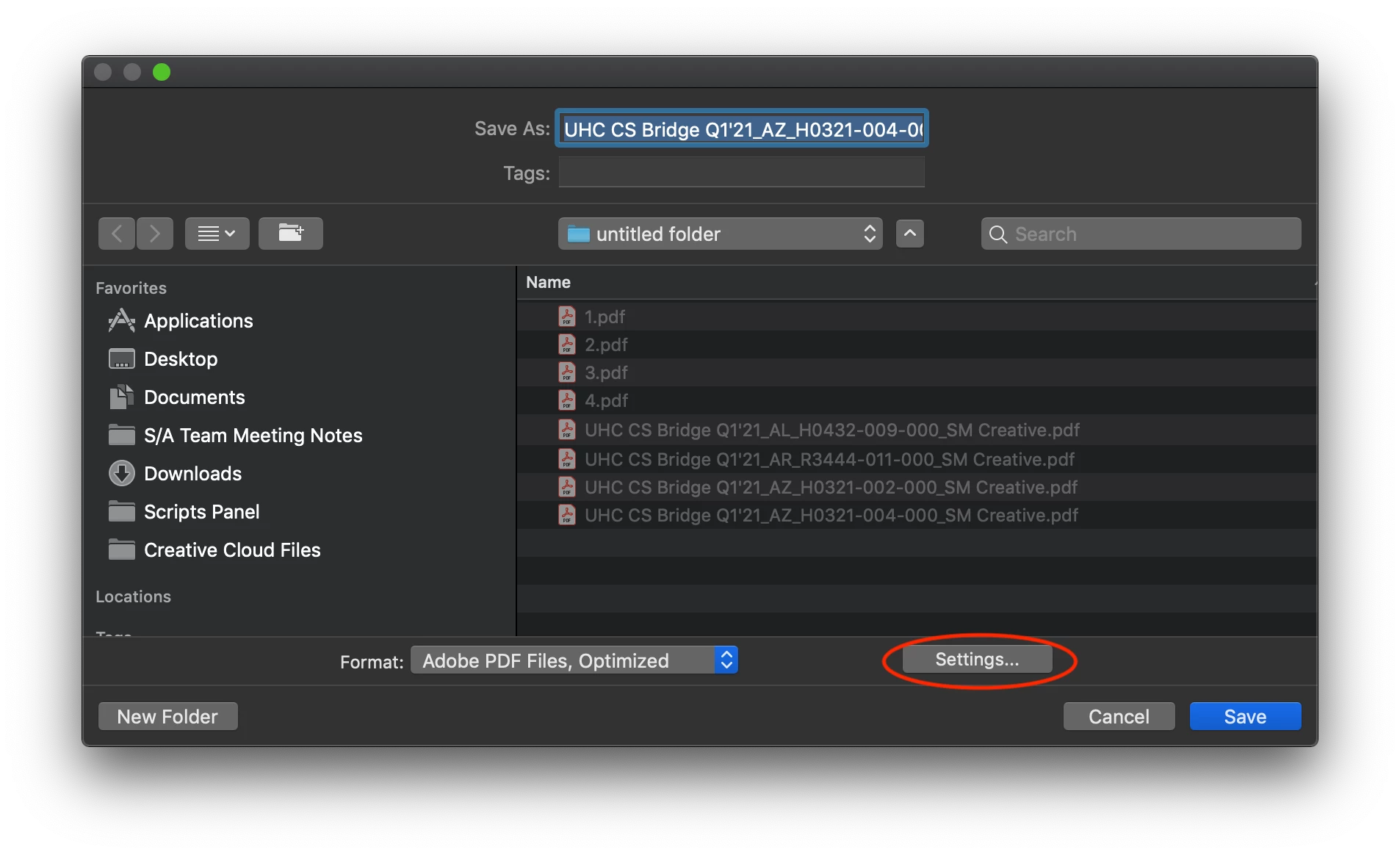
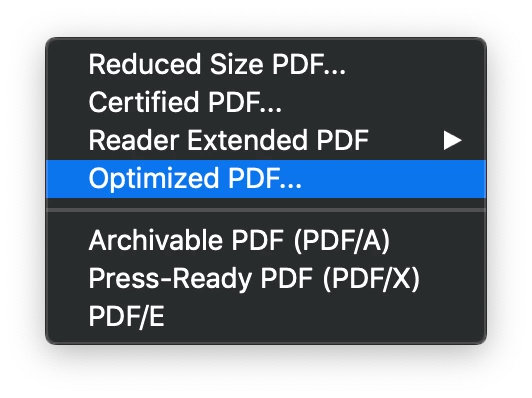
If you have Acrobat Pro DC you can try optimizing the file, under the file menu go to "Save as other....Optimzed PDF"

You may need to go under the settings and make adjustments as needed.

Regards,

Mike

3 replies

Participant
August 29, 2025

I have also experienced a similar case. What I did was open the PDF file first with Adobe Illustrator. The case I encountered was that the PDF file contained missing fonts. After I replaced them with similar fonts, I then saved it again as a PDF file. Thank God the PDF file can now be processed in InDesign.

Willi Adelberger
Community Expert
Community Expert
August 29, 2025

Never open a PDF (except it is an Illustrator PDF and AI files) in Illustrator. This is NOT a common PDF editor! If the original PDF has all fonts you do not need. to replace or install the font, but you loose them, when you open the PDF in Illustrator. If you need to. work on the PDF, do it in Acrobat Pro, but not in illustrator.

Participant
August 29, 2025

I have tried the method to optimize PDF in Acrobat Pro, but the result still cannot be imported into InDesign.

Participant
June 8, 2022

I'm having the same problem. Never had an issue before. InDesign isn't even recognizing it as an importable file.

Participant
June 8, 2022

Issue resolved with update. Please disregard.

BobLevine
Community Expert
Community Expert
March 22, 2021
Will it open in Acrobat?
Participant
March 22, 2021

Hi Bod


Yes i can open it in Acrobat, i have tried resave it as a pdf in acrobat and then place this pdf into Indesign but get the same message, if i hold down shift and try placing the pdf in i can see the actual image of the pdf in preview but it still wont place? Im stumped, i asked a friend who works off a Mac and he tried to place in into his Indesign but gets the same message.

Mike BroCorrect answer
Legend
March 22, 2021

Hello,


If you have Acrobat Pro DC you can try optimizing the file, under the file menu go to "Save as other....Optimzed PDF"

You may need to go under the settings and make adjustments as needed.

Regards,

Mike