jan99x
Inspiring
May 21, 2020
Answered

PDF or PSD use for place in Indesign for best result?

  • May 21, 2020
  • 10 replies
  • 2417 views

Hi, (i'am new fir Indesign)


PDF or PSD use for place in Indesign for best result?

I made simple test to place PS image + text into Indesign. End-result must be printed.

I used in PS6:

doc = 300 DPI  + CMYK + contains image + contains text

a) save as PSD doc ... result in Indesign(after set High quality dsp):  pixalated

b) save as PDF doc ... result in Indesign(after set High quality dsp): better than 'a' (used PDF/X-1a)


b*... I read: better text-layers let in original state (not flatten or other manipulation)... is that right way?


question:

1) What is best way to get best result (quality) to import a doc made in PS into Indesign.

2) Can I use layers (of de PS-doc) in Indesign (set them on/off)


comment: above is about one page (= PS-doc PDF or PSD) . End result however must be a calendar-doc of 12 pages.
This topic has been closed for replies.
Correct answer rob day

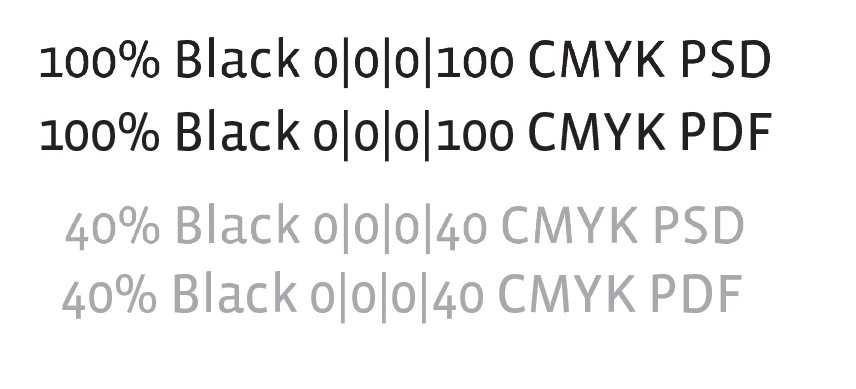
It is a good rule of thumb, but I don’t think it has to be never. Here’s an illustration showing the affect of a halftone screen on output.


100% Black and 40% Black saved as both PSD and PDF:

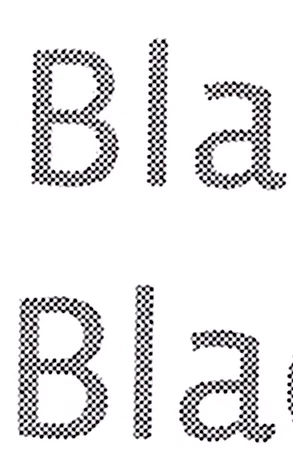
Zoomed in I can see the difference between the rasterized text and the vector text in InDesign, but the preview doesn’t actually show the final halftone output:


If I output the page to a printer using halftone screens, and magnify, I can see there is an obvious difference when the text is at 100%K on white. There is no halftone here and the output is at the printer resolution (DPI):


But, when there is halftone interference, there is no visual difference because it is the halftone resolution (LPI) that is output:


10 replies

Brito Haroldo
Inspiring
May 22, 2020

About viewing quality:
Just to complement, there is a function in the indesign that shows you three options for viewing imported content:
Fast Display, Typical Display and High Quality Display.
They are in View >> Display Performance.
Bearing in mind that this command only shows the same object with different qualities and does not actually improve the content, that is, if the imported image / object has a low resolution it will look like this, even in the output.


PSD layers in INDD

How much to enable or not layers of PSD files in the indesign SIM is possible and use a lot! Click on the object with the right button and access: Object Layer Options... It is not possible to edit anything there just to view or not the layers but it is very useful in the workflow.


jan99x
jan99xAuthor
Inspiring
May 22, 2020

Thanks all... for the answers

I'll start with trying to make something

rob day
Community Expert
Community Expert
May 22, 2020

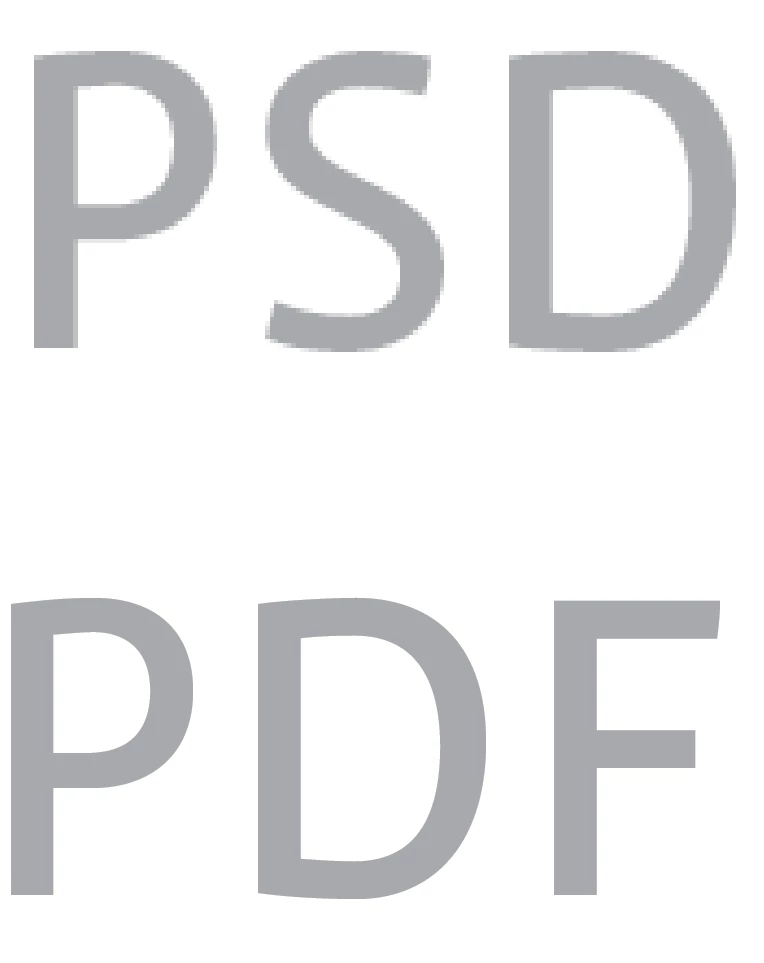
Whether rasterized text at 300ppi (PSD) is going to be a problem depends on the final output, and to some extent the color and size of the text. If the output is to an offset press, and the text is made up of CMYK tints, there will be a halftone screen applied to the text which will affect the edge appearance—300ppi rasterized text would not be a problem when there is a coarse halftone screen obscuring the rasters. It would be a problem if you are setting small 100% black only text on a white or light background where there will be no halftone interference.


So this would be a problem:

But this would not because the halftone will hide the rasters:


jan99x
jan99xAuthor
Inspiring
May 22, 2020
 
Ok clear to me ... better never text in PSD
That is no problem for me.
rob day
Community Expert
rob dayCommunity ExpertCorrect answer
Community Expert
May 22, 2020

It is a good rule of thumb, but I don’t think it has to be never. Here’s an illustration showing the affect of a halftone screen on output.


100% Black and 40% Black saved as both PSD and PDF:

Zoomed in I can see the difference between the rasterized text and the vector text in InDesign, but the preview doesn’t actually show the final halftone output:


If I output the page to a printer using halftone screens, and magnify, I can see there is an obvious difference when the text is at 100%K on white. There is no halftone here and the output is at the printer resolution (DPI):


But, when there is halftone interference, there is no visual difference because it is the halftone resolution (LPI) that is output:


Community Expert
May 22, 2020

No. Absolutely not.

Along with the PSD save a PDF of the kind PDF/X-4 with no image downsampling and place that PDF on an InDesign page.


Regards,
Uwe Laubender

( ACP )

jan99x
jan99xAuthor
Inspiring
May 22, 2020

Laubender........

What do you mean with: No Absolutely not.... Where is that about?

Community Expert
May 22, 2020

Hi Jan,

this was meant as reply for MVP Test_Screen_Name.

Beacuse of a nested reply by Bob this is not clear anymore.

Next time I will include the name of one I like to address.


Regards,
Uwe Laubender

( ACP )

Legend
May 22, 2020

To summarise. For good quality

1. Place the PSD

2. Never add text in Photoshop

BobLevine
Community Expert
Community Expert
May 22, 2020
To repeat: You can safely add text in Photoshop.

Save as PDF from Photoshop and place that file in InDesign.
jan99x
jan99xAuthor
Inspiring
May 22, 2020

BobLevine: Understand... thanks.

Derek Cross
Community Expert
Community Expert
May 22, 2020

You only Place text from Photoshop in InDesign if you've created a special text effect. Normally all text would be set in InDesign.

jan99x
jan99xAuthor
Inspiring
May 22, 2020

Thanks... Derek_Cross and BobLevine for answering.

So I understand to place the PSD file into InDesign is the best way, rather than use the PDF file (and than make text in InDesign).

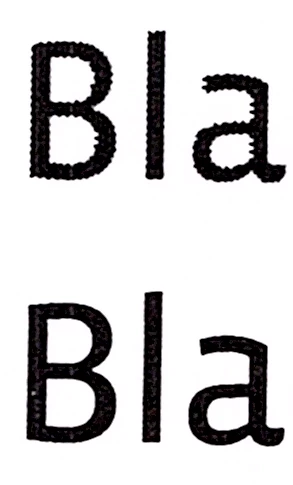
How com that I see (on screen with High Quality Display -on-) that PSD file placed into InDesign gives more worse result (for image and text: text-layers are original) than when I place PDF into InDesign?


PDF result:

PSD result:


rob day
Community Expert
Community Expert
May 22, 2020

The text in the PDF version is left as a vector object and has no resolution. Also InDesign uses a proxy for the preview of placed links, so with the PSD you are not seeing the actual output pixels. A better comparison would be to export your InDesign document and view at 100% in AcrobatPro

BobLevine
Community Expert
Community Expert
May 21, 2020
If there is text in the Photoshop file you should absolutely save as Photoshop PDF and place that. It will retain the vector properties instead of rasterizing.
Derek Cross
Community Expert
Community Expert
May 21, 2020

Place your images in InDesign as native PSD and in RGB color mode. Regarding the resolution it's measured in PPI not DPI (though they are similar, Dots Per Inch is the term for printing dots). Ensure the images in InDesign have an Effective PPI of between 200 to 300PPI. You add the text and some other items like solid panels in InDesign. You output from inDesign for printing as a PDF (check the spec with your printer), but normally PDF/X-4.

JonathanArias
Legend
May 21, 2020

place your psd files in to indesign