
tamir77436744
Participant
August 6, 2020
Answered

PDF printing poor graphics - digitized shadows etc.
  • August 6, 2020
  • 1 reply
  • 1336 views

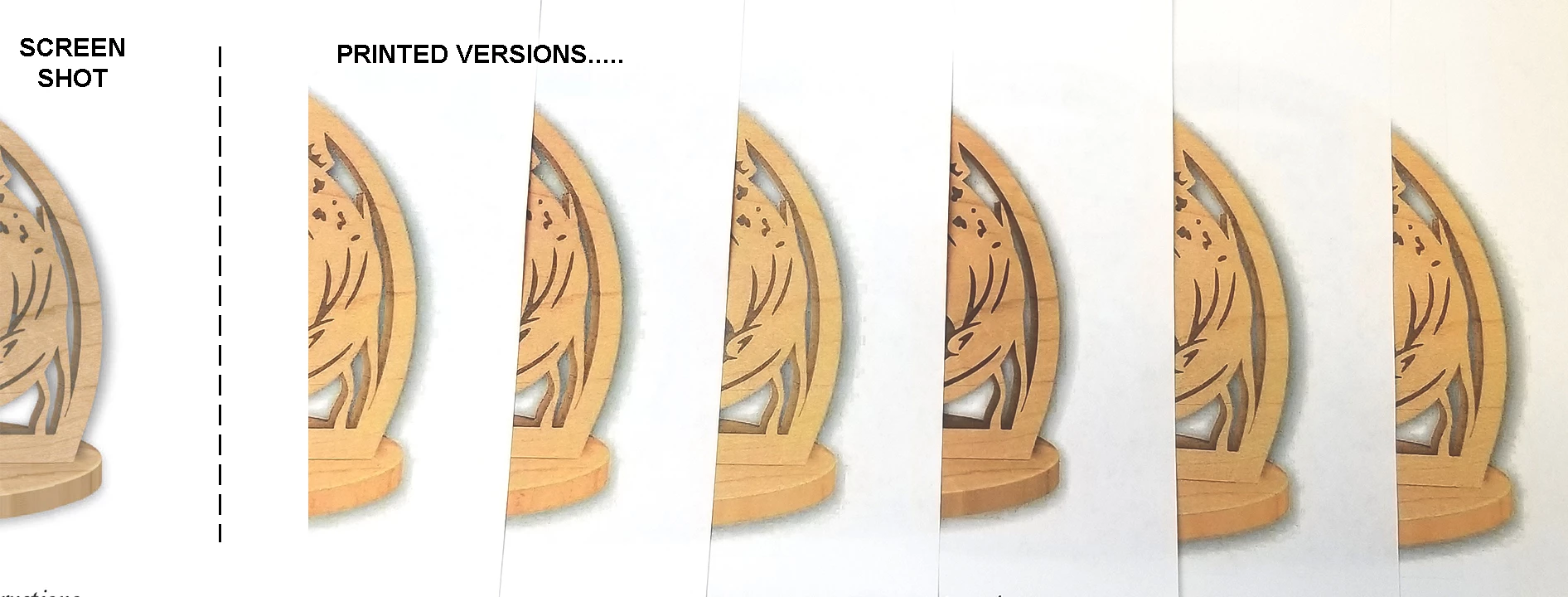
I have a whole library of pdf files that I need to be able to print. Over the last few months I've started having issues with how they have been printing. They now seem to be doing a version of the white box issue that had popped up back a few years and/or have blocky wierdly colored shadows instead of smooth shadows or halo around graphics that shouldn't be there at all. I have tried all sorts of setting adjustments on my HP Color LaserJet Pro MFP M479fdw. I'm no computer genius but I can usually figure things out. I'm definately at a loss at this point...


Tami

This topic has been closed for replies.
Correct answer Dov Isaacs

As I indicated, there are two types of printer drivers in Windows 10. There are Type 3 printer drivers, based on GDI, and Type 4 printer drivers, based on Microsoft's now-highly discredited XAML (XPS) technology. For Type 3 PostScript drivers (typically based on the Windows PSCRIPT5.DLL driver module and associated with a .PPD file), Adobe and other vendor's graphic arts applications can directly generate PostScript and send same to the printer directly, bypassing the driver's PostScript generation. This leads to proper printing of graphically complex content including transparency (including drop shadows, reflections, etc.) and color management.


I honestly have no idea what PostScript driver(s) Hewlett-Packard distributes these days. You may need to contact their support organization directly to get the driver you need if they are in fact distributing the defective Type 4 driver technology for their PostScript driver.


1 reply

Dov Isaacs
Legend
August 6, 2020

I assume you are printing PDF files from Acrobat and not content from InDesign. Is that correct?


Assuming you are printing from Acrobat to that printer, make sure that you are using the PostScript driver and not a PCL driver. And if it is a PostScript driver and if you are on Windows, that the driver is a “Type 3 Windows printer driver” and not a “Type 4 Windows printer driver” (the latter doesn't permit any Adobe applications to properly output PostScript to such devices.


Let us know if this resolves your problem.


- Dov Isaacs, former Adobe Principal Scientist (April 30, 1990 - May 30, 2021)
tamir77436744
Participant
August 7, 2020

Thank you Dov,

I had tried a couple different drivers but it looks like they were all Type 3 PCL drivers. I installed a PostScript driver and tried it again, and yes I am printing out of Acrobat. It's better but still not smooth like it used to be. I'm not sure if somehow a setting got switched or if it happened because of an update, but if so, was it Adobe, Windows, or HP??? Any other ideas?

Dov Isaacs
Dov IsaacsCorrect answer
Legend
August 8, 2020

As I indicated, there are two types of printer drivers in Windows 10. There are Type 3 printer drivers, based on GDI, and Type 4 printer drivers, based on Microsoft's now-highly discredited XAML (XPS) technology. For Type 3 PostScript drivers (typically based on the Windows PSCRIPT5.DLL driver module and associated with a .PPD file), Adobe and other vendor's graphic arts applications can directly generate PostScript and send same to the printer directly, bypassing the driver's PostScript generation. This leads to proper printing of graphically complex content including transparency (including drop shadows, reflections, etc.) and color management.


I honestly have no idea what PostScript driver(s) Hewlett-Packard distributes these days. You may need to contact their support organization directly to get the driver you need if they are in fact distributing the defective Type 4 driver technology for their PostScript driver.


- Dov Isaacs, former Adobe Principal Scientist (April 30, 1990 - May 30, 2021)