Inspiring
June 28, 2022
Answered

pdf/X-3 exports RGB pictures in a more gray tint. Bug?

  • June 28, 2022
  • 3 replies
  • 1580 views

Hello,

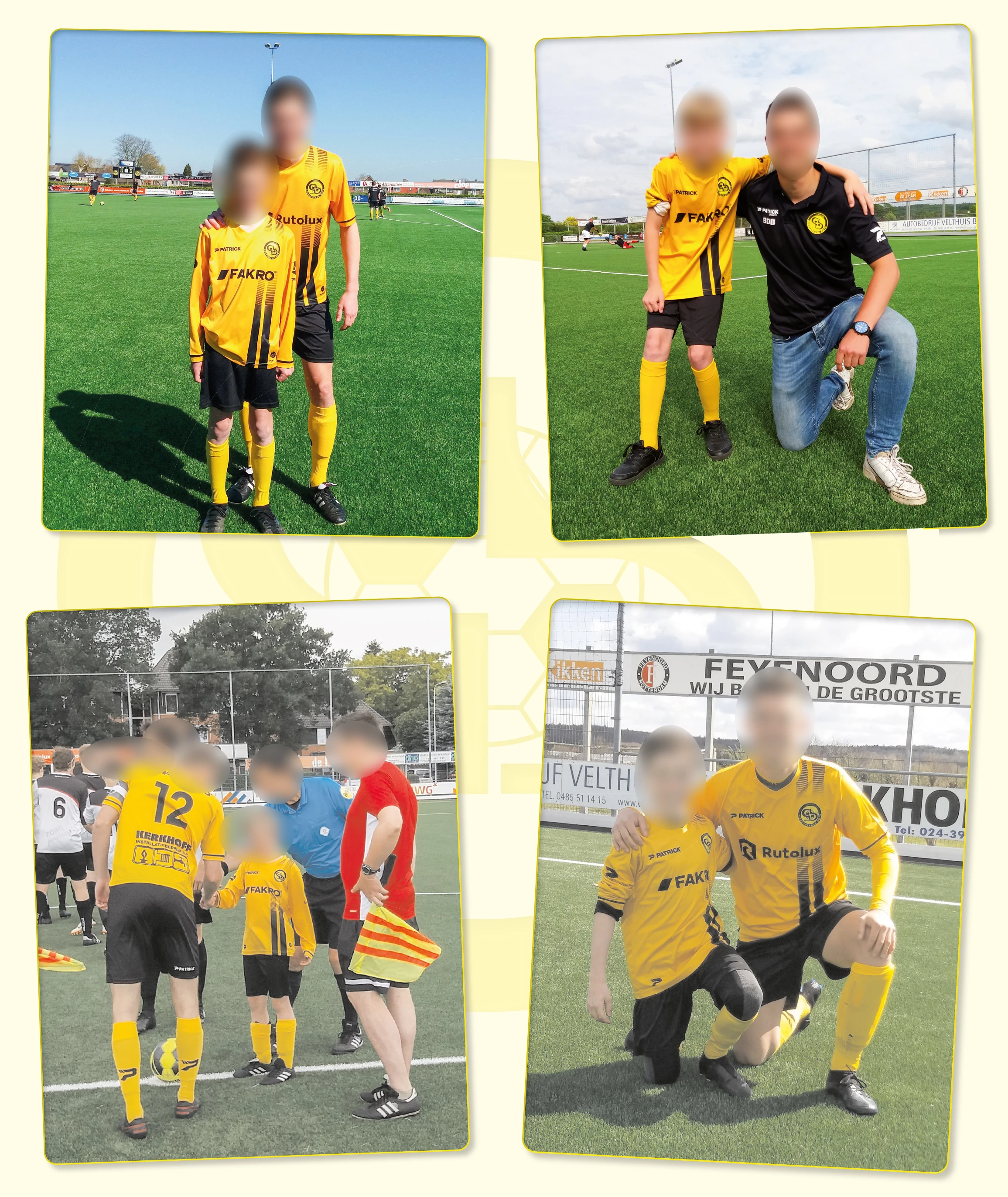
Since half a year when I export with pdf/X-3, some RGB photos are exported like a more gray tint than that they should be. If I export to pdf/X-4, everything is allright. Is this a bug in InDesign from the latest version?

Attachment, the two pictures at the bottom, you can see the Blacj taht is some like grayed...
 

Thanks, Henri
This topic has been closed for replies.
Correct answer rob day

Ola, thank you for your expertise Rob. It wil help me definitly for the future 🙂


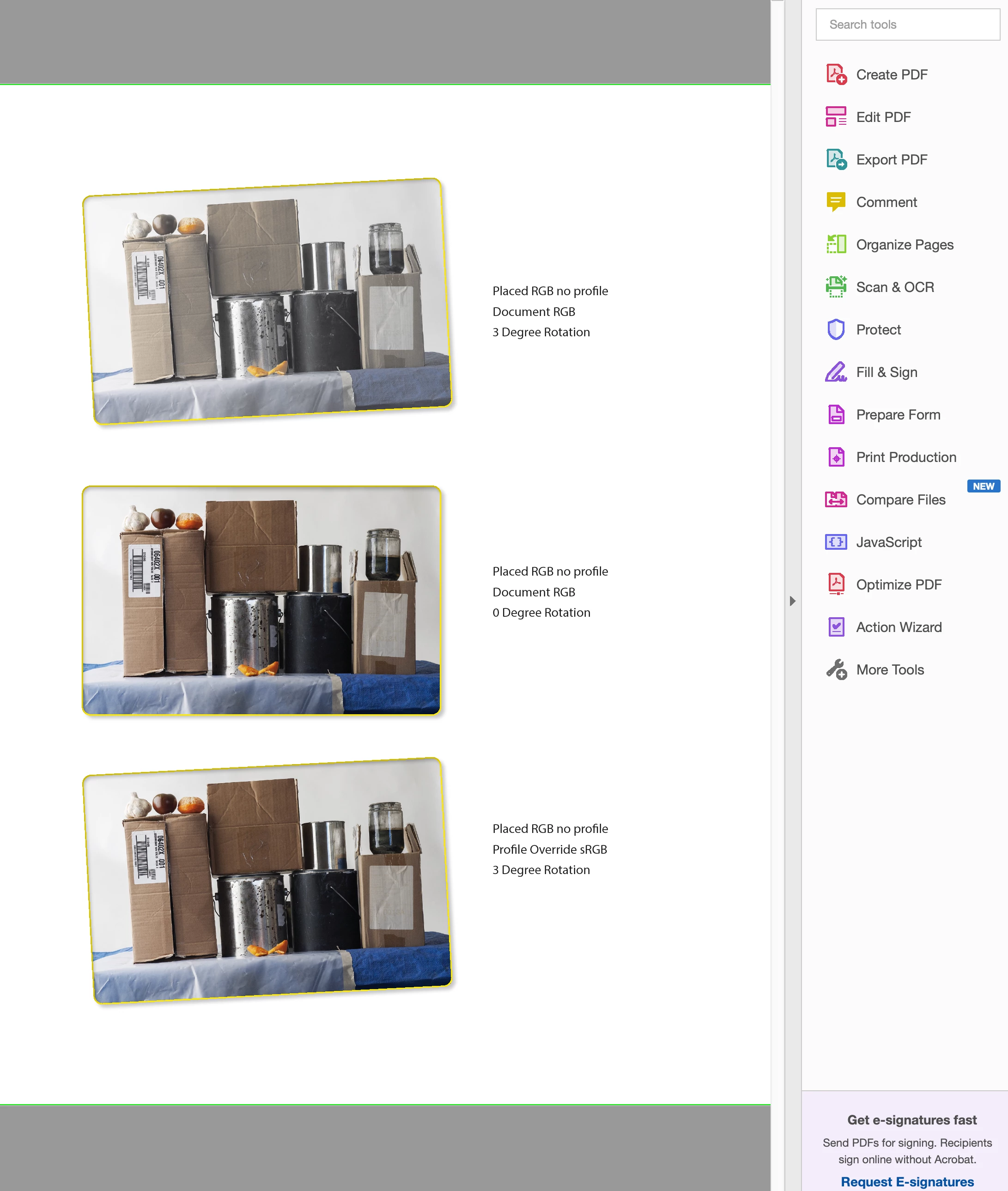
Hi Henri, I looked at this some more and I can replicate what appears to be a bug by placing an RGB image with no profile (DocumentRGB) add a Transparency Effect, and rotate the image. I created this from scratch using my own image opened via CameraRAW in Photoshop. Here’s the same image placed 3 times Exported to default PDF/X3:


In case others want to see the bug I’ve packaged the page and posted it here:


https://shared-assets.adobe.com/link/7c9d5eac-4508-4cb2-51b5-8b240126ea10


3 replies

BlieperAuthor
Inspiring
June 29, 2022

I saw in Bridge that those Pictures had a uncoded profile...

rob day
Community Expert
Community Expert
June 29, 2022

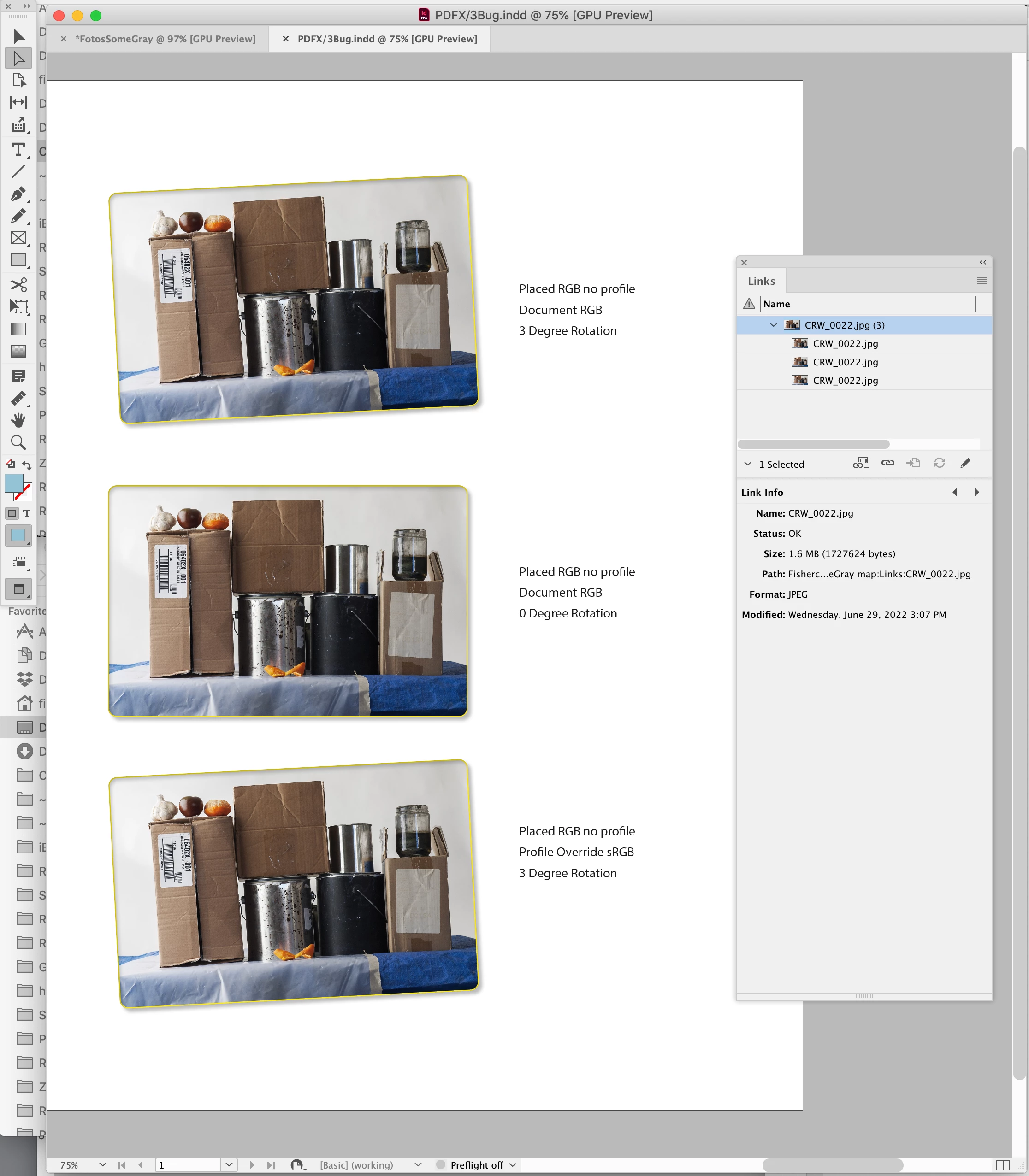
Can you select one of the problem images and show a screen capture of your InDesign Link Info panel? 


And maybe share one of the problem JPEGs?

rob day
Community Expert
Community Expert
June 29, 2022

Also, does it happen if you export to PDF/X-1a?

rob day
Community Expert
Community Expert
June 28, 2022

Hi Henri, can you share the PDF? You should be able to attach it to a reply.

BlieperAuthor
Inspiring
June 28, 2022

Hello Rob Day,

Because of the privacy roles I can't publish this file in public. Maybe you can sent me a e-amil where I can attach it to.

Sincerely, Henri

rob day
Community Expert
Community Expert
June 28, 2022

Hi Henri, All of the images in your PDF seem to inspect as DeviceCMYK, so even though you Exported to PDF/X-3 it looks like you set the Output>Color Conversion to a CMYK space—or all of the images were already converted to CMYK before you placed them:


It seems like at least the 2 problem images were converted to CMYK before you placed and exported—they have a radically different black generation than the other images, and I don’t think you could get a black generation like this with an export conversion to your Coted FOGRA27 Output Intent profile.


Willi Adelberger
Community Expert
Community Expert
June 28, 2022
  • Did you select the correct output profile?
  • Do you convert to CMYK? Are you aware that the CMYK gamuth is smaller than the RGB gamuth?
BlieperAuthor
Inspiring
June 28, 2022

I selected the standard pdf/X-3 from Indesign. I have to deliver it allways in X-3 and had never this issue, but since half a year we have this. We had to repress one order all over. Never saw this before.
I never convert to CMYK because Indesign converted this to CMYK. This is how it worked for years...