
Participant
February 24, 2025
Question

Perplexing Booklet Problem

  • February 24, 2025
  • 5 replies
  • 348 views

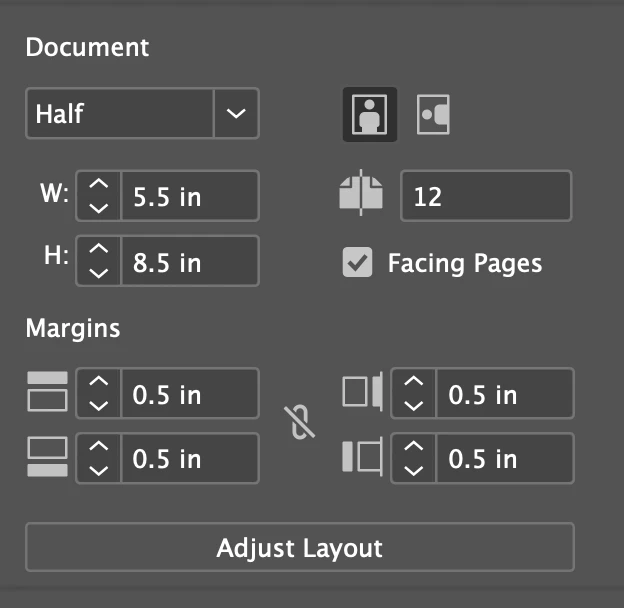
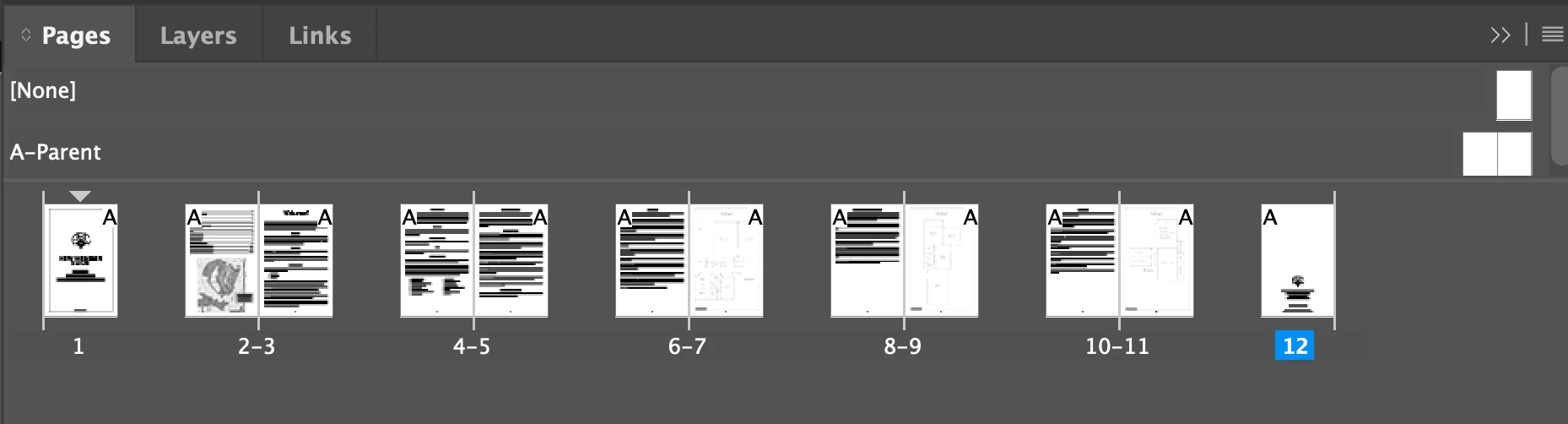
I am creating a 1/2 fold brochure on 8.5x11 paper. I've attached a screenshot of the Properties panel. My document is a multiple of 4. 12 pages divided by 4 equals 3 sheets of paper. When I attempt to export the PostScript file, InDesign tells me that 2 blank pages have been added to create the booklet. All pages contain text and/or graphics.


I create booklets on 11x17 paper all the time and have never had this issue. What step have I missed in my document set up?

5 replies

Jumpenjax
Community Expert
Community Expert
February 25, 2025

I set my pages going down see sample. have been doing this for over 20 years. Also set up another parent page so you can be sure you have the correct layout.

Lee- Graphic Designer, Print Specialist, Photographer
Brad @ Roaring Mouse
Community Expert
Community Expert
February 25, 2025

I noticed your Parent pages do not have the typical dog-ear representing facing pages. I assume that's because you have thumbnails turned on, but maybe there's something else in how your pages are setup is part of the issue?

Dave Creamer of IDEAS
Community Expert
Community Expert
February 24, 2025

Are you using the Print Booklet option or just the Print menu?


David Creamer: Community Expert (ACI and ACE 1995-2023)
JulCountAuthor
Participant
February 24, 2025

I am using the Print Booklet. Since posting this, I've kept trying to solve the issue. In the Print Booklet setup screen, I ticked Print Blank Printer Spreads and that did the trick. Not sure why InDesign thinks those two pages are blank. 

Peter Spier
Community Expert
Community Expert
February 24, 2025

Have you checked to be sure that the content on thos pages isn't set to non-printing? Do they appear blank in Preview mode?

It might be worth exporting the file to .idml and resaving that as a new .indd file to see if the problem is corrected.

Brad @ Roaring Mouse
Community Expert
Community Expert
February 24, 2025

Out of curiousity, where did it add the 2 pages in the booklet in the resulting PDF?

JulCountAuthor
Participant
February 24, 2025

Thanks for trying to sort it out. The "blank" pages it's replacing is the 1st and the last page. Which aren't blank. 

I've been trying multiple things. In the Print Booklet setup screen, I ticked Print Blank Printer Spreads and that did the trick. Not sure why InDesign thinks those two pages are blank. 
To answer your other question, MacStudio Sequoia 15.3 / InDesign 20.1

Brad @ Roaring Mouse
Community Expert
Community Expert
February 24, 2025

Your document appears correct above so I'm not sure what's up. I just did a test 12-pager with the same setup as yours and it processed properly.

What System/version of ID are you running?