

Phantom boxes and distorted images while editing
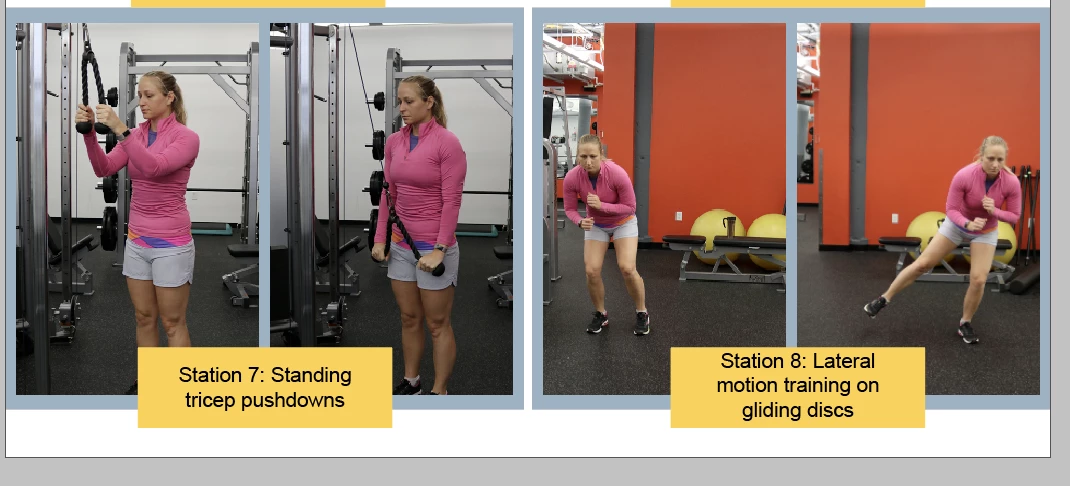
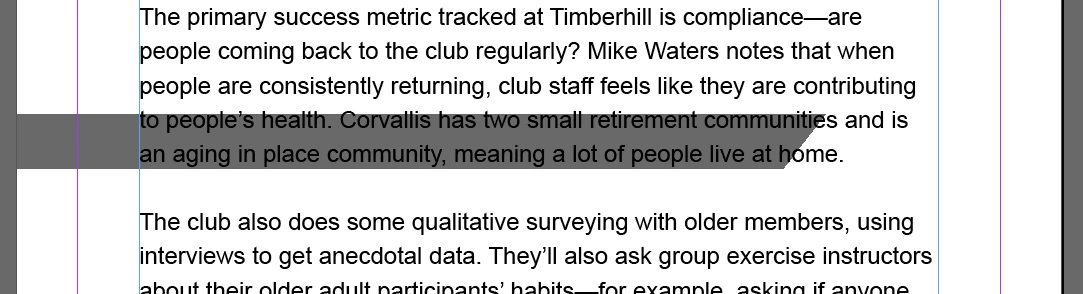
I'm not sure how to describe this problem, so please see the screenshots. Recently, whenever I'm editing a something in InDesign I get these phantom shapes/boxes that either gray stuff out or gray half the page. Also, my images will randomly become distorted and no matter what I do they stay that way. Sometimes reinserting the image will help that, but sometimes it does not and I just have to hope for the best when I export. When I export everything looks fine, but it makes editing kind of tedious. Does anything know what these are and how to fix them?
I have already checked for updates, deleted and reinstalled the application, and tried turning my computer off and on again. I hadn't changed any settings when this started happening last week, but it is possible something got changed without me realizing it. So, if this is caused by a setting issue, I'd love any advice on what setting needs to be adjusted.
Thanks!


 AdChoices