Inspiring
July 22, 2022
Answered

Photoshop changes the color settings/transparency/mode on export/placing
  • July 22, 2022
  • 3 replies
  • 1845 views

I'm trying to make collages, I made them in InDesign but when I went to open them to resize (trim) them in Ps the colors were muted. 

This topic has been closed for replies.
Correct answer LocketGirl

@rob day Thank you!! I made my won color space in PS to synchronize with inDesign and my other Adobe Apps and it uploads to my blog beautifully! Thank you so much for your guidance!

3 replies

rob day
Community Expert
Community Expert
July 23, 2022

The pictures, the jpegs I made from the PSD files right after I edited them, looked fine in inDesign.


Hi @LocketGirl , the image you have placed in InDesign has the ProPhotoRGB profile embedded, so even though you have your Color Settings’ Working RGB space set to sRGB, it’s the ProPhotoRGB space that is color managing the preview of your image.


Color Management cascades: if the placed image has an embedded profile, that profile is used, if there is no embedded profile, the document’s assigned profile is used (Edit>Assign Profiles...), and if there is no document profile assignment the Color Settings’ Working space is used


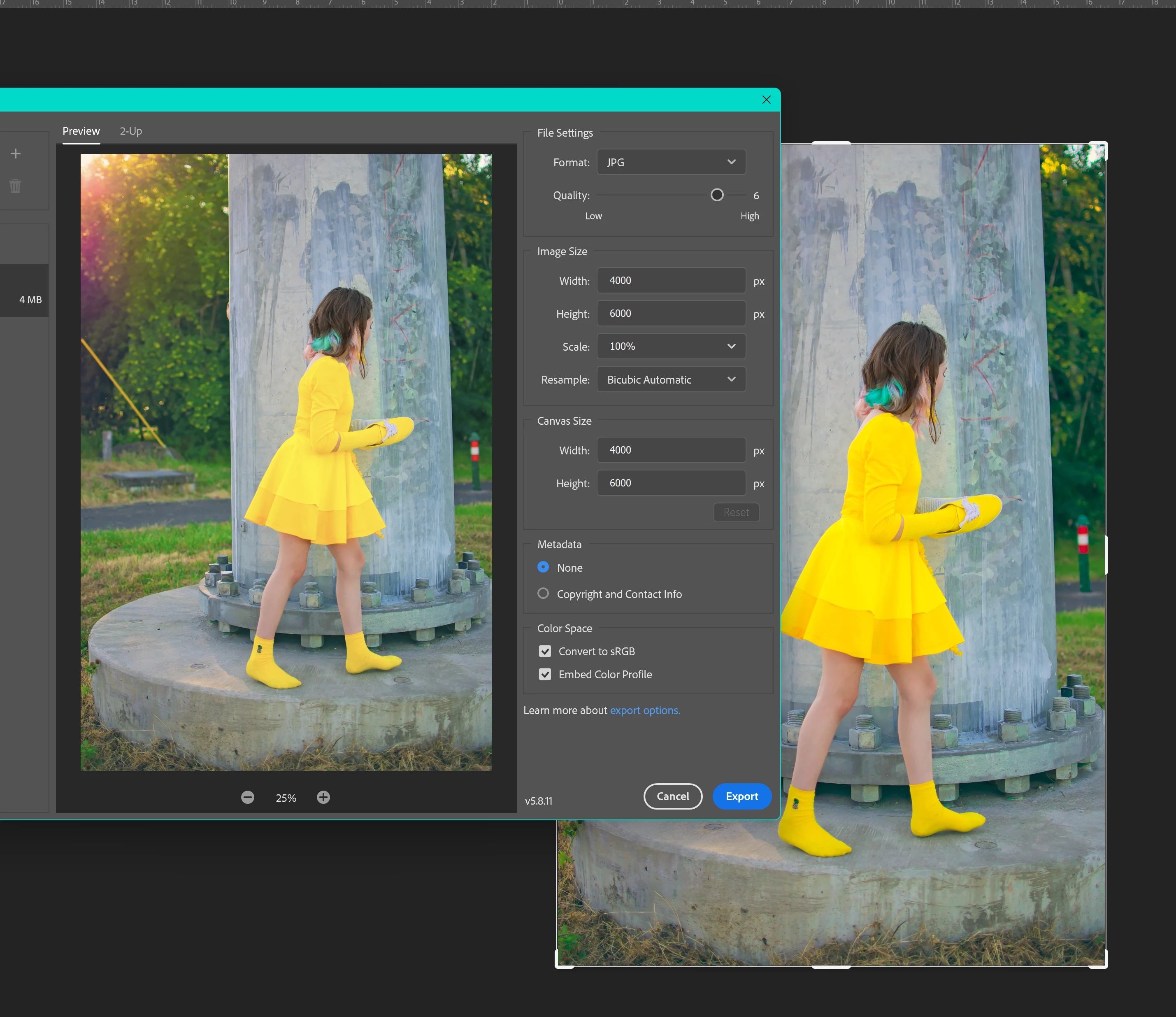
ProPhotoRGB is  a much larger color space than sRGB, so on a color conversion to sRGB, the ProPhotoRGB colors that are outside of the sRGB space are moved into the smaller space—the saturated yellows in the girl’s dress get adjusted on the conversion, while the less saturated colors in the background convert unchanged because they are not out-of-gamut.


If it’s important to you to get the extra saturation, all of your document’s would have to be assigned ProPhoto, and the export to JPEG would also have to be to ProPhoto. If you are placing the image in a web page, it would be important to embed the profile.

LocketGirlAuthorCorrect answer
Inspiring
July 23, 2022

@rob day Thank you!! I made my won color space in PS to synchronize with inDesign and my other Adobe Apps and it uploads to my blog beautifully! Thank you so much for your guidance!

Bill Silbert
Community Expert
Community Expert
July 23, 2022

You should make sure that all color options offered under Edit>Color Settings in both Photoshop and InDesign match each other. Also make sure that you are working in the same color space in both programs (CMYK or RGB). Remember, RGB images will always look duller in a CMYK color space.

Inspiring
July 23, 2022

They are both working in RGB

left is PS and right is InDesign. Ultimately I should be able to at least make collages in Photoshop but even that distorts the color mode

Inspiring
July 23, 2022

I mean I can place the PSD files but that ends up being so big/slow... is that seriously the only answer? Seems like I should be able to place jpgs with jpgs and not have the colors change and furthermore how do I prevent them from muting online?

Scott Falkner
Community Expert
Community Expert
July 23, 2022

What is the colour mode of the images you placed in InDesign? What is the transparency blend space of the InDesign file? What format did you export to? What colour mode did you export to? Perhaps most importantly, why didn’t you use Photoshop?

Inspiring
July 23, 2022

I tried various exports: jpg and png. The PSD files themselves reflect all the proper edits. I made collages in inDesign since it's easier to place things, move things around. I usually do that and then trim the excess away in Ps and resize. The pictures, the jpegs I made from the PSD files right after I edited them, looked fine in inDesign. However, when I opened the collages in Ps or when I opened the jpgs and then tried to make collages there (i even tried Ai too...), they came up muted.
These are the settings I used in inDesign... I've checked and unchecked the sRGB box; it made no difference. They both import into PS muted.

The PSD file is the one on top.

 I didn't change the color mode at all. 


Inspiring
July 23, 2022

Also, since I'll be uploading them to my blog at some point, I checked to see what they look like online and they are also more muted than the original