elif94837298
Participant
February 2, 2019
Answered

Photoshop pixels don't match indesign pixels

  • February 2, 2019
  • 3 replies
  • 2771 views

Hi,

I'm having an issue when i make an indesign document to 3000px x 3000px and paste my photo into the document its too small. The photo is 4950px wide and yet when i paste it into the document it needs to be placed at 254% for it to fit the document. Can anyone please help?

    This topic has been closed for replies.
    Correct answer rob day

    In InDesign Pixels are a static unit of measurement, and is not related to image resolution—an InDesign page has no resolution.

    As a unit of measurement a pixel is equal to 1/72". If you change your ruler units to inches, you'll see that the page's output dimensions are 41.666" x 41.666". The scale of a placed object is always relative to the page’s print output dimensions—pixel dimensions are not considered.

    To illustrate winterm's #1, your 4950px image can have any print output dimension depending on how its Image Size is set in Photoshop:

    It could be 16.5"x16.5" (300ppi)...
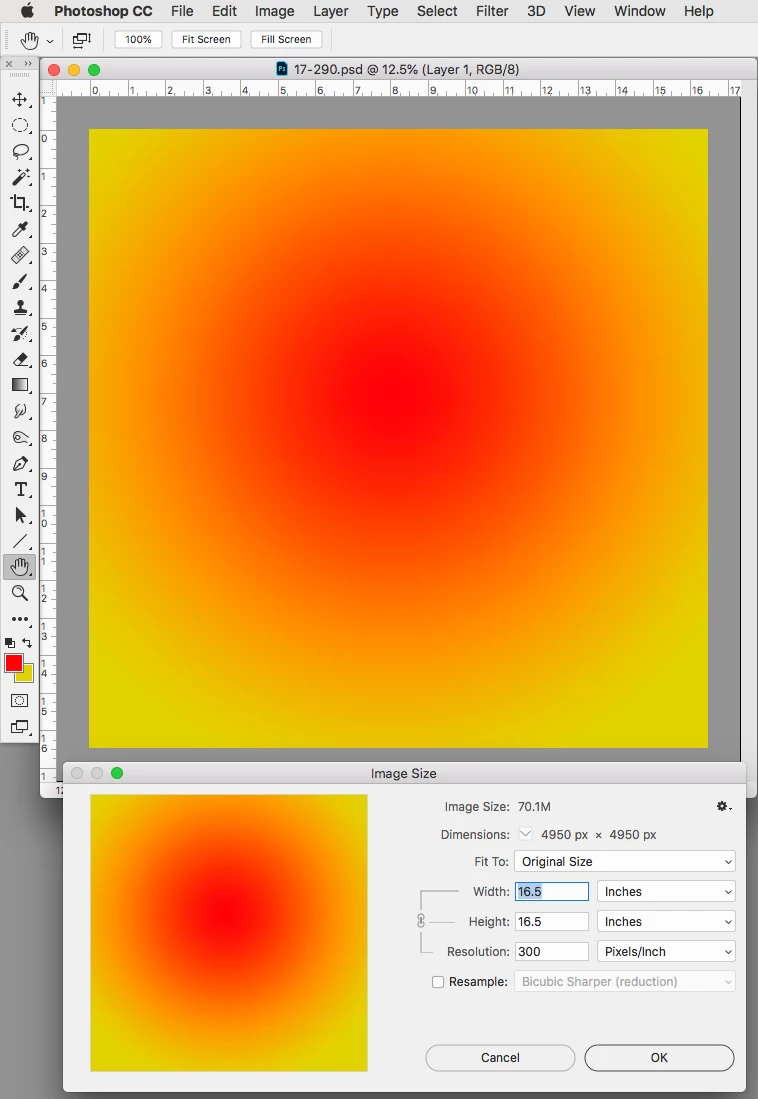
    ...or 68.5" x 68.5" (72ppi)
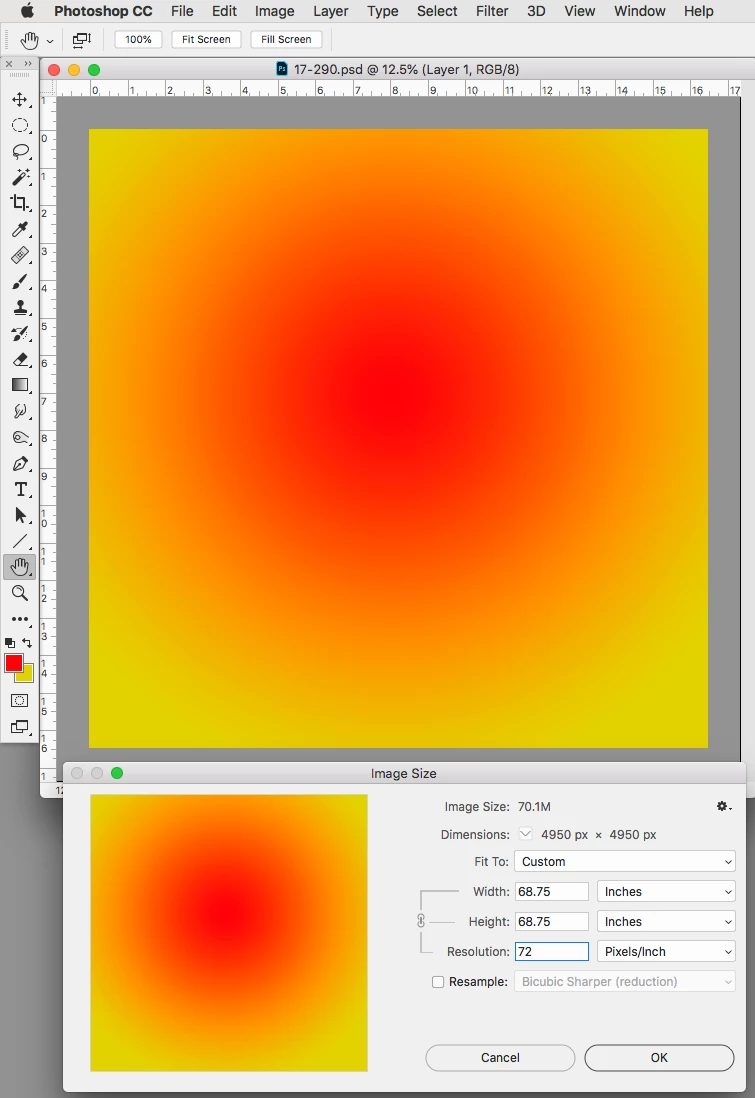
    When you place at 100% the Width and Height, and not the pixel dimensions are used for scaling.

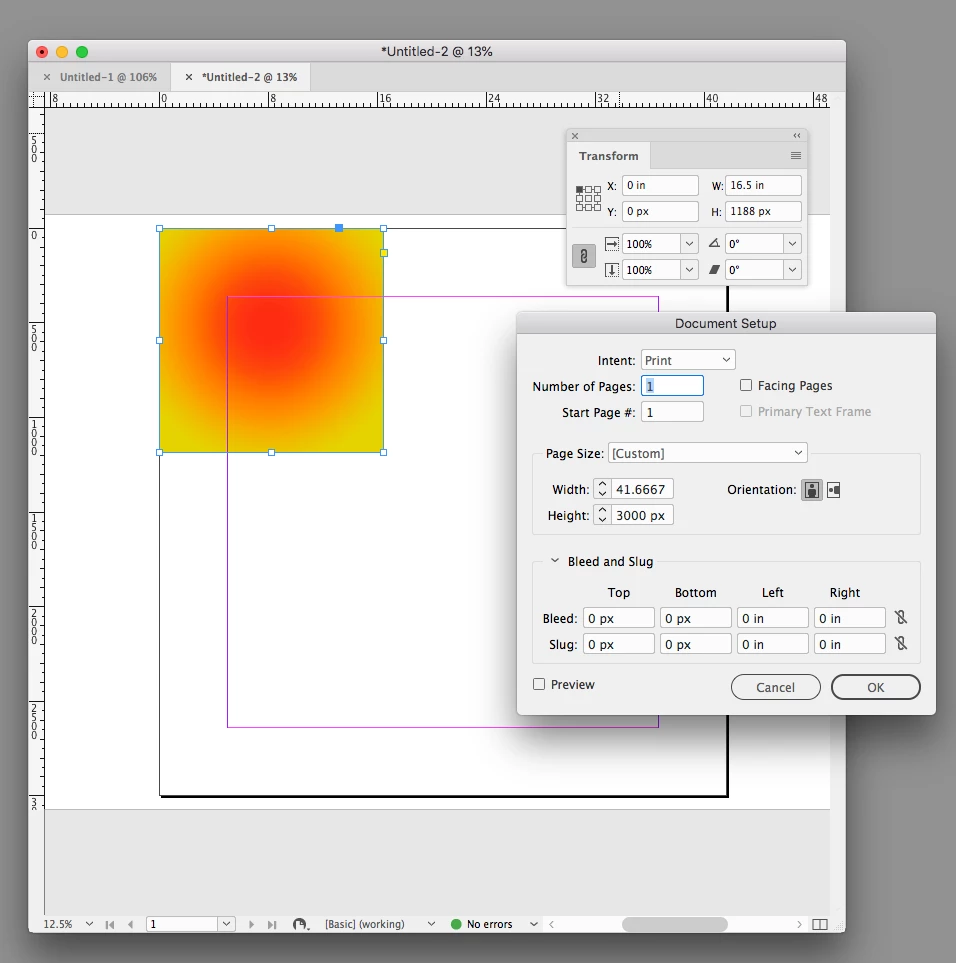
    The 16.5"x16.5" 300ppi image placed on a 3000 x 3000 pixel (41.666"x41.666") page. The 1188 px showing as the height in the Transform panel is the dimension of the frame, not the resolution of the image:

    3 replies

    rob day
    Community Expert
    rob dayCommunity ExpertCorrect answer
    Community Expert
    February 2, 2019

    In InDesign Pixels are a static unit of measurement, and is not related to image resolution—an InDesign page has no resolution.

    As a unit of measurement a pixel is equal to 1/72". If you change your ruler units to inches, you'll see that the page's output dimensions are 41.666" x 41.666". The scale of a placed object is always relative to the page’s print output dimensions—pixel dimensions are not considered.

    To illustrate winterm's #1, your 4950px image can have any print output dimension depending on how its Image Size is set in Photoshop:

    It could be 16.5"x16.5" (300ppi)...

    ...or 68.5" x 68.5" (72ppi)

    When you place at 100% the Width and Height, and not the pixel dimensions are used for scaling.

    The 16.5"x16.5" 300ppi image placed on a 3000 x 3000 pixel (41.666"x41.666") page. The 1188 px showing as the height in the Transform panel is the dimension of the frame, not the resolution of the image:

    Derek Cross
    Community Expert
    Community Expert
    February 2, 2019

    I suggest that in InDesign for page dimensions etc, work in mm or inches. Use points for typography and ensure that images have an Effective PPI of around 300PPI (you can check the Effective PPI in the Links panel). Don't paste your images into InDesign, Place them.

    winterm
    Legend
    February 2, 2019

    That's because a pixel has no physical size, and InDesign measures raster images in their physical length, not pixels. Don't be fooled by InDesign measurement unit it calls pixels. Pixels in InDesign do have physical size ( 1/72 of an inch).

    That said, in Photoshop, set your image to 72 ppi resolution and RGB color space, then pixels will match.