
jasminecorbett
Participating Frequently
October 26, 2022
Question

Pixelated drop shadow on ai file in Indesign

  • October 26, 2022
  • 2 replies
  • 1611 views

Hello,

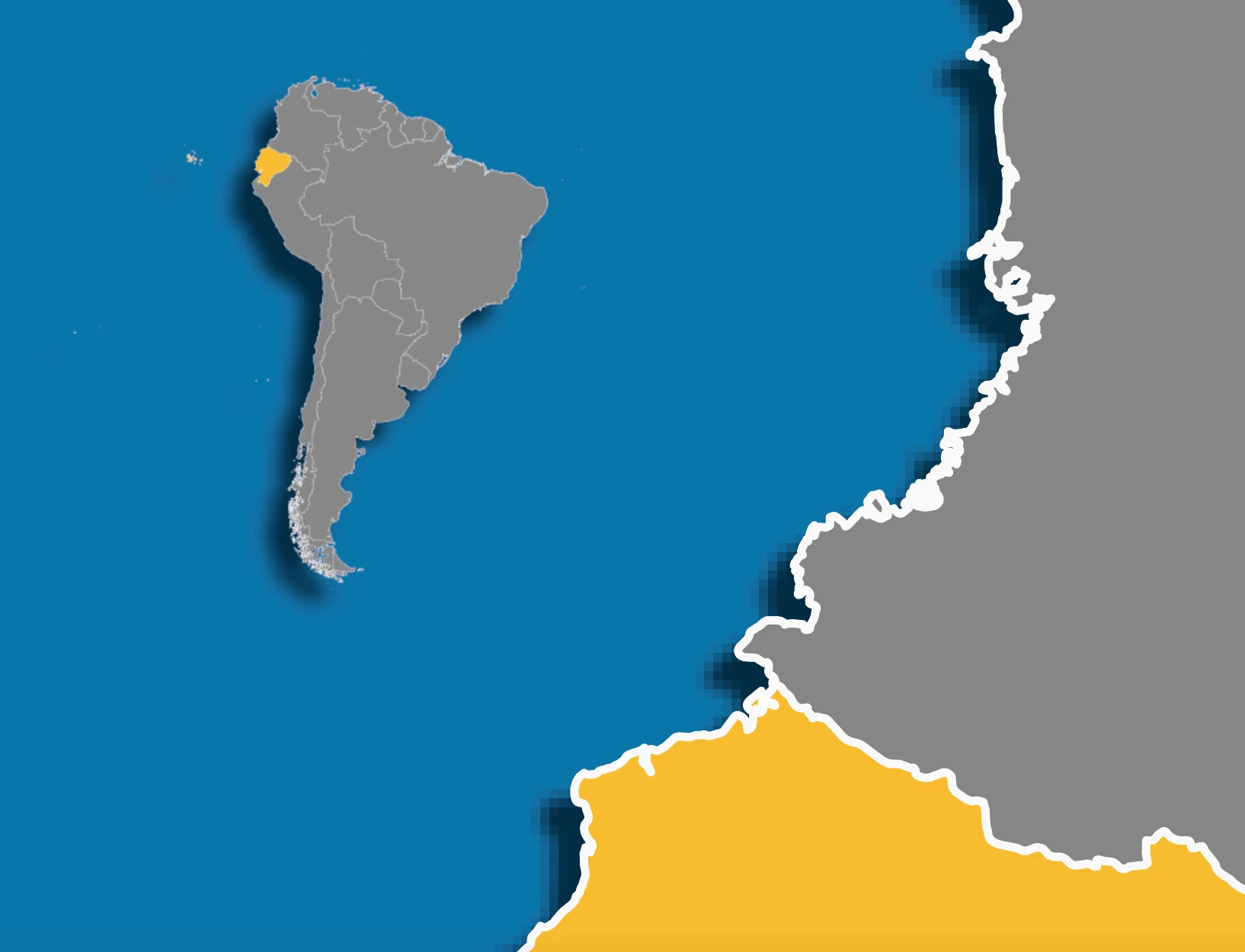
I have 2 different layers in indesign - 1 PNG and 1 ai file. The drop shadow on the png (map on the left) is working fine, but the drop shadow on the ai file (map on the right) is pixelated.

Has anyone had this issue before? I cannot find any solutions on forums! Thanks
 

This topic has been closed for replies.

2 replies

Willi Adelberger
Community Expert
Community Expert
October 26, 2022
  1. How much did you scale the ai file?
  2. What are your Dcument Raster Effect settings? Effect > Document Raster Effect Settings…
  3. Drop shadow is such a transparenc raster effect. If you scale up the image, the resolution goes down.
  4. I would avould a PNG gere because of quality and color problems,
jasminecorbett
Participating Frequently
November 30, 2022

Hello sorry for the late reply!

Somehow this one automatically fixed but now I'm having the same issue with another ai file...

1. I scaled the ai file by 200%. I assumed that the ai file was vector based so I could scale it exponentially, is that incorrect? If so, is there a way I can save the ai file at a very high resolution so that I can scale it?

2. I cannot find where to find out my document raster effect settings...I searched this in help with no luck. Please could you advise the steps how I can find this?

3. OK understood

4. Yes I would like to avoid PNG. However the ai file drop shadow is more pixelated than the PNG drop shadow, so for now it is my only option

Thanks in advance for your advice

Community Expert
November 30, 2022

You can change the resolution settings in Illustrator

https://www.printingcenterusa.com/help-center/resolution-illustrator/


You could just not put a drop shadow in Illustrator - instead add the drop shadow in InDesign using the effects panel.


Peter Spier
Community Expert
Community Expert
October 26, 2022

Version of InDesign? OS?

Was the shadow added in InDesign or Illustrator? Whar is your Transparency Flattener Preset?

jasminecorbett
Participating Frequently
November 30, 2022

Hello sorry for the late reply!

Somehow this one automatically fixed but now I'm having the same issue with another ai file...

I am on Indesign 2023, Mac OS Monterey 12.2.1
Shadow was added in Indesign. I don't actually know what my transparency flattener preset was...can you advise how I find this? Thanks

jasminecorbett
Participating Frequently
November 30, 2022

OK I've found the transparency flattener preset dropdown - my options were low, medium, and high. Whenever I try to select high resolution and close it, it goes back to low. When I press save, it directs me to save the preset onto my laptop - do I need to do this? Sorry I just don'y actually understand what the transparency flattener preset is. Thanks for your help