
Answered
Place Linked missing in my CC Libraries menu
I only have the option Place Copy in CC Libraries and Place Linked is missing. How can I fix this?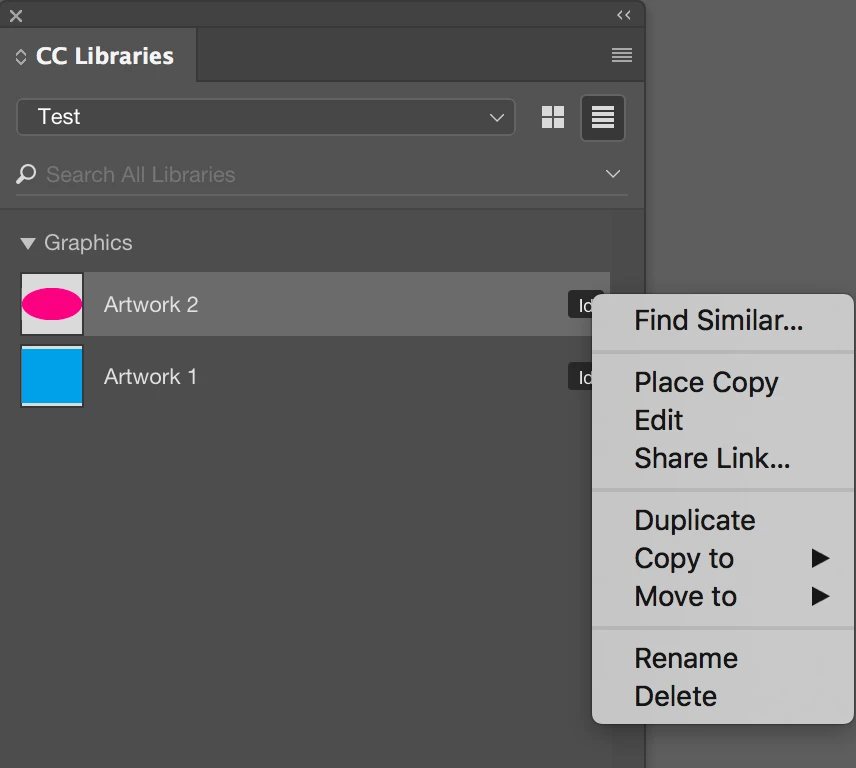

I only have the option Place Copy in CC Libraries and Place Linked is missing. How can I fix this?
Because you're placing an InDesign graphic item from CC Libraries, that's as expected.
I explain it in this excerpt from my article on CC Libraries in InDesign Magazine #83, March 2016:
* * *
If the graphic originated in InDesign, the only option when you right-click [on the graphic in a CC library] is Place Copy. InDesign recognizes the snippet file (IDMS) and copies it into the document; that is, you get one or more editable InDesign objects. Dragging and dropping produces the same result. In other words, the assets are not linked to the CC library. This means that if you later edit the InDesign asset in the library (I’ll explain how that works later), it will not update on your document pages.
However, CC library assets that originated in Illustrator or Photoshop are handled very differently. If you right-click on one of these, you can choose between the Place Linked or Place Copy commands:
• A place linked graphic is not linked to your hard drive or a server and doesn’t have a normal file path; rather, it’s linked to a named CC library, and marked by a cloud icon both in the Links panel and on the corner of the graphic itself (Figure 6).
• A place copy graphic is embedded as a copy of the asset. It shows no icon on the graphic, but appears in the Links panel with an “embedded” icon ( ). (This is basically the same as placing a linked graphic and then choosing Embed Link from the Links panel menu.)
Already have an account? Login
Enter your E-mail address. We'll send you an e-mail with instructions to reset your password.
 AdChoices