fredl65064644
Known Participant
September 6, 2024
Answered

Place Multiple Page PDF script doesn't recognize page size

  • September 6, 2024
  • 1 reply
  • 2270 views

I am using the PlaceMultiplePagePDF script in InDesign, and it places the pages wonderfully. However, it places those pages outside of the document pages: With "facing pages" unchecked in the doc setup, with a page size of 8.5 x 11", it places each page from the 8 x 10" PDF half on / half off the page, and the placed images are 17 x 10". Why does it do this? If it's not adjustable, how can I resize all the placements at once and center them on their pages? 

This topic has been closed for replies.
Correct answer Robert at ID-Tasker

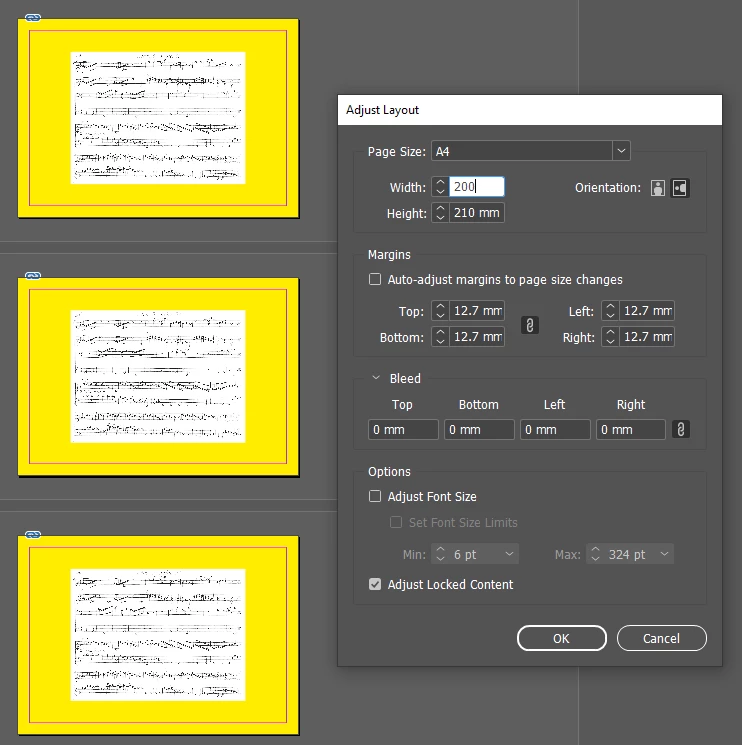
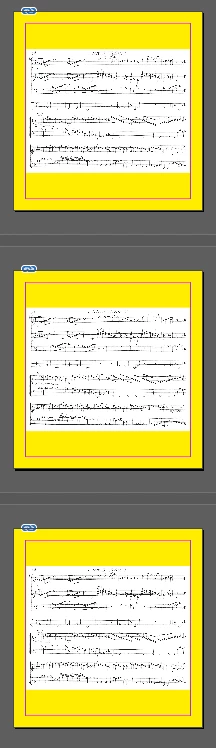
Or define bigger page size in InDesign, place bigger PDF, then change page size - File / Adjust Layout. 


Before - A4 landscape - with Adjust Layout set to 200x210:


After:


1 reply

Robert at ID-Tasker
Legend
September 6, 2024

Can you show a screenshot - from Acrobat, few spreads - of the PDFyou are trying to place?


fredl65064644
Known Participant
September 6, 2024
PDFimport_spread.jpg
Robert at ID-Tasker
Legend
September 6, 2024

The "spread" screenshot - is it a true sprad - two separate physical pages  - or false spread - one page with two "virtual" smaller pages side by side?


This dashed line is "concerning"...


I suspect, the PDF you are trying to place - has been exported as spreads - not pages, right?

As the vertical line should be solid.


As a sidenote - anyone done any proofreading / correction of this text?