Participant
May 14, 2021
Question

Place PDF Cover Page

  • May 14, 2021
  • 3 replies
  • 319 views

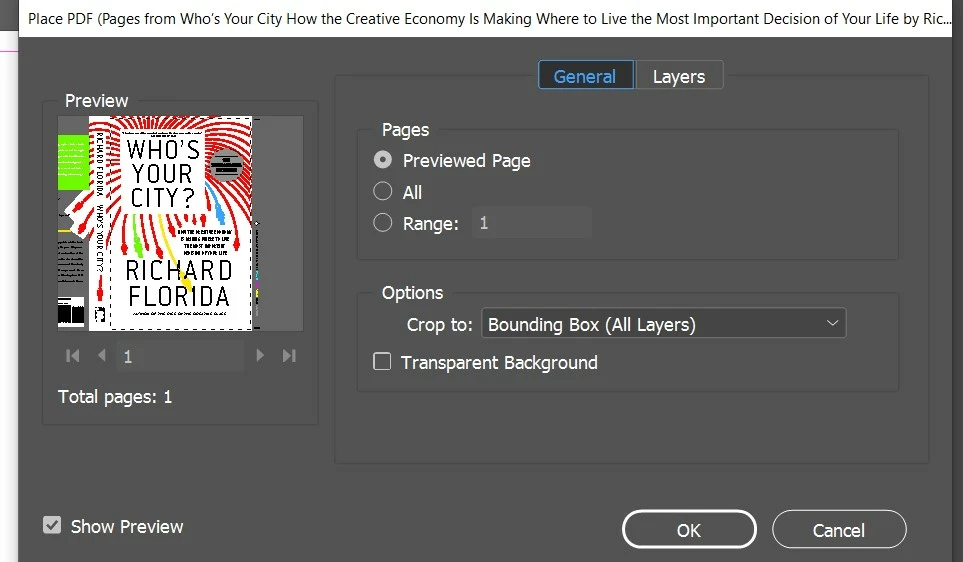
I'm trying to place a PDF cover to edit it. Using "show import options". Back cover and spine is also on the cover page of the PDF (first page). The problem is that I can not place the whole front-back-spine cover. In the preview the back and spine cover is visible (image attached).

From Options>Crop-to:

  • Bounding Box (visible layers only)
  • Bounding Box (all layers)
  • Crop
  • Media

are available.


This topic has been closed for replies.

3 replies

Community Expert
May 15, 2021

I see you're trying to Place the file to edit it? 

You cannot edit Placed links, they are inserted as links and non-editable. 

It's a PDF you are placing - the best bet to make changes is to edit the source file.


Peter Spier
Community Expert
Community Expert
May 14, 2021

Another thing to look at is how many pages are actually in the PDF. It might be multiple pages displayed as a single spread.

John Mensinger
Community Expert
Community Expert
May 14, 2021

Setting the Crop To: menu to Media should do it.

quote

I'm trying to place a PDF cover to edit it.


In case it matters, you won't be able to "edit" it, per se.