marlottek54221609
Participant
March 29, 2020
解決済み

Placed PDF file into Indesing part of PDF file disappear

When I place a pdf file into an Indesign document the heading text of the pdf is not visible.

I have a new Imac with Catalina version 10.15.4 and the latest Adobe programs.

On my old Imac with Sierra version 10.12.6 there is no problem.

What is the cause and the solution.

このトピックへの返信は締め切られました。
解決に役立った回答 vladan saveljic

you could fix this problem with Acrobat Preflight

"Fix potential font problems"


after that in indesign 15.1.1 (macOS 10.15.5)

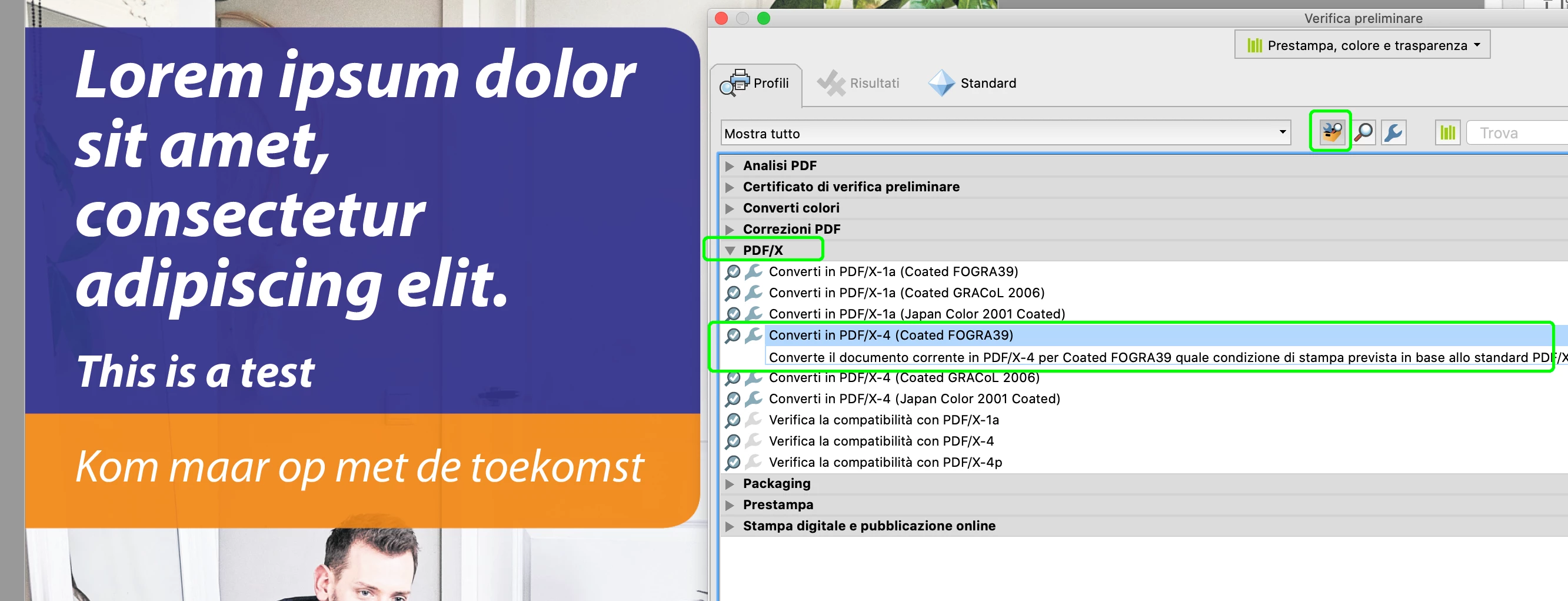
...or, you could fix this issue also with Acrobat preflight > convert to PDF/X-4


返信数 12

Community Expert
June 30, 2020

Hi Erik,

thank you very much for stopping by!

Could you provide a PDF sample that would provoke the issue?

Do that via Dropbox or a similar service and post the download link.


Thanks,
Uwe Laubender

( ACP )

Participating Frequently
June 30, 2020

Hi Uwe,


Thank you for your reply. Really hope you can help find the problem, I am really puzzeled, as every tool I used to check the pdf shows no problem and displays it correctly.


A sample file can be found here: 

https://wetransfer.com/downloads/3d69b2a83e814352b77446c7dcbfdfbe20200630183917/0cfd1842a0fb96519ac8688c2d25049320200630183941/0425a7?utm_campaign=WT_email_tracking&utm_content=general&utm_medium=download_button&utm_source=notify_recipient_email


Thanks!

Community Expert
April 22, 2020

Hi,

turn on and off Overprint Preview.

If the heading is visible in "Normal" view without Overprint Preview turned on, then it could be, that the text fill is overprinting in this placed PDF. Also open the placed PDF with Acrobat Pro and check the preview with:

Print Production > Output Preview > [x] Simulate Overprinting


You may contact the maker of the PDF to correct this and resend the file.

Or you could try to change the issue with Acrobat's Preflight functionality:

Single Fix Up: "Set white text to knockout"


Be careful when doing this and make the fix up on a duplicate of the original file with a new name.


NOTE: There could be other causes as well.


Regards,
Uwe Laubender

( ACP )

Participating Frequently
June 30, 2020

Hi,

I work for the company that supplied the PDF and we tried several things to fix this problem of Indesign with placing pdf files, but none of the proposed fixes work (Flatten forms & annotations,  White text knockout).


I have seen other forum posts with the exact same problem, unfortunatly not solved either, eg:  

https://community.adobe.com/t5/indesign/graphics-from-pdf-disappear-when-placing-it-into-indesign/td-p/10817612/page/3?page=1


Strange thing is that when selecting the pdf with the 'Place' function in Indesign, the preview does show the text that is not visible anymore after importing in Indesign.  


The PDF file is certified by PitStop server, with the standarized Newspaper_v14 profile, so I very much doubt there is a problem with the pdf.