Inspiring
May 25, 2021
Answered

Placed PDF over-inking on Export

  • May 25, 2021
  • 3 replies
  • 2848 views

I'm putting together a magazine with multiple adverts placed in to the pages.  

On Exporting the PDF to send to the printer, one of the placed adverts is showing as seriously over-inking when i preflight it.


The advert was created by an agency and is a PDF with Adobe RGB as the colourspace


The output profile for the indesign to PDF tells it to "Convert to Destination (Preserve Numbers)", destination is "Coated FOGRA39" (which has a 330% inking limit).


Everything else in the mag (a mix of RGB, CMYK and a plethora of colour spaces) all preocesses and ends up under teh 330% ink limit as I expected, but this one advert comes out the other side with 380%+ inking, and I can't work out why.

Can anyone help with where to look now?
This topic has been closed for replies.
Correct answer rob day

Here it is. 


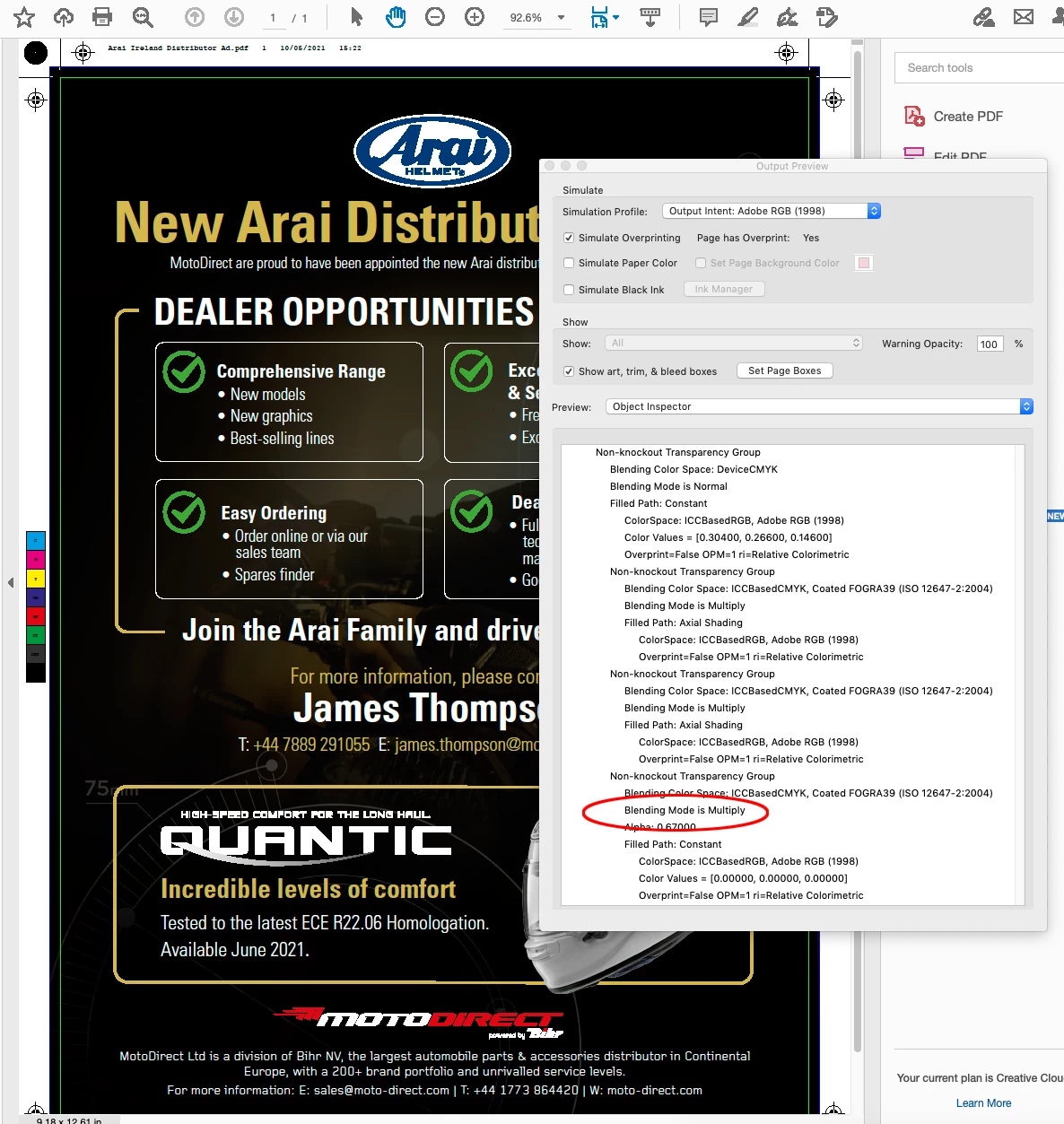
Its because of the Multiply blending mode blending with RGB black:


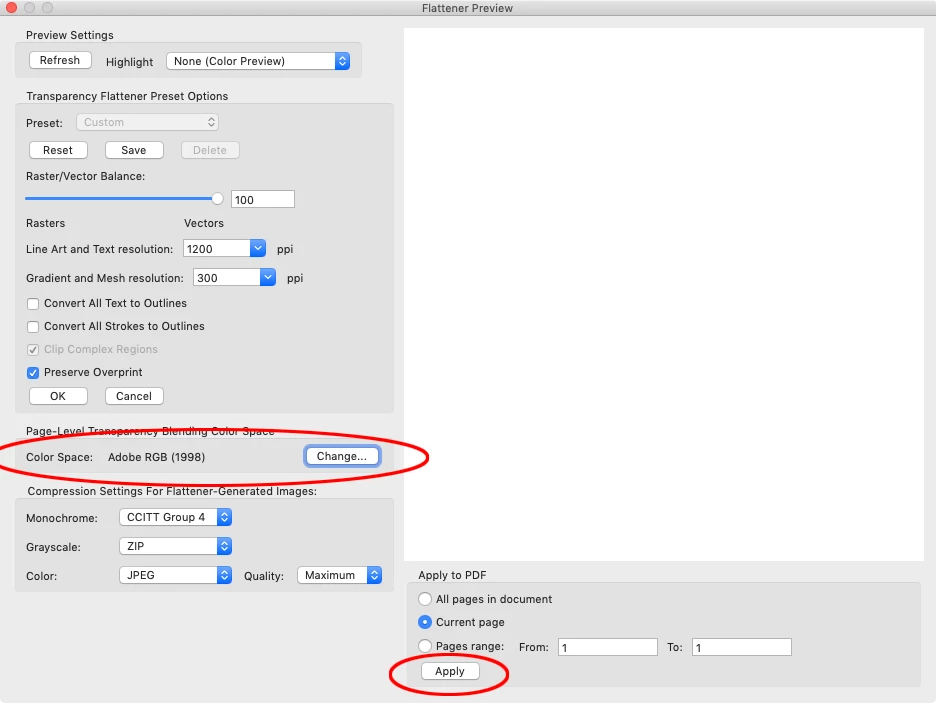
I was able to fix the total ink problem by setting the blend space to Adobe RGB and flattening:


3 replies

rob day
Community Expert
Community Expert
May 25, 2021

Just to get back on topic, in this case the total ink problem isn’t being caused by a color conversion. The PDF @CJC Williams posted has areas of total ink approaching 400% which indicates the problem is with the Multiply blending mode used in the PDF.


A PDF/X-4 export or exports with live transparency with certain blending modes combined with dark colors can cause total ink problems.

rob day
Community Expert
Community Expert
May 25, 2021


Certain Transparency Blending Effects applied over dark values can cause total ink problem—modes that darken like Color Burn, Multiply, Darken.


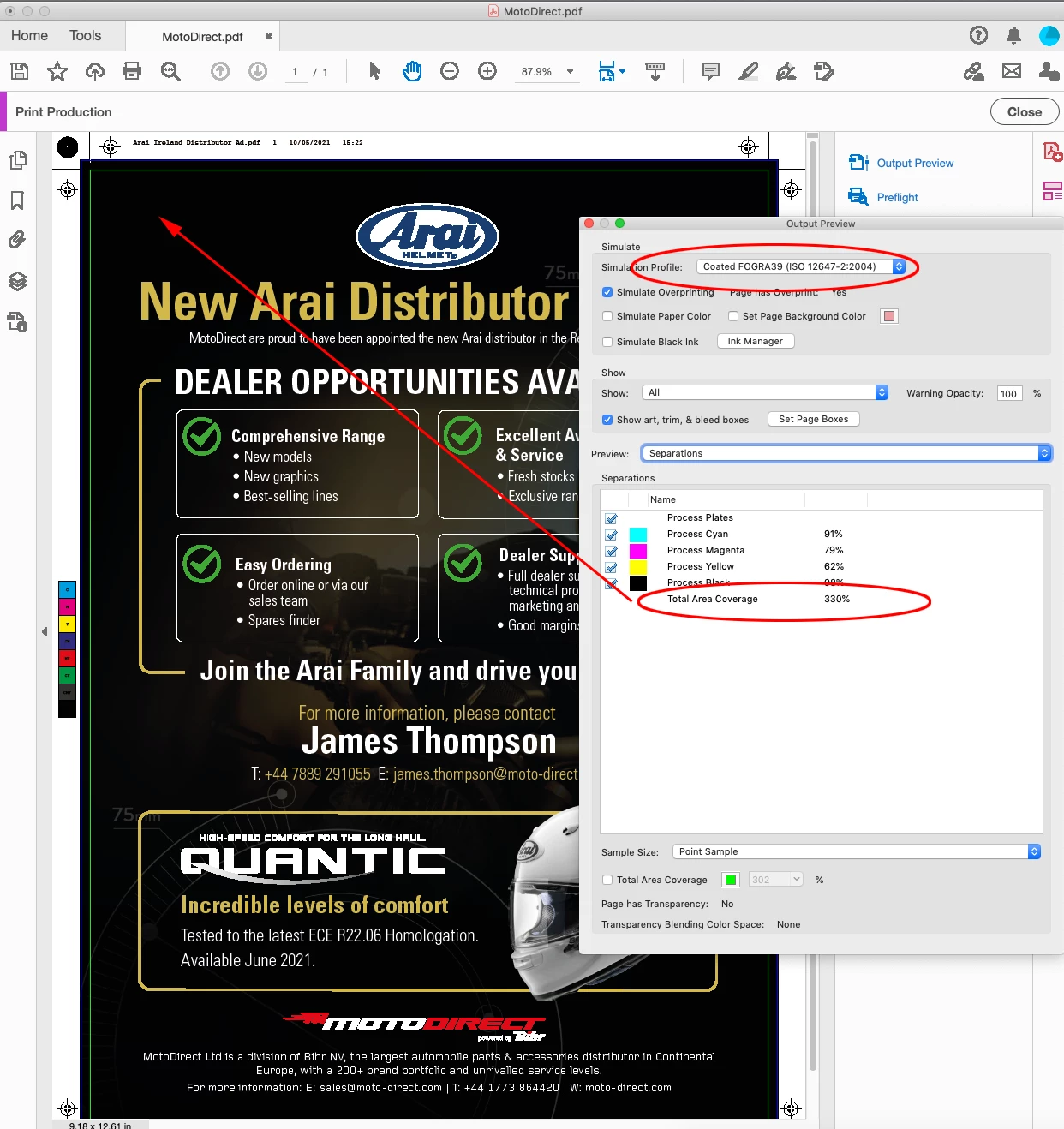
Here I’m getting 375% with Coated FOGRA39 as the document CMYK assignment because I’m multiplying a dark CMYK color over and area of RGB black:


If I set the Blend space to RGB I get the FOGRA ink limit, but then there is the risk of black text converting to 4-color.


Yes. I tried converting colours (as an experiment) to Adobe RGB and letting Indesign do the colour conversion to FOGRA39 when i export the whole document to PDF for the printer. That didn't work.


Try flattening the live transparency and blending modes PDF before converting to AdobeRGB

sunny.sunny
Inspiring
May 25, 2021

Did you try to convert colors in this PDF file using Acrobat?

https://helpx.adobe.com/acrobat/using/color-conversion-ink-management-acrobat.html

Inspiring
May 25, 2021

Yes. I tried converting colours (as an experiment) to Adobe RGB and letting Indesign do the colour conversion to FOGRA39 when i export the whole document to PDF for the printer. That didn't work.


I then tried "Convert to Output Intent" with the profile set as FOGRA 39. That didn't work either. On the Output preview (simulation profile set to FOGRA39) it is still showing large areas of 380% inking


sunny.sunny
Inspiring
May 25, 2021

OK, and did you try to change the ink limit on images using Photoshop? This is what I always do when I get closed PDF files from customers. 

First what you have to have to do is to check what files are "overinked". Tools --> Print Production --> Output Preview. In "Total Area Coverage" enter your max ink limit. You will see highlighted areas on images. All you have to do is to edit images in Photoshop.