PDAbate
Participant
June 21, 2019
Beantwortet

Placed PDF seen as overset text error in preflight panel

  • June 21, 2019
  • 1 Antwort
  • 591 Ansichten

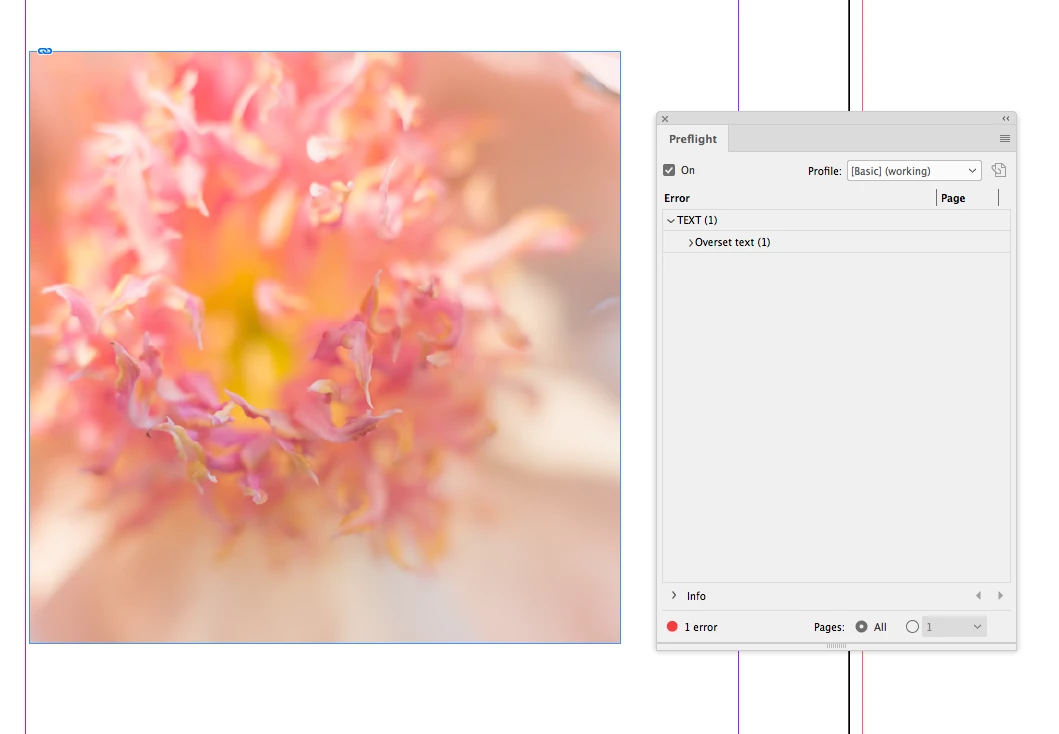
I have placed a PDF file in my InDesign document. The placed PDF is being seen as an overset text frame error in the preflight panel and I have no idea why... How can I fix this? The PDF is the size of the page in InDesign: 8.5x11 inches.

See screenshot below:

Dieses Thema wurde für Antworten geschlossen.
Beste Antwort von rob day

But I fixed it a different way! I set the placed PDF to No Text Wrap and the error went away

There's likely a hidden text frame somewhere below. Something like this, where there is a text frame below with a space character inside, which oversets because of the wrap. There has to be text frame being affected by the wrap somewhere on the page in order to get an overset:

1 Antwort

Legend
June 21, 2019

Maybe the PDF was placed inline in a text frame that has some other text in it. 

Have you looked at the frame with the Story Editor?

PDAbate
PDAbateAutor
Participant
June 21, 2019

Nope, the PDF wasn't placed in a text frame. When I double clicked the error in preflight, it highlighted the placed PDF.

But I fixed it a different way! I set the placed PDF to No Text Wrap and the error went away. But there is no text THAT close to the PDF or on the page so I'm still not sure why it said that in the first place. I have some random elements off to the side.

But yay, fixed! This thread can be closed.

rob day
Community Expert
rob dayCommunity ExpertAntwort
Community Expert
June 21, 2019

But I fixed it a different way! I set the placed PDF to No Text Wrap and the error went away

There's likely a hidden text frame somewhere below. Something like this, where there is a text frame below with a space character inside, which oversets because of the wrap. There has to be text frame being affected by the wrap somewhere on the page in order to get an overset: