It's not pulsing for me so I'm going to jot down all the steps I'd go through (even though you've already tried some - I'm just going to consolidate ideas here)
This feels very much like a redraw or compositing bug. Essentially, InDesign is re-rendering the images every time it refreshes the text caret. That would explain why it stops if you deselect the text frame: no caret blinking, no refresh cycle.
GPU Performance / Display Settings
Go to Preferences > GPU Performance.
Try disabling GPU Performance and restart InDesign.
On some Macs, the GPU redraw has been glitchy when transparency, high-res RGB images, and blinking insertion points mix.
Screen Mode
Try switching to Preview Mode (W).
Sometimes the normal mode forces more redraw cycles.
Or switch between Typical Display and High-Quality Display in View > Display Performance.
Transparency Blend Space (you did this)
You confirmed changing RGB/CMYK doesn’t help. Worth trying again with GPU off.
Flattening Preview
Choose Window > Output > Flattener Preview.
Toggle some transparency options to see if it forces a stable redraw.
Rebuild Preferences
Hold Shift+Ctrl+Alt (Windows) or Shift+Control+Option+Command (Mac) when launching InDesign to reset prefs.
This can flush out old corrupted settings.
Update InDesign
Double-check if you are truly on the latest patch, or if Adobe has quietly sneaked out a fix since your post.
Go to Creative Cloud > Updates.
Try Another Mac User Profile
Create a new macOS user account and see if it happens there.
Sometimes it’s a system-level cache or user-specific setting.
External Display
If you use an external display, unplug it and see if it happens on the built-in screen alone.
External displays can trigger weird GPU compositing issues.
One other option - if you toggle the preferences
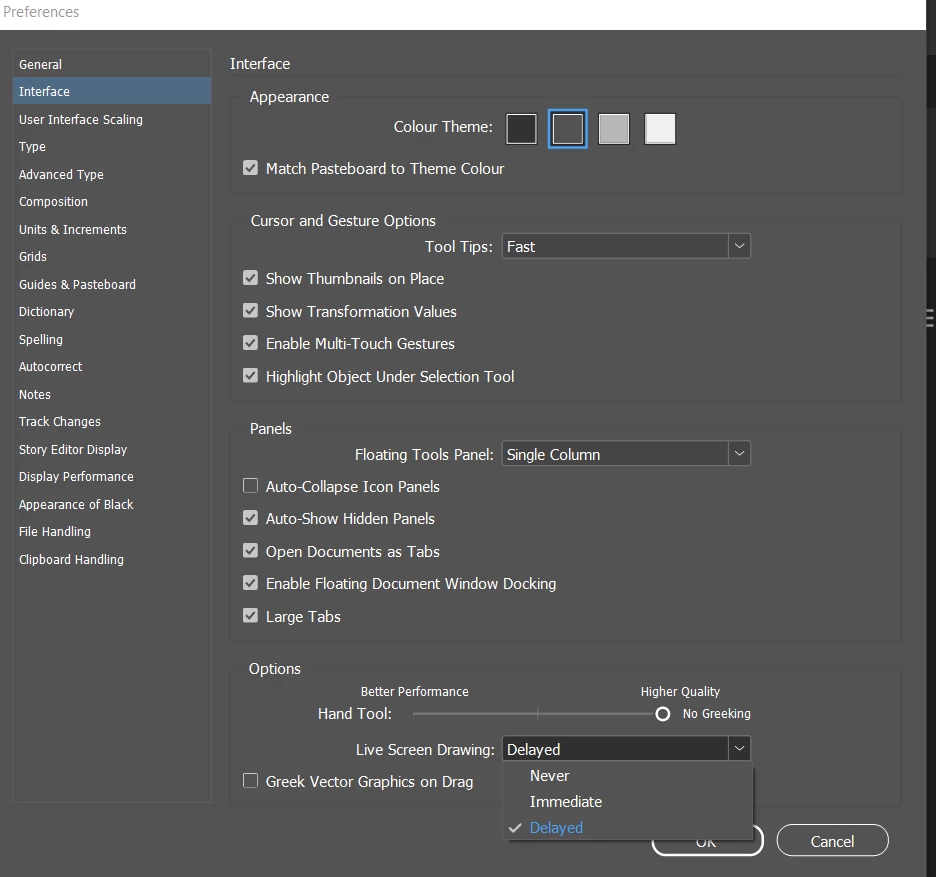
Thank you for this thorough list of suggestions, but... apparently the entire problem has mysteriously resolved itself. After I booted my Mac this morning, I reopened the sample file to start troubleshooting according to your list, but it wasn't blinking. So then I opened the original file — same thing. It had been doing this for at least two sessions over two days, but now it seems to have stopped. The only thing I had actually changed was Transparency Blend Space — is it possible this only takes effect after a Quit and Restart?



 AdChoices