Inspiring
February 21, 2024
Answered

Placed SVG files do not fill frame

  • February 21, 2024
  • 3 replies
  • 1944 views

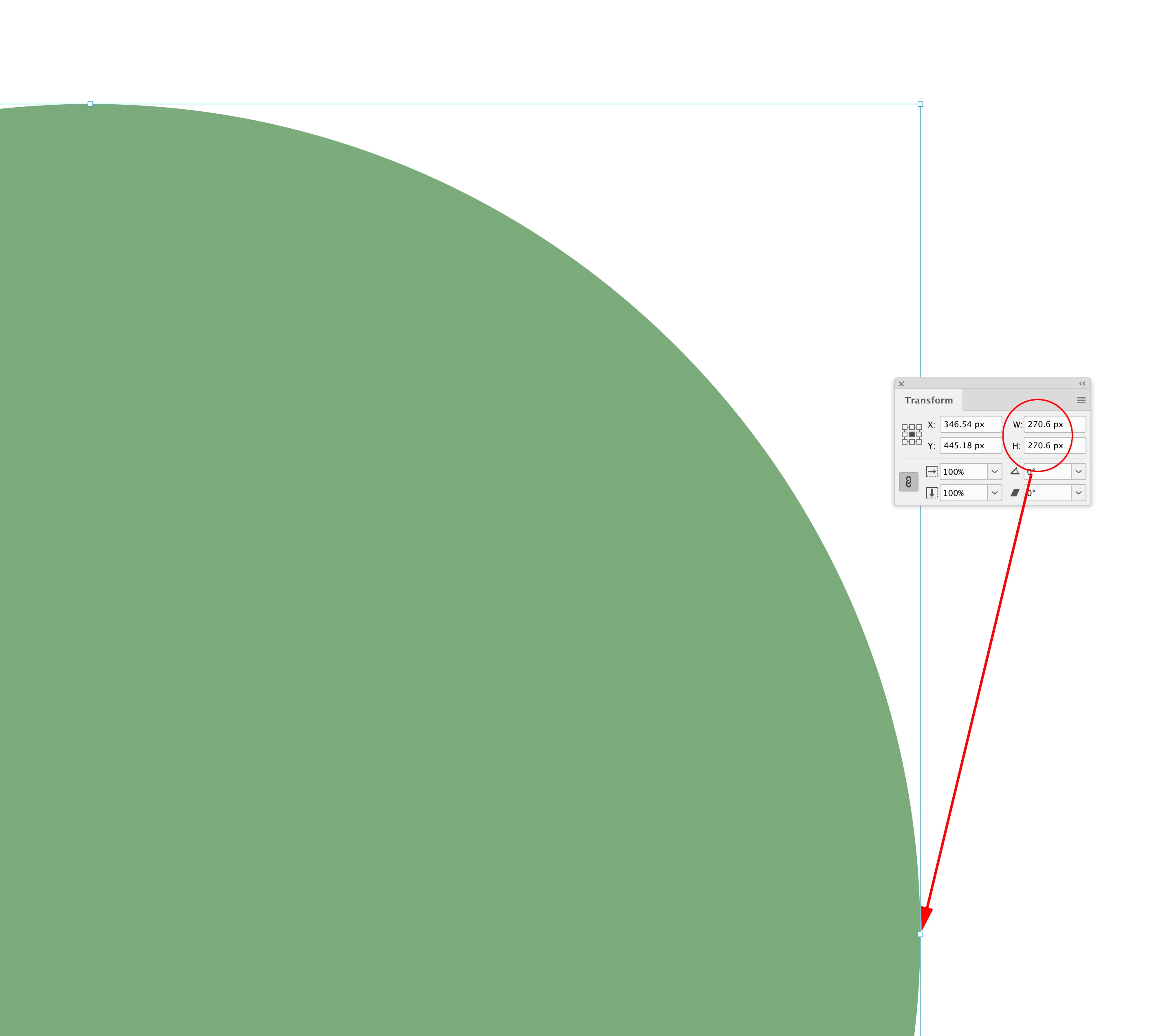
When placing an EPS file in InDesign it automatically fills the frame. The mint coloured object touches the frame:

 

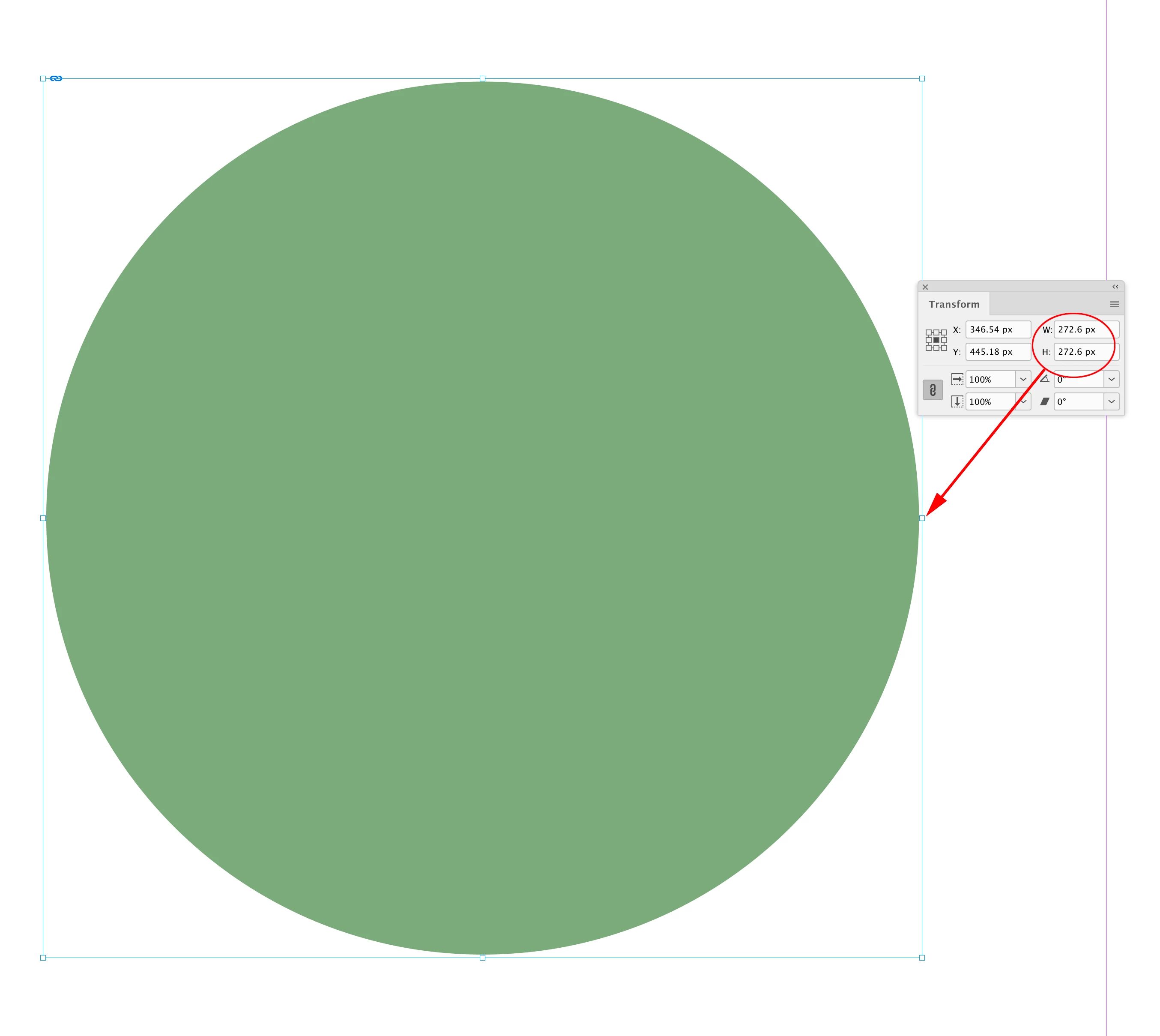
But in Illustrator, if I save the very same object as an SVG file, and then place it into InDesign there is a margin or space between the object and the frame:

 

This appears to be true for all SVG files. Even though I've used the Artwork tool to Fit To Artwork Bounds.


In InDesign if I do Fit Frame To Content this doesn't help. It's as if SVG files have an invisible border around them.


How can I get SVG files to behaviour as EPS files and they simply fill the frame?
This topic has been closed for replies.
Correct answer rob day

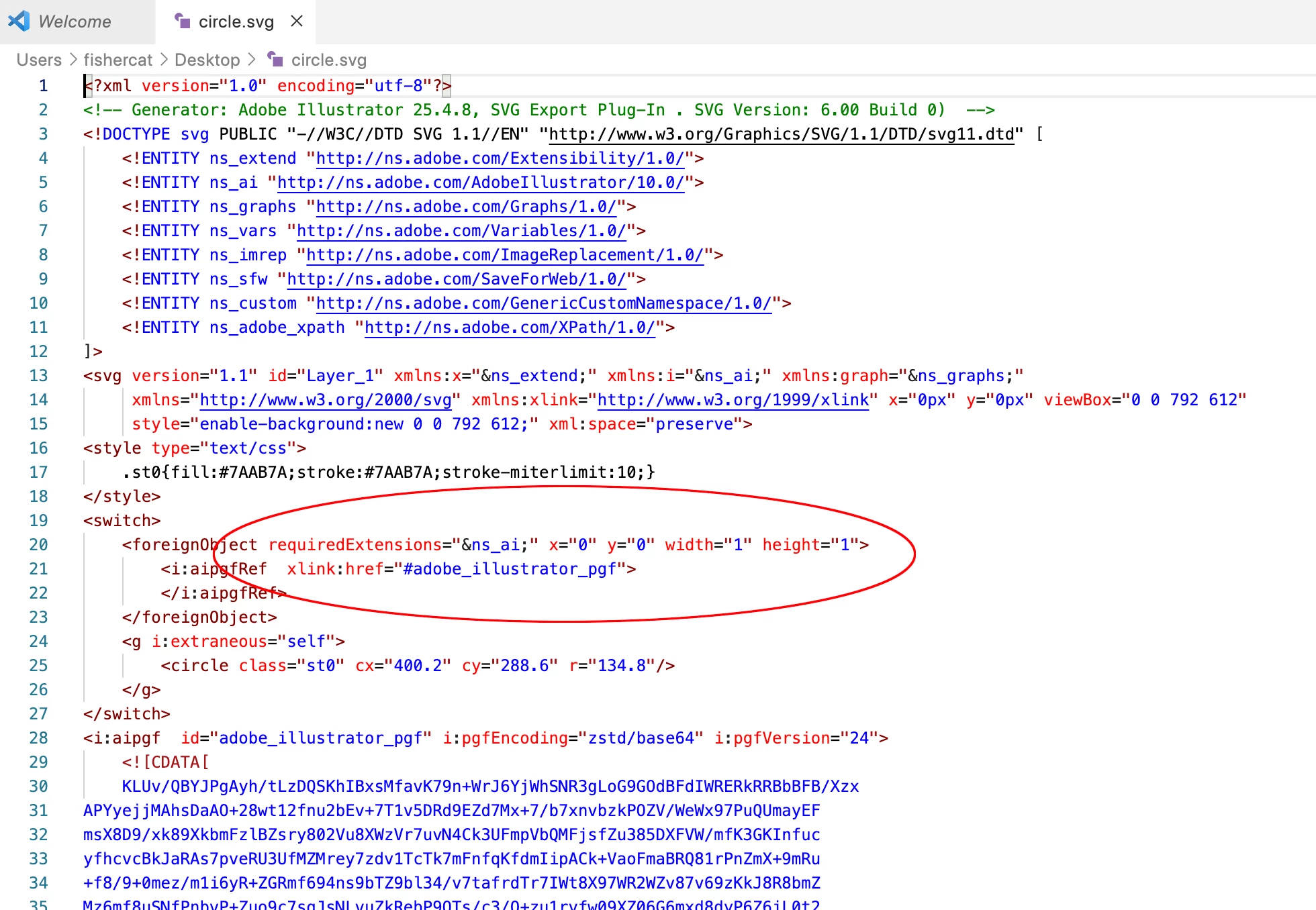
Hi @markeeeee , If I open an Illustrator SVG in a text editor I get this, which seems to indicate a required 1 pixel padding:


And if I check the padding in InDesign it is indeed 1px:


SVG is a web format, and while they can be printed there are other reasons not to use the format for print. They can not be saved as CMYK— RGB will cause a 4-color conversion, and a registration problem if there is any small black only text. And they can not have an embedded color profile, which could be a problem for general color management.

3 replies

rob day
Community Expert
rob dayCommunity ExpertCorrect answer
Community Expert
February 21, 2024

Hi @markeeeee , If I open an Illustrator SVG in a text editor I get this, which seems to indicate a required 1 pixel padding:


And if I check the padding in InDesign it is indeed 1px:


SVG is a web format, and while they can be printed there are other reasons not to use the format for print. They can not be saved as CMYK— RGB will cause a 4-color conversion, and a registration problem if there is any small black only text. And they can not have an embedded color profile, which could be a problem for general color management.

markeeeeeAuthor
Inspiring
February 22, 2024

In Illustrstor I have created a 10px square. And made the artboard 10px square. As an SVG placed in InDesign the file is 11px sqaure! But as an EPS it is the correct 10px square.


SVG files are adding 1/2 pixel padding. But when I open the SVG file in a text editor the code looks fine.

Very odd behaviour!

BobLevine
Community Expert
Community Expert
February 22, 2024

There's nothing odd about it. Stop using SVG. It's a web format.

markeeeeeAuthor
Inspiring
February 21, 2024

This screen shot shows it well. Top link is EPS and fills frame. Bottom link, same file, saved as SVG and it doesn't fill frame.


BobLevine
Community Expert
Community Expert
February 21, 2024

So, this is about a few pixels?

markeeeeeAuthor
Inspiring
February 21, 2024

Yes.

BobLevine
Community Expert
Community Expert
February 21, 2024

Quite frankly, if you're saving from Illustrator anyway, just save as AI and be done with it.


And you should note the reason the EPS files are filling the frame is because at some point you selected the crop to art option when placing one. This option is sticky.

markeeeeeAuthor
Inspiring
February 21, 2024

It's artwork for a client who doesn't have Adobe software, so I'm having to save as SVG.


As mentioned when placing EPS it fills the frame. But when placing exactly the same files resaved as SVG it doesn't fill the frame. And Fit Frame To Content doesn't help. It's as if InDesign thinks the SVG content is bigger than it is.


markeeeeeAuthor
Inspiring
February 21, 2024

If your client does not have this software, save as PDF, not as SVG. Avoid EPS in modern times.


Hey, thanks, I'll look into this. The artwork is various different logos. Would you suggest saving logos as PDF, to be used in InDesign, Canva, Word, PowerPoint etc?