carrie1009
Known Participant
February 18, 2017
Answered

Placed text comes out in little boxes

  • February 18, 2017
  • 3 replies
  • 4957 views

Hi all...I'm no pro at Indesign, but have done a few projects...this time when I'm placing text from an .rtf, it doesn't flow across the pages as other documents I've done, instead it comes out in little squares..the title is in a box with blue borders, the authors name, etc. the rest of the document is just ..little boxes. help?
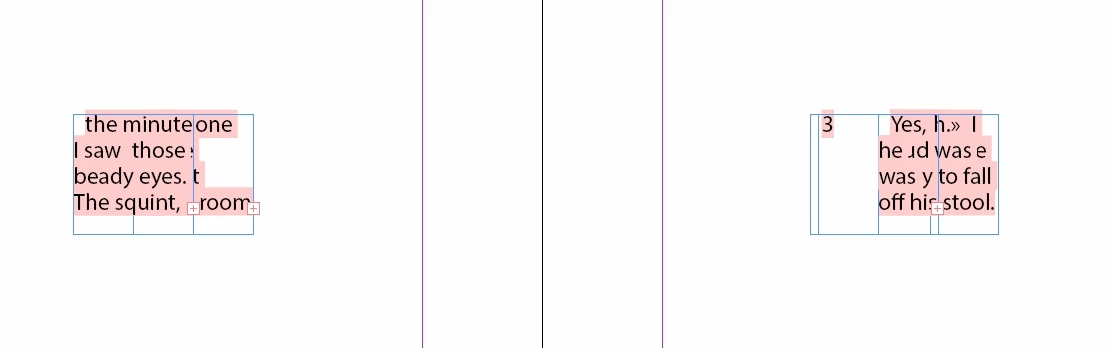
thanks in advance

carrie
    This topic has been closed for replies.
    Correct answer Barb Binder

    Carrie:

    What version are you on? I can send the file in a format you can open if that would help, although I don't think you need it anymore.

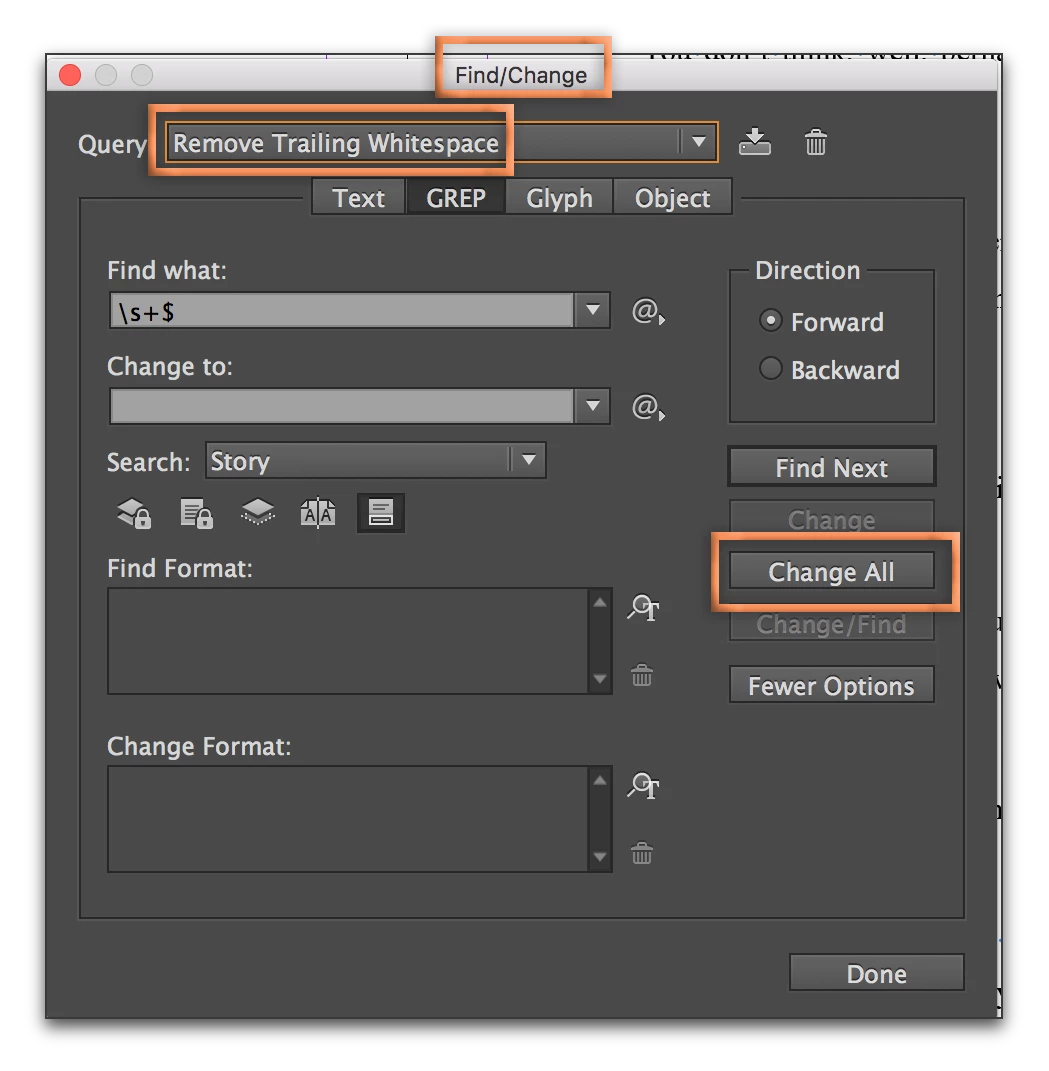
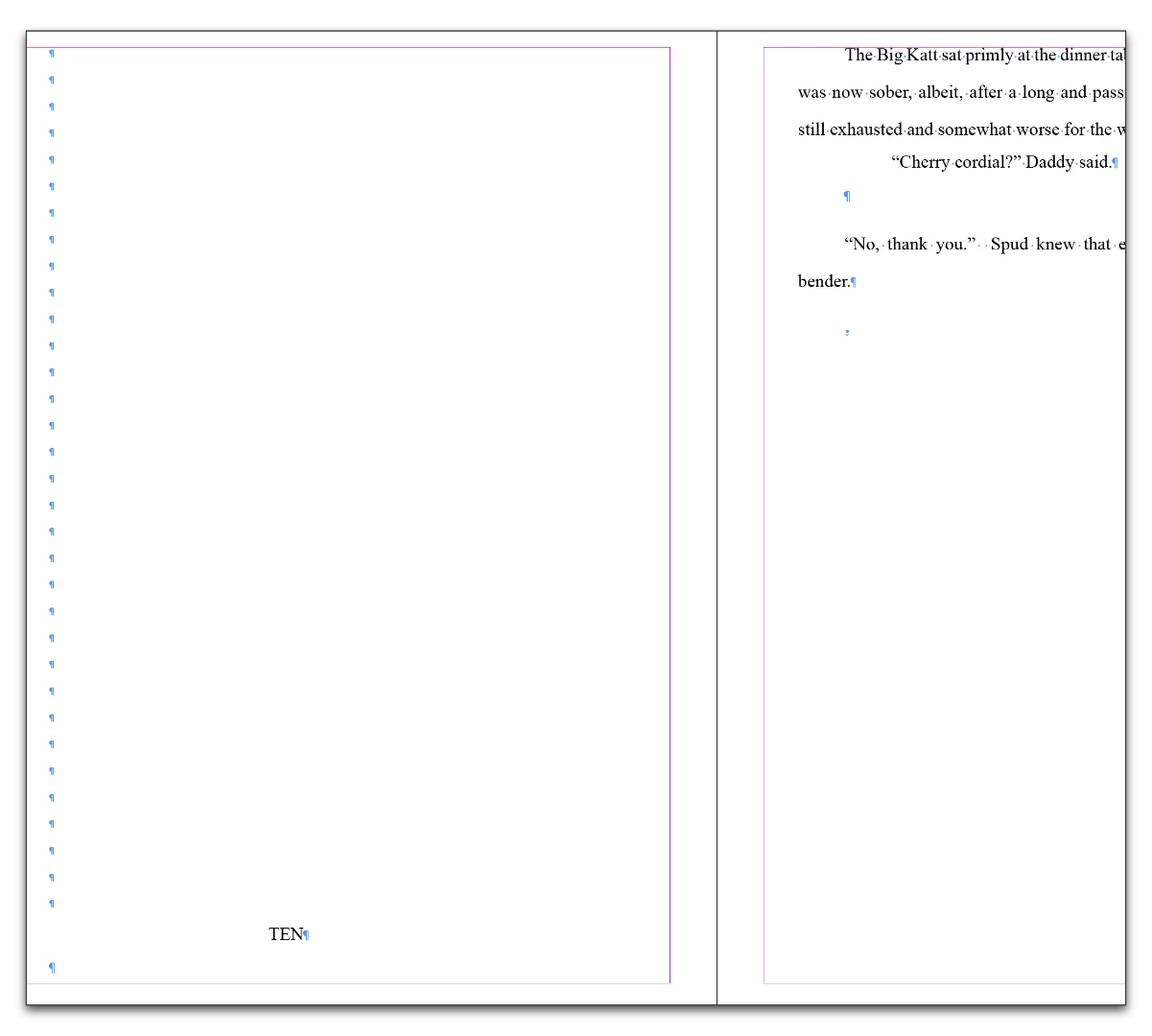
    In the meantime, what we are seeing in your file are lots of extra returns, which will make what you are describing happen. Use Type > Show Hidden Characters to expose the returns.

    \

    InDesign makes this very easy to clean up:

    1. Click in the story.
    2. Edit > Find/Change
    3. Query: Remove Trailing White Space, Change All

    And while you are at it, run the Multiple Space to Single Space Query as well. You've got lots of extra spaces all over the place, too. Then I think you should be good to go.

    3 replies

    Barb Binder
    Community Expert
    Barb BinderCommunity ExpertCorrect answer
    Community Expert
    February 20, 2017

    Carrie:

    What version are you on? I can send the file in a format you can open if that would help, although I don't think you need it anymore.

    In the meantime, what we are seeing in your file are lots of extra returns, which will make what you are describing happen. Use Type > Show Hidden Characters to expose the returns.

    \

    InDesign makes this very easy to clean up:

    1. Click in the story.
    2. Edit > Find/Change
    3. Query: Remove Trailing White Space, Change All

    And while you are at it, run the Multiple Space to Single Space Query as well. You've got lots of extra spaces all over the place, too. Then I think you should be good to go.

    ~Barb at Rocky Mountain Training
    jane-e
    Community Expert
    Community Expert
    February 20, 2017

    Carrie,

    Here are two screen shots.

    • One is your Story Editor and

    • the other is one spread.

    You have large linked frames on every page, and many small anchored frames with small amounts of text inside each linked frame.

    I saw this recently with a client where the Word document was in text boxes (frames) and it did a similar thing in InDesign as what we are seeing here. I don't see text boxes in the Word sample you sent us. But I was also unable to match the exact same text. I did a search for "This book is a work of fiction" in the Word document and did not find it.

    Please look to see if there are frames in the Word document.

    Also, you said it was an rtf document, but it is docx. What happens if you save it as rtf?

    jane-e
    Community Expert
    Community Expert
    February 20, 2017

    Also, I am seeing this definition for Normal:

    There is a plus after Normal. When I create a new style based on the overrides, I get this:

    The only thing that jumps out at me is the Russian language, since your document is not in Russian.

    jane-e
    Community Expert
    Community Expert
    February 19, 2017

    What happens in you place the same text in a new document?

    If it's okay there, check to see if you have an Object style applied as a default in your current document. With nothing selected, look at Object Styles. If you see a plus, remove the overrides.

    carrie1009
    Known Participant
    February 19, 2017

    it did the same in a new blank document. thousands of little squares.

    i tried to copy and paste the original rtf into a new document, and paste it into ID, and it didn't do the little boxes, but the formatting is atrocious. I'm thinking it was be the original file, but i've tried converting it from pdf to word and it still comes up little boxes. I'm just stumped.

    jane-e
    Community Expert
    Community Expert
    February 19, 2017

    Click on one of the frames and look at it in the Story Editor. What do you see there?

    Derek Cross
    Community Expert
    Community Expert
    February 18, 2017

    There are several issues here – 1) the pink behind the lettering means you don't have that font installed on your computer. 2) the little red cross means you have more text than the text frame can contain (you need to make the frame larger, or make the type smaller or cut some text). or 3) To make the text flow from one frame to the other you need to understand how to use the in and our points in text frames: Thread text among frames in Adobe InDesign

    carrie1009
    Known Participant
    February 18, 2017

    Thanks Derek...I should mention that I did do the shift-click....and the arrow turned into the wavy line like it was going to flow...the font itself isn't important and I'll change it once I get it all into the document, but I've never seen it in chunks like that..I have over 230 pages of those little boxes! I used the black arrow tool to place the text, and the white one as well, but still end up with boxes...

    Derek Cross
    Community Expert
    Community Expert
    February 18, 2017

    Are you using Paragraph (and Character) Styles?