Answered
Placing .ai file, exports with outlines?
Hi all,
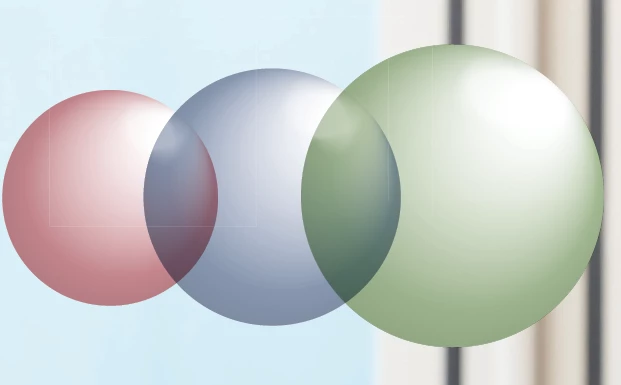
Is there anyway to 'remove' the white outlines that appear in the picture below?
The logo has been placed in .ai format and I am exporting to PDF.
Hi all,
Is there anyway to 'remove' the white outlines that appear in the picture below?
The logo has been placed in .ai format and I am exporting to PDF.
Those are flattening hairlines; they usually appear when viewing a PDF on a computer screen but not in print; it's a long-standing bug in the way the pages are rendered into screen images.
If there is something in your AI file that is defining that rectangular region (even if it is behind another layer or set as invisible) then the process of creating a transparency-flattened PDF will see it as a boundary and slice the overlying page objects into pieces in the name of 'efficiency'. If the PDF creation library is told to flatten transparency (e.g. for PDF/X) and it decides to slice something there's nothing you can do to stop it.
Already have an account? Login
Enter your E-mail address. We'll send you an e-mail with instructions to reset your password.
 AdChoices