Participating Frequently
May 1, 2017
Answered

Placing an .indd file within another .indd file

  • May 1, 2017
  • 1 reply
  • 2449 views

I know it is possible to place multiple pages from a PDF with autoflow using the scripts found within InDesign, however, I am wondering if it is possible also with another .indd file? I have manuals for the same products with different covers, but the content is the same within the manual. I don't want to have too many .indd files to maintain and would like the changes applied to one file to be carried over to the other. Is there a script or something that can make it possible for me to place the entire .indd file and not only the first page?

Thanks!
    This topic has been closed for replies.
    Correct answer Laubender

    Hi biancaho ,

    I would favour PDF placing.

    Why?

    1. There are some free scripts out for it.

    2. You cannot place InDesign documents of higher version in lower version documents.

    But if you want to do it with InDesign document files go ahead using this trick:

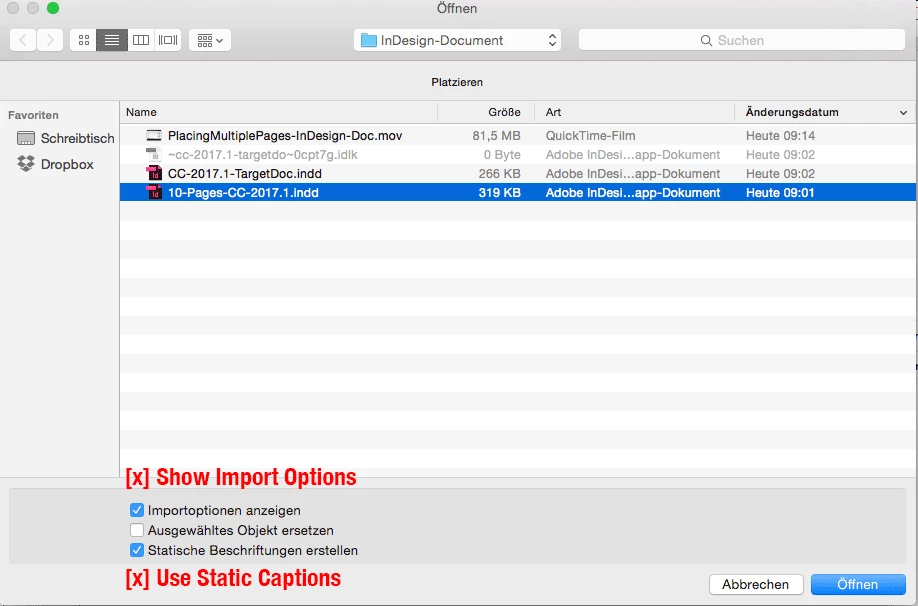
    Check the option to do Static Captions while placing.

    That will load the placegun with all the InDesign pages. Plus the captions, of course.
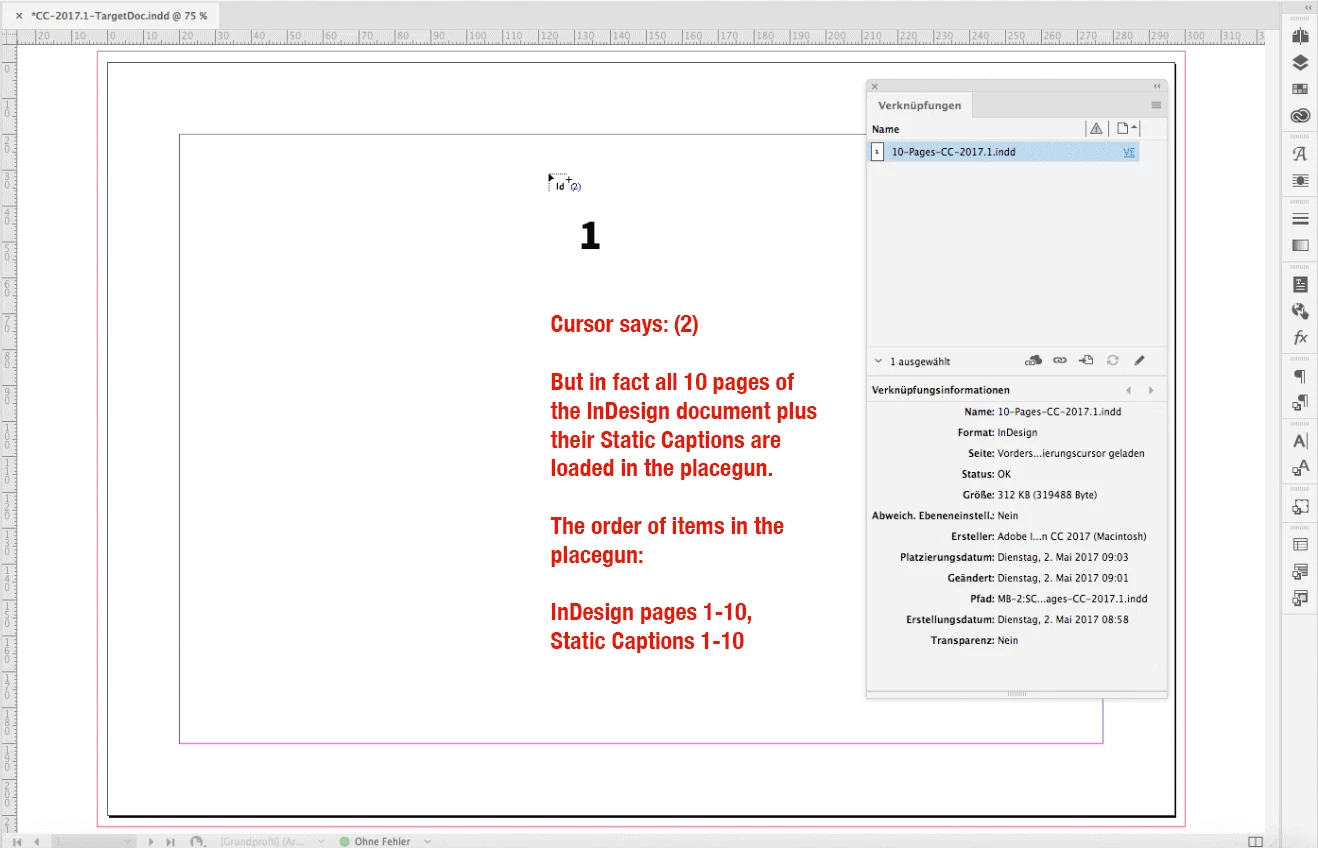
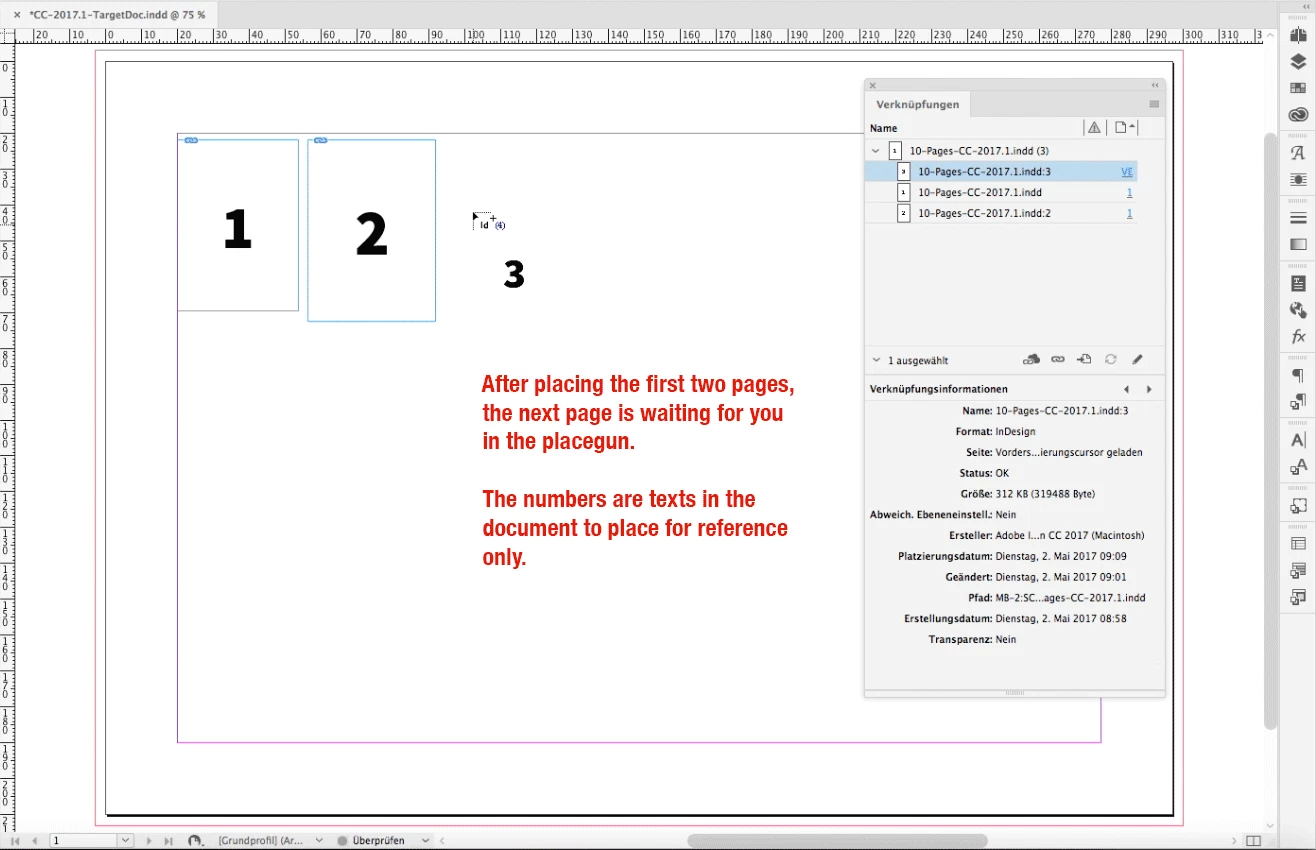
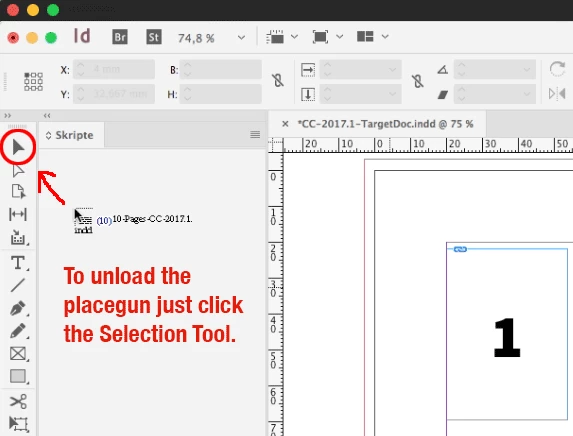
    Don't get irritated by looking at the placegun cursor. It does not seem, that it is loaded with all the pages, but it is.

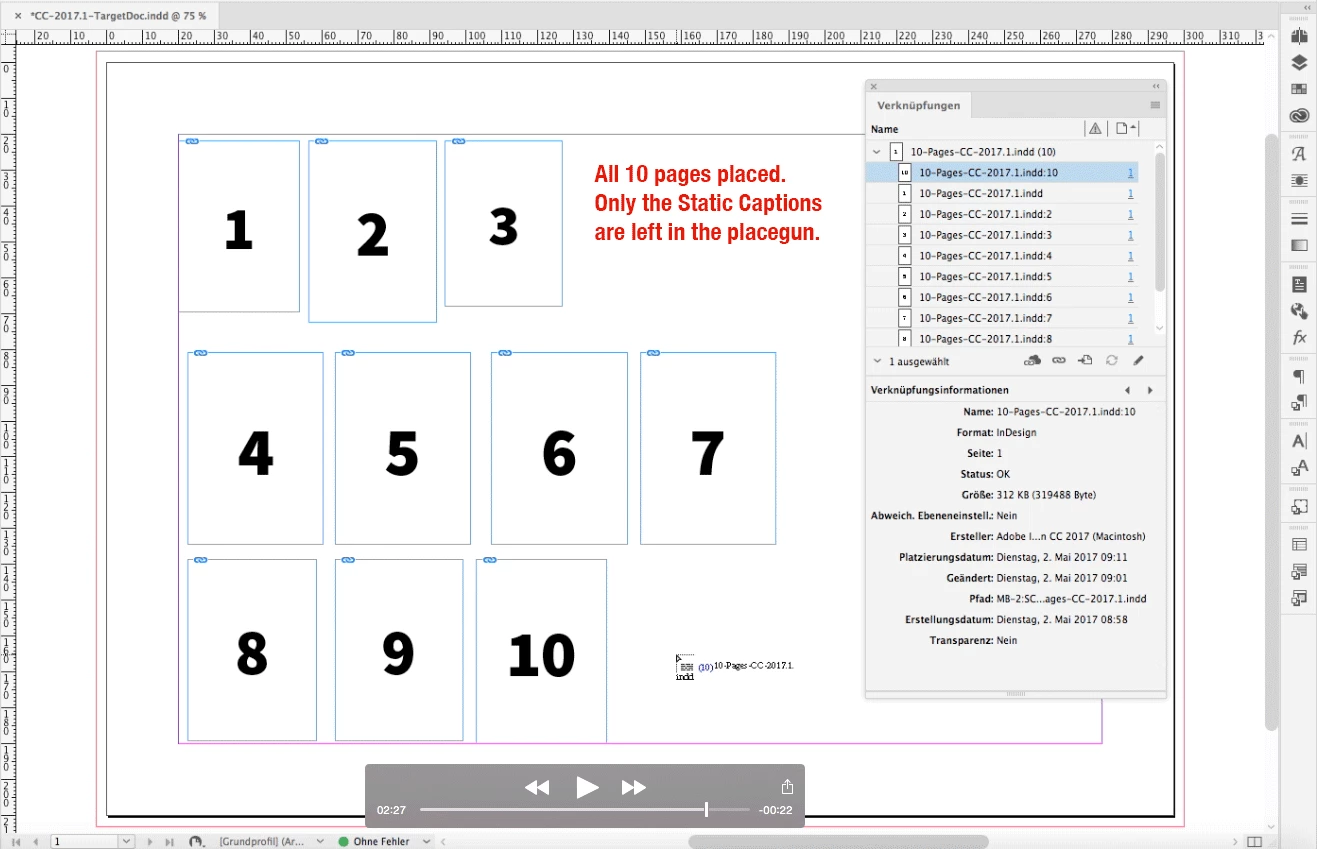
    If you reach the last page when placing the cursor is still filled with all the caption frames.

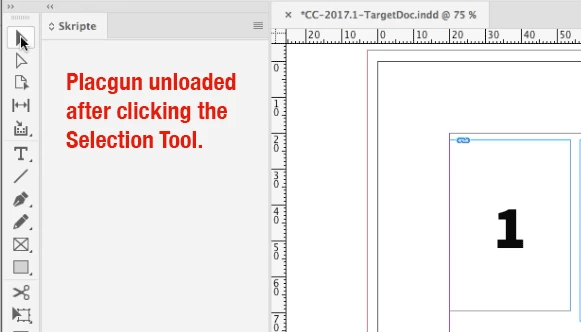
    Just change the tool to the Select Tool to unload the placegun.

    Here some screenshots from a movie I did after loading the placegun with a 10-pages InDesign document where the page numbers are the only contents of the document. German InDesign CC 2017.1.

    Use the Options while placing.
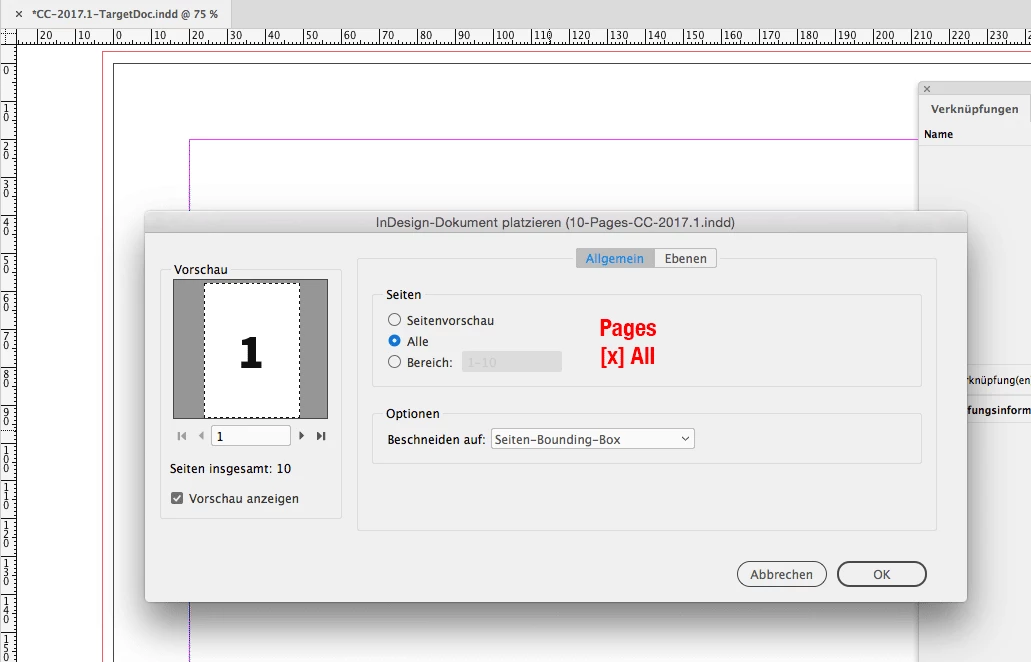
    Check Static Captions and Show Import Options.

    Select All or Page Range:

    The placegun is loaded.
    With all pages and all captions!

    Now get rid of the Static Captions:

    Hope, that helps…

    Regards,
    Uwe

    1 reply

    LaubenderCommunity ExpertCorrect answer
    Community Expert
    May 2, 2017

    Hi biancaho ,

    I would favour PDF placing.

    Why?

    1. There are some free scripts out for it.

    2. You cannot place InDesign documents of higher version in lower version documents.

    But if you want to do it with InDesign document files go ahead using this trick:

    Check the option to do Static Captions while placing.

    That will load the placegun with all the InDesign pages. Plus the captions, of course.
    Don't get irritated by looking at the placegun cursor. It does not seem, that it is loaded with all the pages, but it is.

    If you reach the last page when placing the cursor is still filled with all the caption frames.

    Just change the tool to the Select Tool to unload the placegun.

    Here some screenshots from a movie I did after loading the placegun with a 10-pages InDesign document where the page numbers are the only contents of the document. German InDesign CC 2017.1.

    Use the Options while placing.
    Check Static Captions and Show Import Options.

    Select All or Page Range:

    The placegun is loaded.
    With all pages and all captions!

    Now get rid of the Static Captions:

    Hope, that helps…

    Regards,
    Uwe

    biancahoAuthor
    Participating Frequently
    May 3, 2017

    Thank you!