nics74885514
Participating Frequently
August 5, 2020
Question

Placing Excel sheets in InDesign with functions .

  • August 5, 2020
  • 8 replies
  • 2313 views

Hi, 


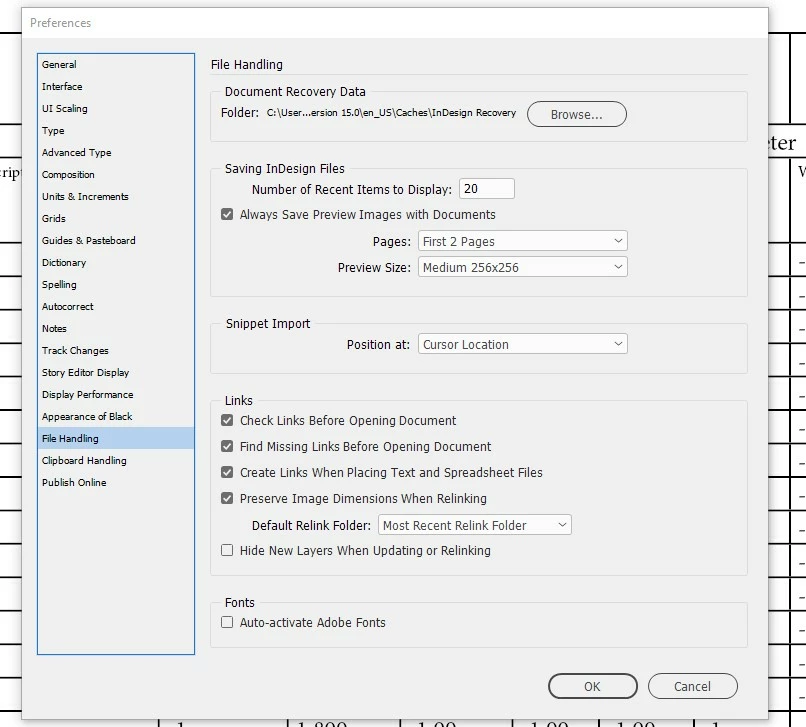
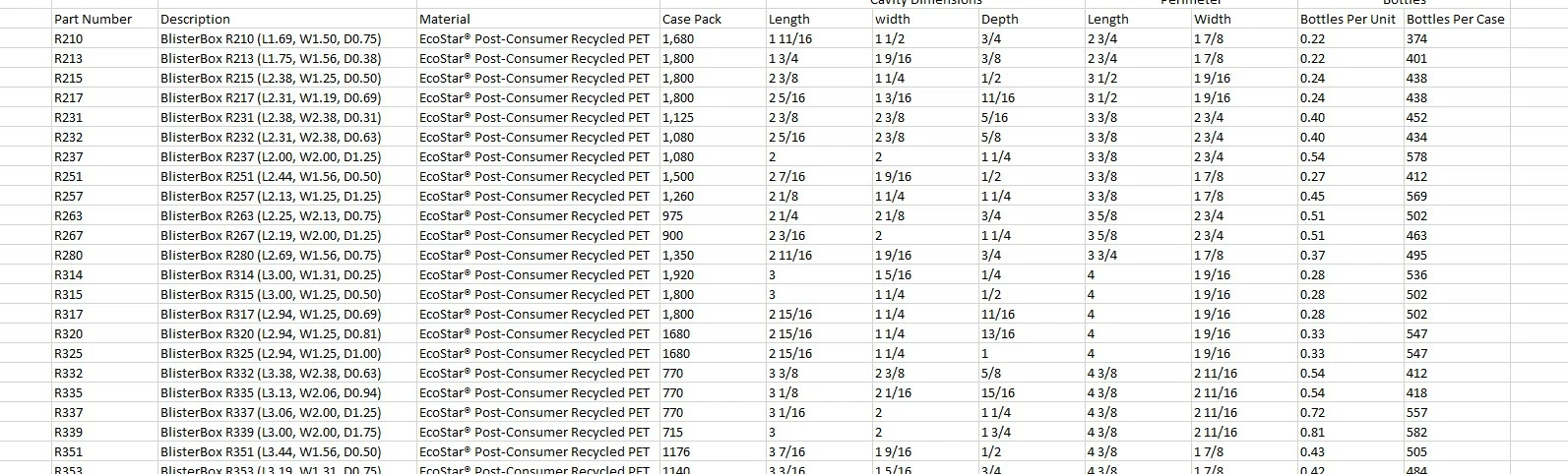
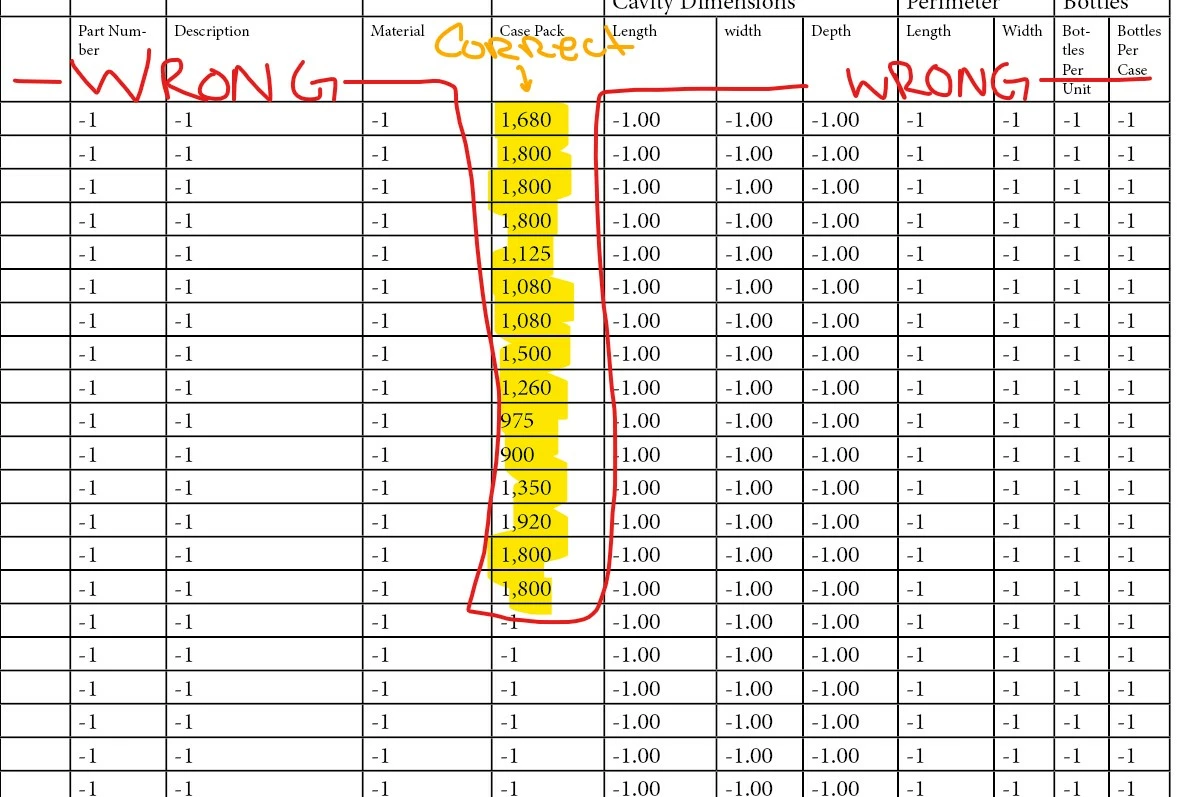
I am trying to place a linked Excel file into InDesign where information can be updated on my Excel file and then update automatically in my InDesign file by refreshing the link. My Excel file has active functions that pull data from other Excel files. When I try to place the Excel file, that has the correct info listed, in InDesign the info is replaced with -1 or -1.00. Some of the missing info that is listed as -1 or -1.00 is text and some are numbers. I have added an example of the info is being placed below. My Excel program is closed and in InDesign I have changed preferences file handling to create links when placing text and spreadsheet files. I also choose show import options when placing the linked excel file in InDesign. I have tried changing the size of the text along with making the cells bigger in InDesign. Is this possible to place a linked Excel file with functions? 

Examples below. 


Thanks Nic


- Correct info that is listed in Excel that is being pulled from another Excel file. 
 

- How the info is being placed in Indesign. 
This topic has been closed for replies.

8 replies

ncwright
Participant
September 22, 2022

There is 1 other work around not mentioned here that is relatively simple. (Although you wish Adobe would just fix this).


Basically keep 2 sheets (or however many you need). Label the first "ABC - Forumlas" and the second "ABC - Production"


Keep to two sheets exactly the same. Except keep your second sheet where you copy and paste the values only. Whenever you need to update, just open up the excel and do a quick copy and paste over.


Not an ideal solution, but could be depending on what your use case is.

Community Expert
November 27, 2020

Hi Steve,

thanks for the next workaround!

Hm. I'd prefer to save to *.xls as interim format, because placing with formatting could spoil my styles and swatches panels.


All in all this is not an acceptable situation.

I'd look for a bug report at InDesign UserVoice and start supporting a fix there or do my own report:

https://indesign.uservoice.com/forums/601180-adobe-indesign-bugs


Regards,
Uwe Laubender

( ACP )

Community Expert
November 26, 2020

Hi steverocket,

I see this as well with my Excel 2010 and InDesign 2021 on Windows 10.


Workarounds:

[1] Save the spreadsheet file as *.xls from Excel and place the *.xls file.

*.xlsx will not work.

[2] Select the cells in Excel, copy, select one cell in InDesign, paste.


Regards,
Uwe Laubender

( ACP )


Known Participant
November 27, 2020

Hi Uwe,

unfortunately, resaving to .xls is not an option.

I have found the following workaround for InDesign 2020 (Mac).

Since, the "-1" shows only when importing WITHOUT formatting,

I imported WITH formatting and then converted the table to text.

This way the content for linked content in Excel will show also in InDesign.

Community Expert
August 8, 2020

Hi Nic,

my assumption here is that value -1 is always used when InDesign's import filter discovers a value that cannot be interpreted.

A standard procedure developers do to enforce a default value. That is going wrong here, because -1 instead of the default, the calculated values from your Excel formula, is used.


As I said, best do not use formulas.


Regards,
Uwe Laubender

( ACP )

Known Participant
November 26, 2020

Hi Uwe,

same here on Mac with InDesign 2020. So I cannot use Excel with formulas.

Known Participant
November 26, 2020

Import with Formatting only it looks like

Alexandre Becquet
Community Expert
Community Expert
August 7, 2020

Hello, you should have a look at Docsflow from Emsoftware 😉

http://emsoftware.com/products/wordsflow/

Community Expert
August 7, 2020

Nic said: "…Is this possible to place a linked Excel file with functions?"

No. Best "flatten" your cells so that the right values are there without using any function.


Regards,
Uwe Laubender

( ACP )

nics74885514
Participating Frequently
August 7, 2020

So InDesign can only imput/place data from Excel that is listed without functions or formulas? 

Mike Witherell
Community Expert
Community Expert
August 7, 2020

What OS and what version of InDesign? Do you have the latest?

Mike Witherell
nics74885514
Participating Frequently
August 7, 2020

I am on a HP and have InDesign 2020 and Excel 2016. 

nics74885514
Participating Frequently
August 6, 2020

What does -1 mean in a placed excel chart? I keep getting that instead of my info when I try place the linked excel file in indesign. 

brian_p_dts
Community Expert
Community Expert
August 6, 2020

This potentially could be a bug. There was an issue with the numbers importing as 0 in earlier versions of ID 15: 

https://indesign.uservoice.com/forums/601180-adobe-indesign-bugs/suggestions/38971090--bug-indesign-cc-2020-does-not-import-from-excel

What's your OS and ID version?

nics74885514
Participating Frequently
August 6, 2020

Im using a hp. My Indesign version is 2020 and is updated. Does that answer your question?