Participating Frequently
February 2, 2021
Answered

Placing formatted table not working

  • February 2, 2021
  • 1 reply
  • 754 views

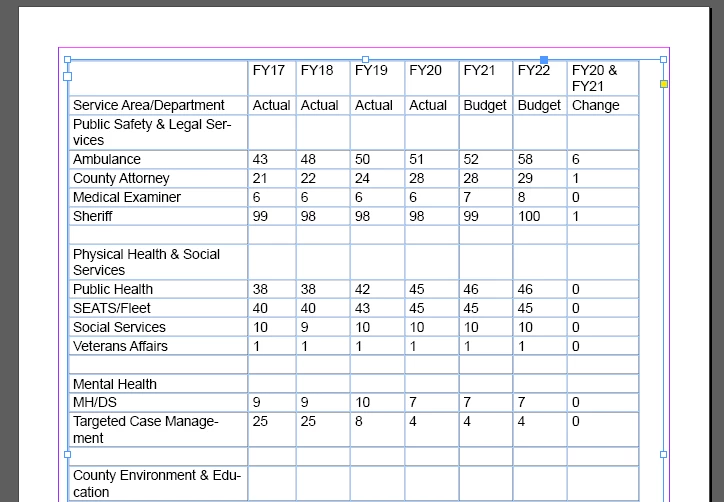
When I try to place a formatted Excel table is loses the formatting.

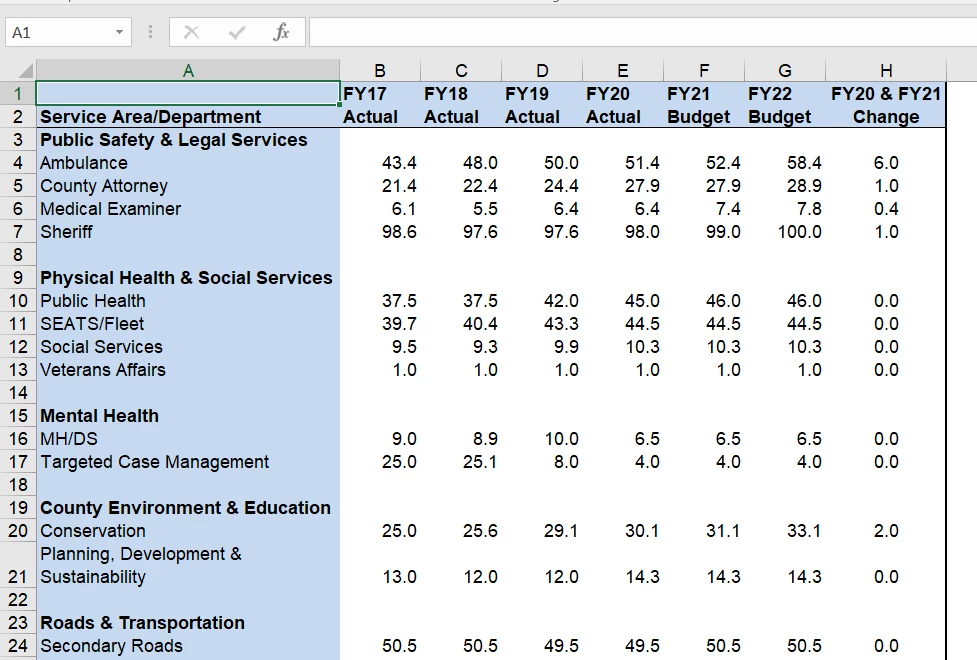
Separate Excel sheet with just the table.
This topic has been closed for replies.
Correct answer SJRiegel

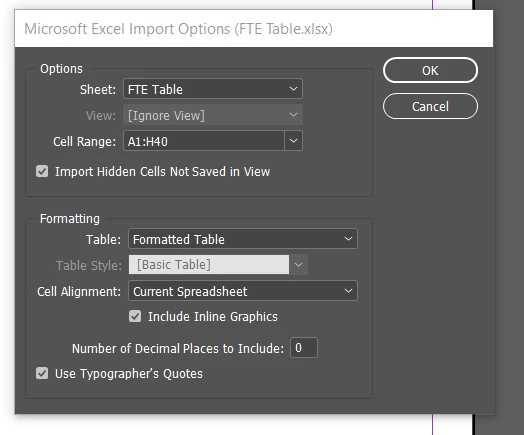
You don't actually have Basic Table selected - Table Style is grayed out when you choose formatted table. 

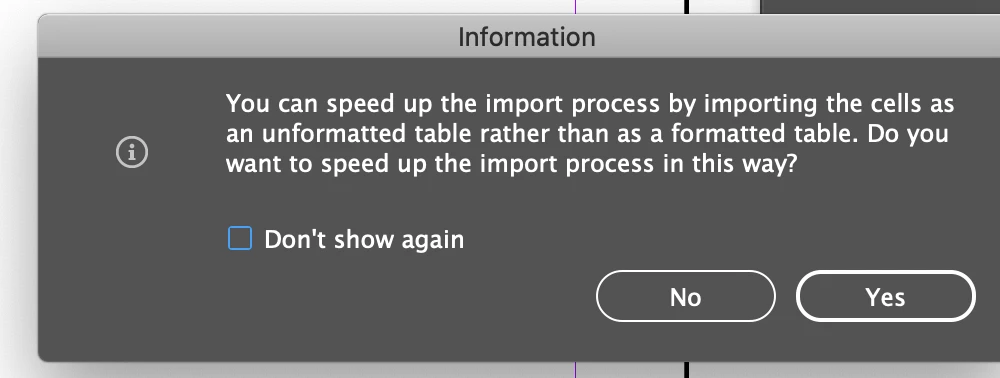
BUT -- there is a dialog box that pops up whenever you place a formatted table, and it defaults to changing back to un-formatted. If you just hit return without looking, you could be unwittingly de-formatting your table on import. 
1 reply

Mike Witherell
Community Expert
Community Expert
February 2, 2021

According to your screenshots, your table is being dressed up as "Basic Table".

Instead, carefully pre-build cell styles. Then pre-build Table Styles that knit the cell styles together.

Now you are ready to place and choose your Table Style to dress your Excel table data.


Mike Witherell
JoCoGovAuthor
Participating Frequently
February 2, 2021

I thought that if I place as a formatted table, it would bring in the Excel formatting.

SJRiegelCorrect answer
Legend
February 2, 2021

You don't actually have Basic Table selected - Table Style is grayed out when you choose formatted table. 

BUT -- there is a dialog box that pops up whenever you place a formatted table, and it defaults to changing back to un-formatted. If you just hit return without looking, you could be unwittingly de-formatting your table on import.