Participant
May 28, 2022
Question

Placing text in Text Box leaves it scrambled to the left

  • May 28, 2022
  • 4 replies
  • 380 views

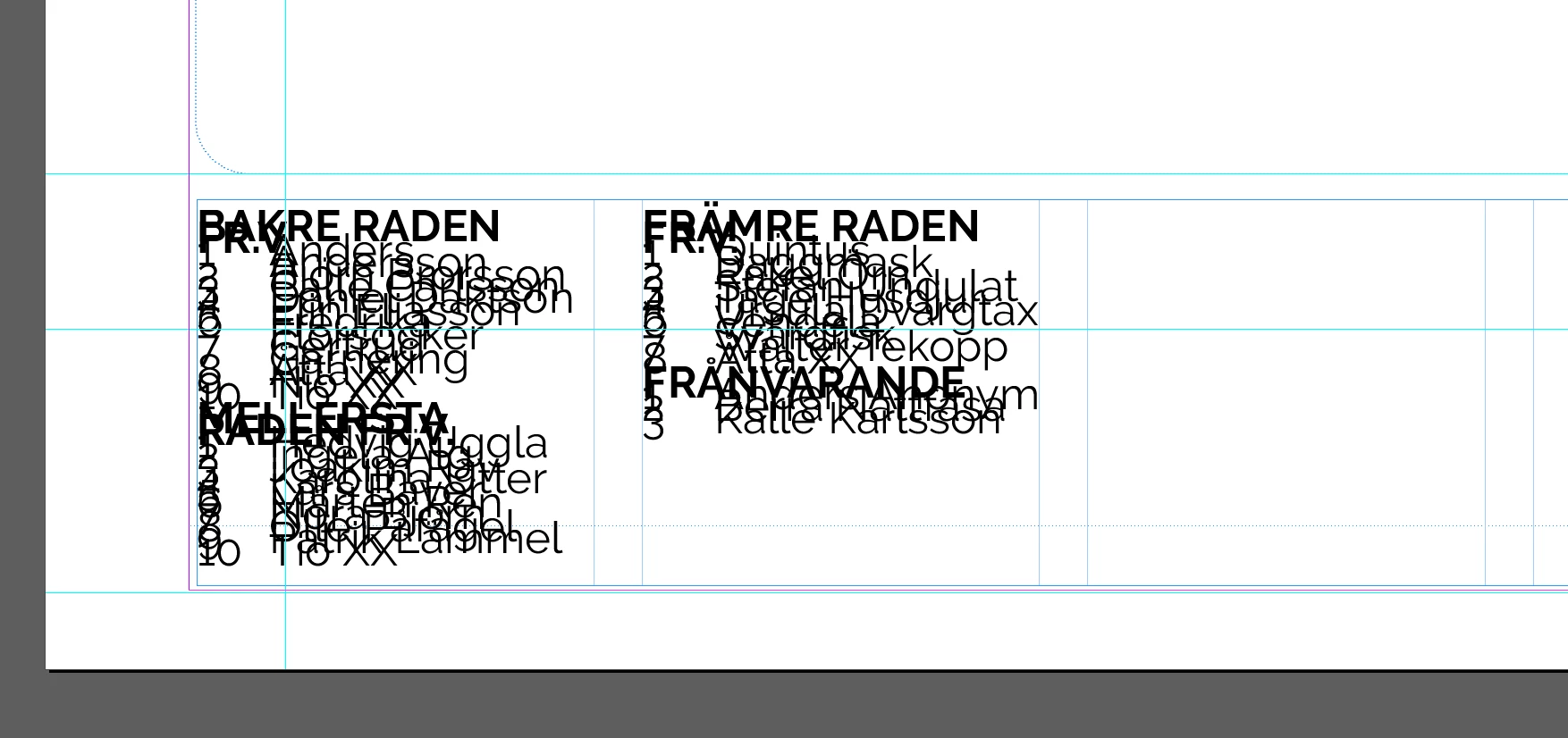
When I'm placing text from a RTF-document all the text ends up to the left in the text box. If I select the text and click "Align to baseline grid" in the Paragraph setting it all spreads out nicely.

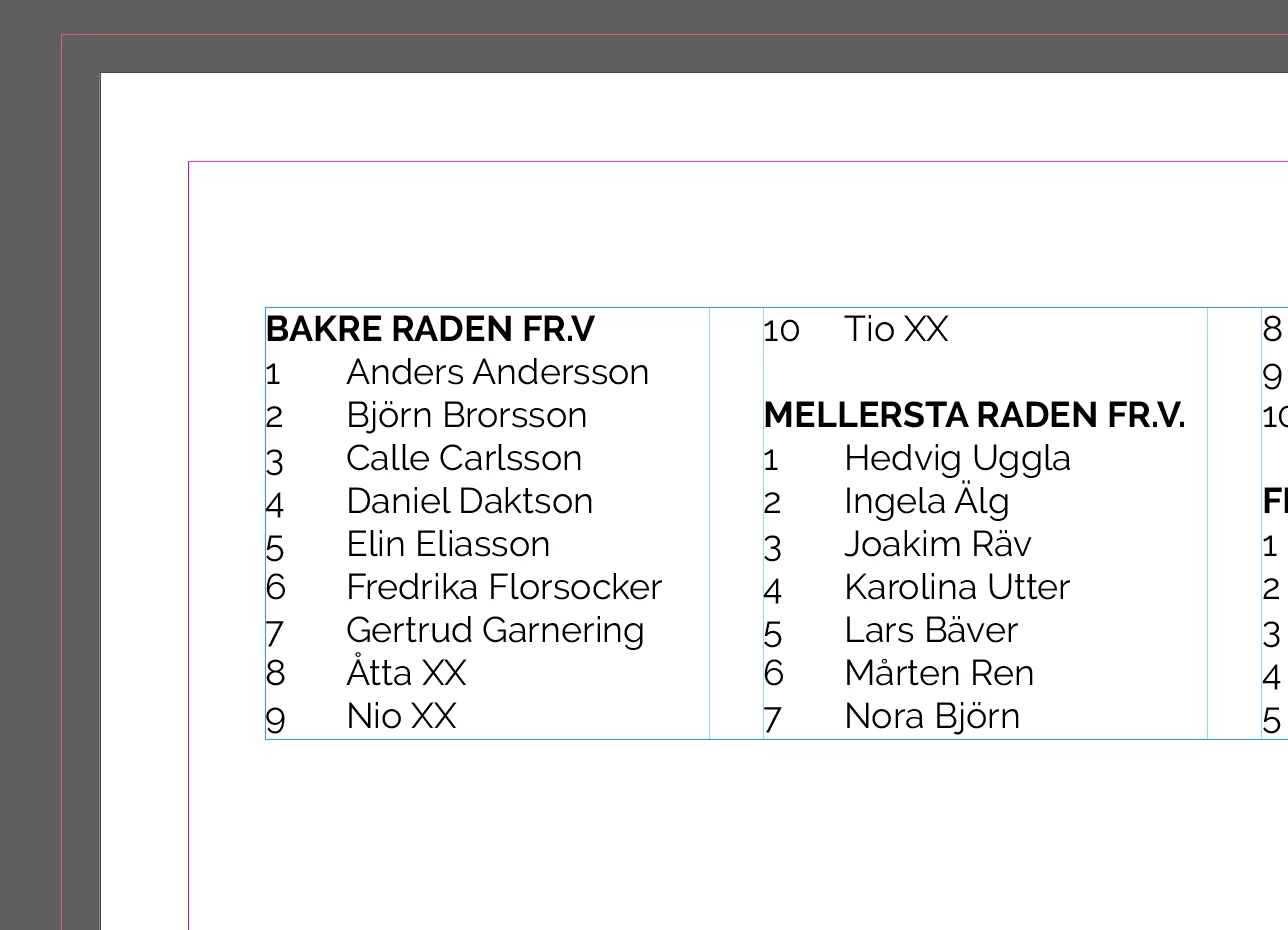
When I create a new document, creates a new Text Box and place the same file in that text box, the text appears as it should be (if I check in the Paragraph settings the "Do not align to the baseline grid" is selected.

What setting have I altered in document 1 (when all text appears on top of each other)?
This topic has been closed for replies.

4 replies

manal shanableh
Legend
May 29, 2022

Apply your new formating from character panel first and then from paragraph panel.

create your own styles and apply them.

Peter Spier
Community Expert
Community Expert
May 29, 2022

Character styles are only required where formatting for a portion of the text in a paragraph differs from the base formatting defined in the paragraph style, and they should be as general as possible, such as only making the text bold or italic, whenever possible to keep them as versatile as possible.

jmlevy
Community Expert
Community Expert
May 28, 2022

Check the leading. It looks like you have choosen a very small value.

Peter Spier
Community Expert
Community Expert
May 28, 2022

In Addition to the link George has provided I would say that there is a high probability in the first example that the text has been formatted with a very tight leading value, and you can change that in the paragraph style to correct the problem.

Participant
May 28, 2022

The thing is that my text box is at a Parent page. When I try to fix the leading value at the parent page (having added some text there to see that it looks good), I save the document, remove the text and then try to place the text there again the leading is back to the number is was from the beginning.

I just want an empty text box at the parent page, so that I can create 11 copies from it and adding different text on the 11 pages.

Can it be the leading setting in the RTF-file that somehow affects it?

Peter Spier
Community Expert
Community Expert
May 29, 2022

Are you "fixing" the leading by adjusting the applied style or by selecting the text and changing the leading value? It sounds like the latter to me, and that would not fix formatting applied on the Parent Page.

You must look at the style you have defined when there is no text in the frame (just an active cursor), and if necessary make corrections there.

It's possible that the formatting is coming in with the .rtf. If you show import options when placing the text you should be able to import as plain unformatted text which would use the style defined in the frame, but would lose any special formatting like bold or italic. It seems unlikely that this is the problem, however if it is not showing in the .rtf outside of InDesign. I wouldn't think that text was set to use leading too small when it was created.

Geоrge
Legend
May 28, 2022
Remember, never say you can't do something in InDesign, it's always just a question of finding the right workaround to get the job done. © David Blatner