
Participant
January 15, 2019
Answered

Placing Text into InDesign Doc, but white background from Word stays?

  • January 15, 2019
  • 2 replies
  • 4245 views

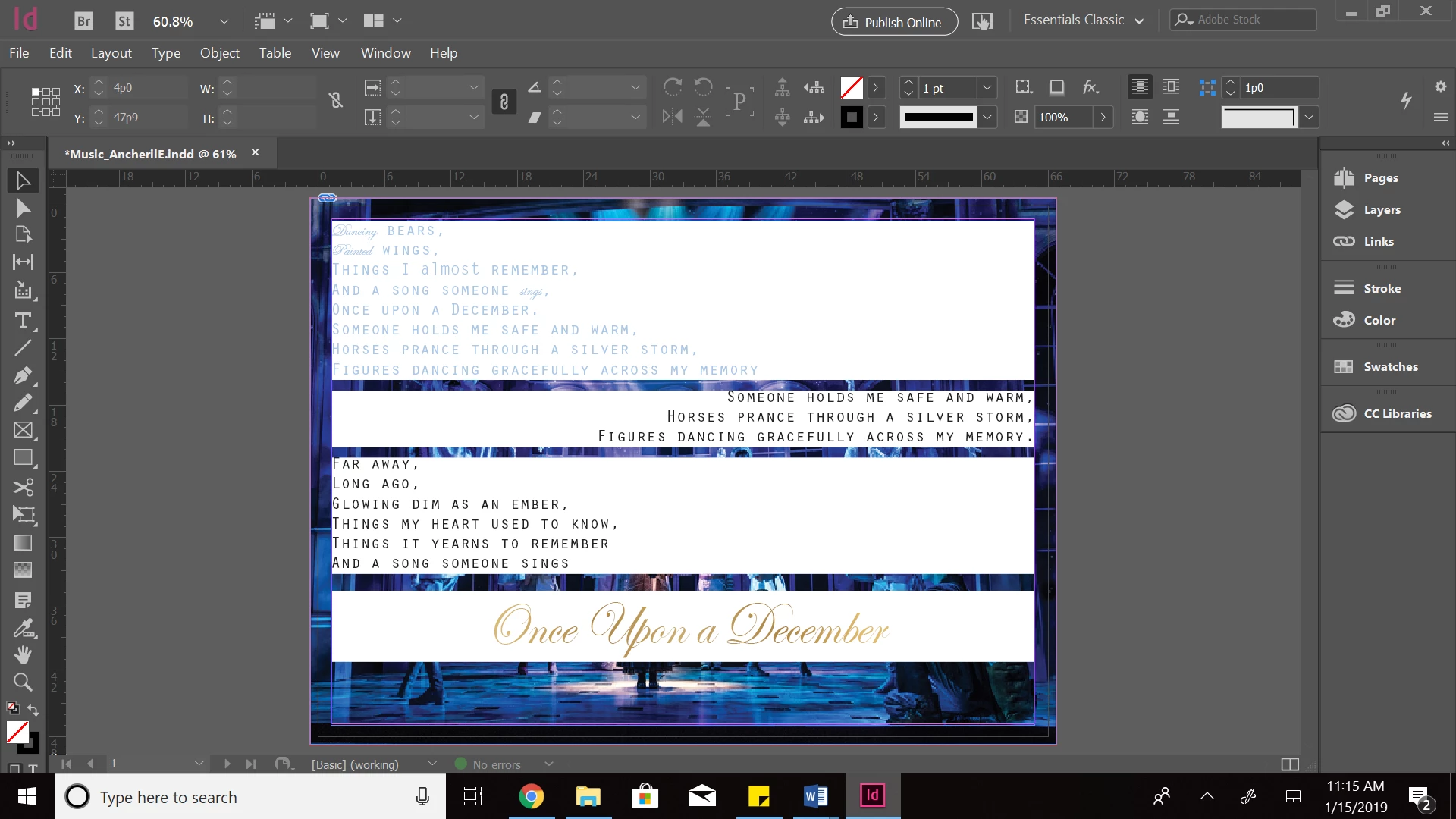
Hello! I am relatively new to using InDesign. I am placing text into a rectangular frame, which is placed on top of an image layer. However, whenever I import the text from Microsoft Word, a white background sticks to it. (I've included a screenshot below.) How do I get rid of the white background so that I can fully see the image layer underneath? Thank you!

This topic has been closed for replies.
Correct answer Barb Binder

Hi Elizabeth:

I can't tell from your screen shot if that is a frame background or paragraph shading (or something else).

If frame background:

  1. Select one frame with the Selection tool.
  2. Change the frame file to none.
  3. Repeat for the other frames.

If frame shading:

  1. Click an insertion point in the text with the Type tool.
  2. Edit > Select All.
  3. Is Shading checked? If so, uncheck it.

If that doesn't do it there are a few other ways to remove a white background. Just let us know.

~Barb

2 replies

Jure_NEVROmedia
Participating Frequently
April 22, 2024

CTRL + ENTER: type: Paragraph Borders and Shading.
Select no color and no border from drop down menu (you should see RGB from word color).
Solved.

BobLevine
Community Expert
Community Expert
April 22, 2024

It was solved five years ago!

Barb Binder
Community Expert
Barb BinderCommunity ExpertCorrect answer
Community Expert
January 15, 2019

Hi Elizabeth:

I can't tell from your screen shot if that is a frame background or paragraph shading (or something else).

If frame background:

  1. Select one frame with the Selection tool.
  2. Change the frame file to none.
  3. Repeat for the other frames.

If frame shading:

  1. Click an insertion point in the text with the Type tool.
  2. Edit > Select All.
  3. Is Shading checked? If so, uncheck it.

If that doesn't do it there are a few other ways to remove a white background. Just let us know.

~Barb

~Barb at Rocky Mountain Training
