Placing the image and keeping 100% scailing
Hi everyone,
I hope someone will be able to help me, please!
I have been working with Lightroom, Photoshop, Illustrator, and InDesign for a while now and now I have encountered a glitch which I cannot figure out what to do with.
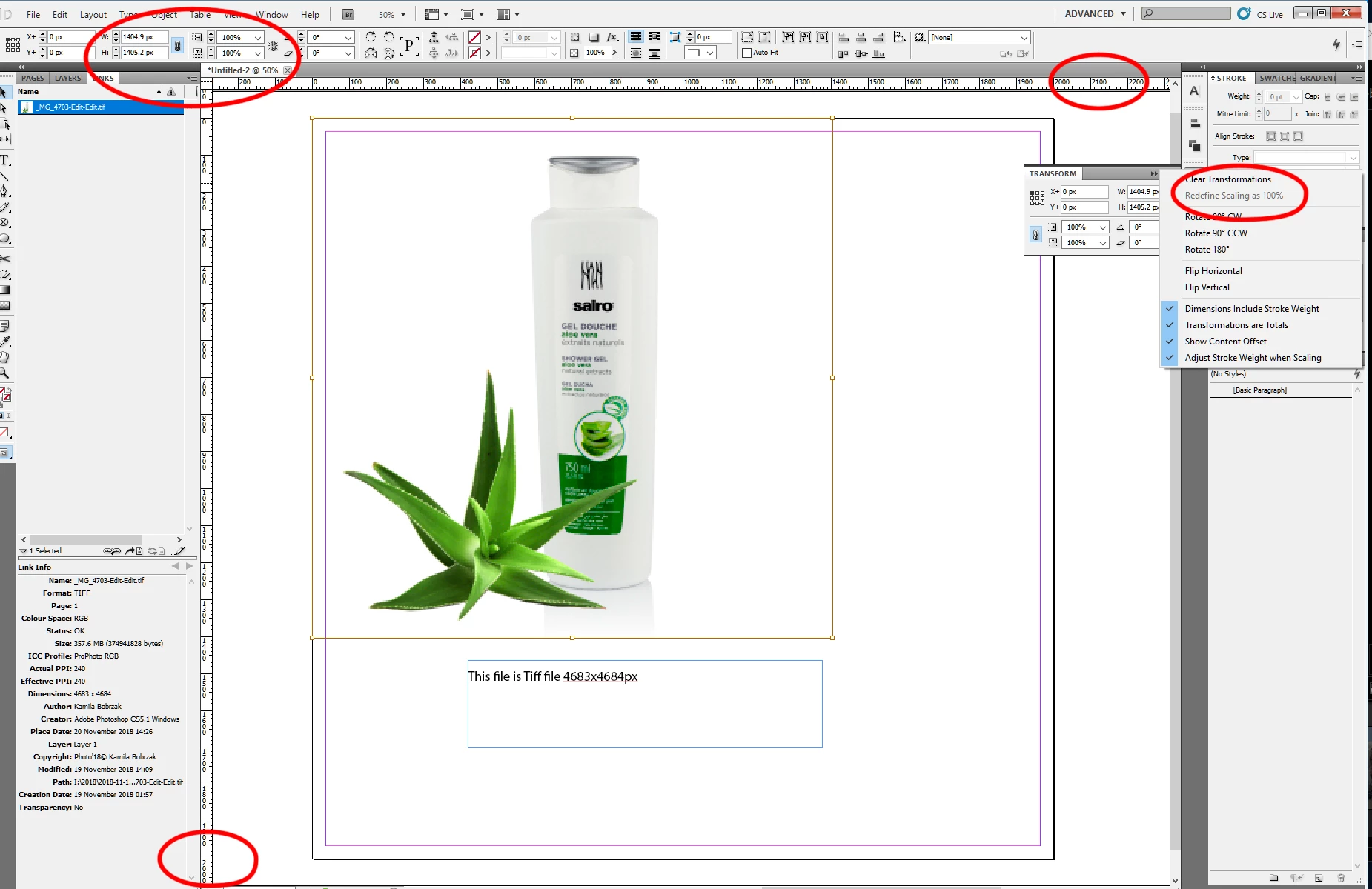
I have been trying to place a photo into the Indesign and I have noticed that it has a wrong scale!
The page in the Indesign is set to 2000xp x 2000xp, the image jpeg is 2000xp x 2000xp so should fit exactly, but it does not, it is smaller. The scale shows 100% with 1000px dimensions.
I have tried to place an original tiff file, which I know would be much, much larger and still did not fit the 2000x2000px
I have tried to save images in different formats - no change
I have tried to create pages in InDesign and photos from scratch - no change
I have tried to set the Apply to Content in General Preferences - no change
I cannot use Redefine scaling to 100% - its grayed out
Any suggestions?
Thank you in advance.
Kamila
 AdChoices