Hey,
You wish to find "hidden items on document page" or in your "entire document"?
If it is "hidden items on document page" do the following:
1. Goto the desired page from the pages panel
2. Open the layers panel
3. There you can see the items that are hidden
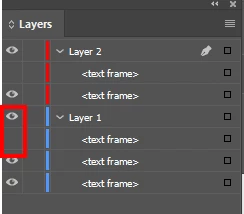
You need to toggle these control to hide/unhide items.
If it is "hidden items on entire document" do the following(I guess this is an easy way):
1. Open Preflights panel (windows menu->output->preflight)
2. Define a new profile
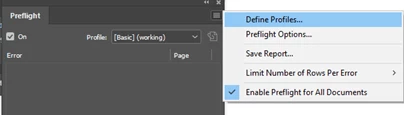
3. Enable the following entry
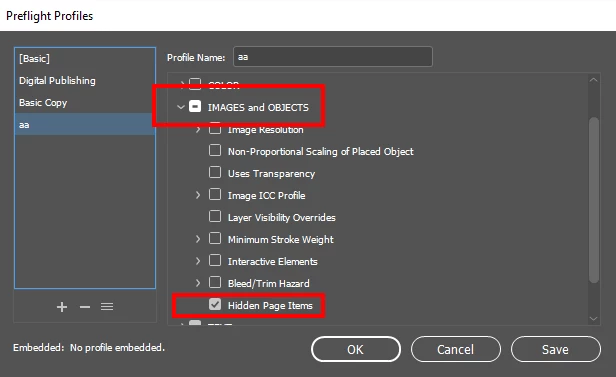
4. Click "Save"
Now you will see all hidden items with the page they are on. Double clicking on the page number, would navigate you to that page
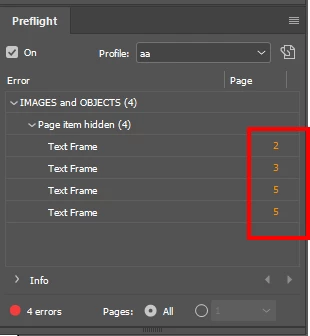
You can read more about preflighting here Preflight files in InDesign before handoff to a service provider
Hope this helps:)
-Aman
 AdChoices