
Participant
May 23, 2025 3:17 PM UTC
Answered

Police OpenType cursive : problème de ligatures et de variantes contextuelles dans InDesign

Bonjour à tous,


MacOS Sequoia 15.5

InDesign : 20.3.1


Je veux 'utiliser la fonte Playwrite CC FR Traditional qu'on trouve ici sur Adobe Fonts :

https://fonts.adobe.com/fonts/playwrite-cc-france-traditionnelle

Une autre version est disponible sur Google Fonts :

https://fonts.google.com/specimen/Playwrite+FR+Trad


C'est une fonte cursive, avec des fonctionnalités OpenType avancées.


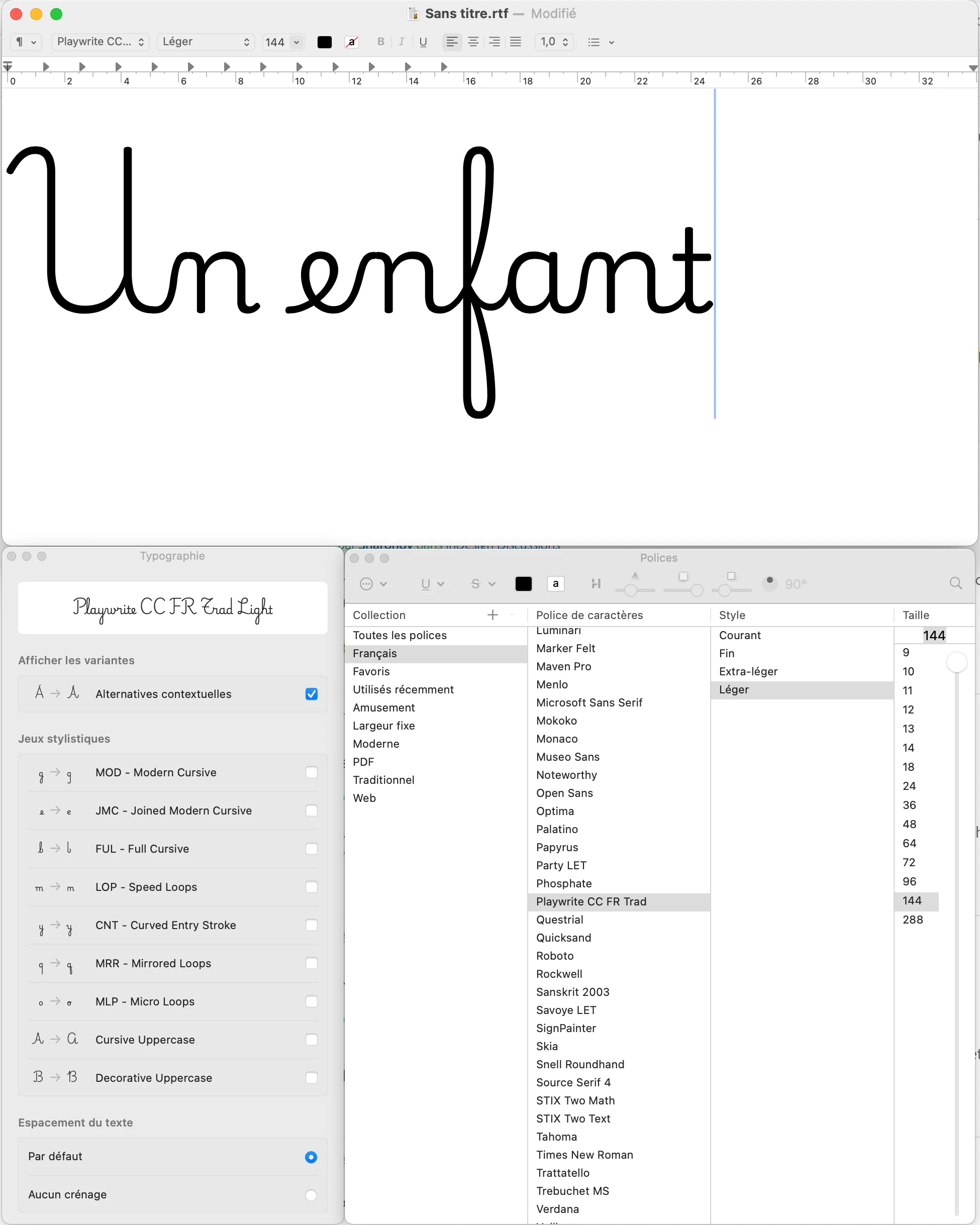
Dans TextEdit, l'affichage par défaut correspond au résultat attendu (lettre reliées, variantes contextuelles, etc.) :
 

Dans InDesign, j'ai beau tourner le problème dans tous les sens, avec exactement la même fonte, le résultat n'est pas correct et je n'arrive pas à reproduire le résultat basique que j'obtiens dans TextEdit :
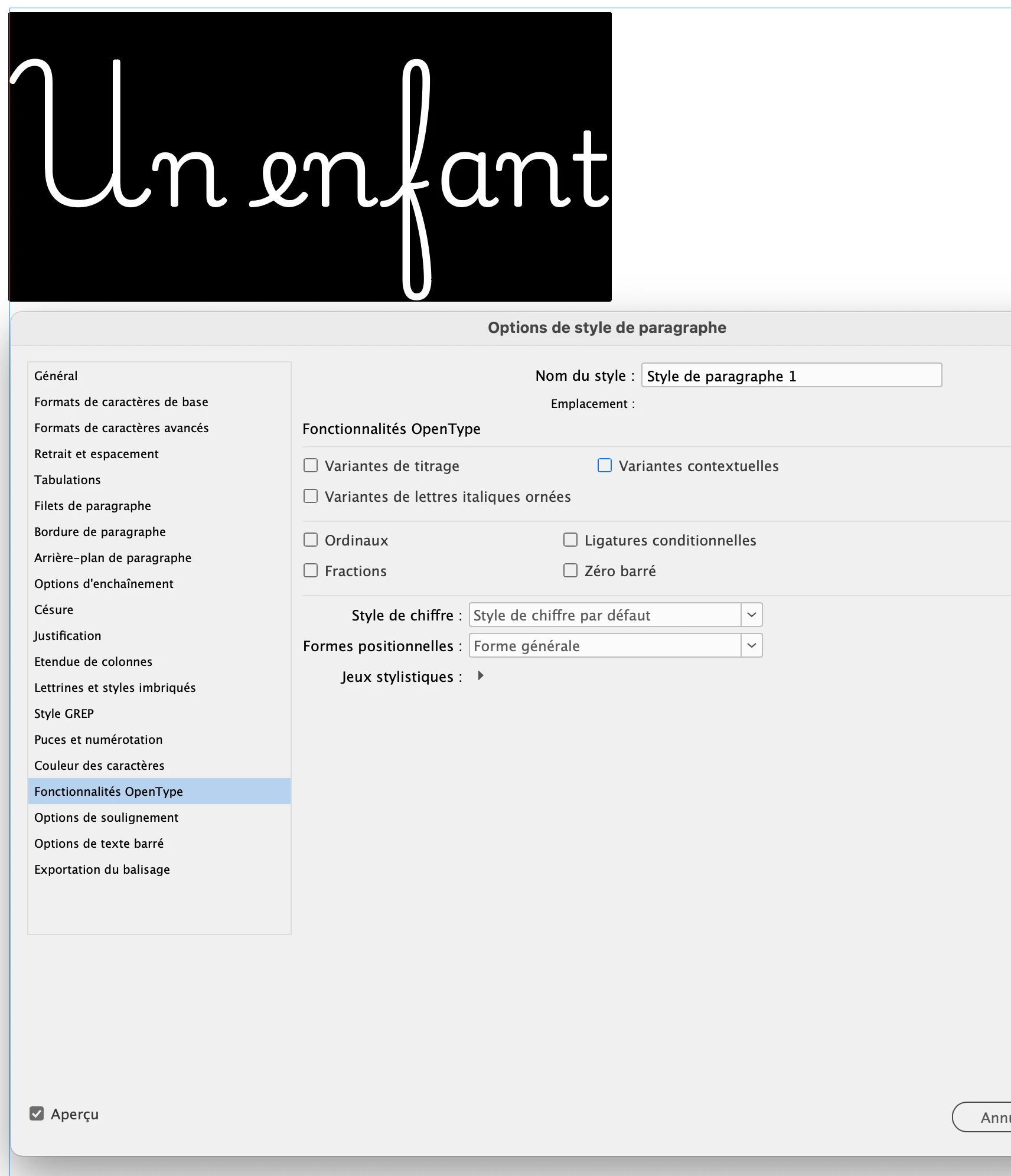
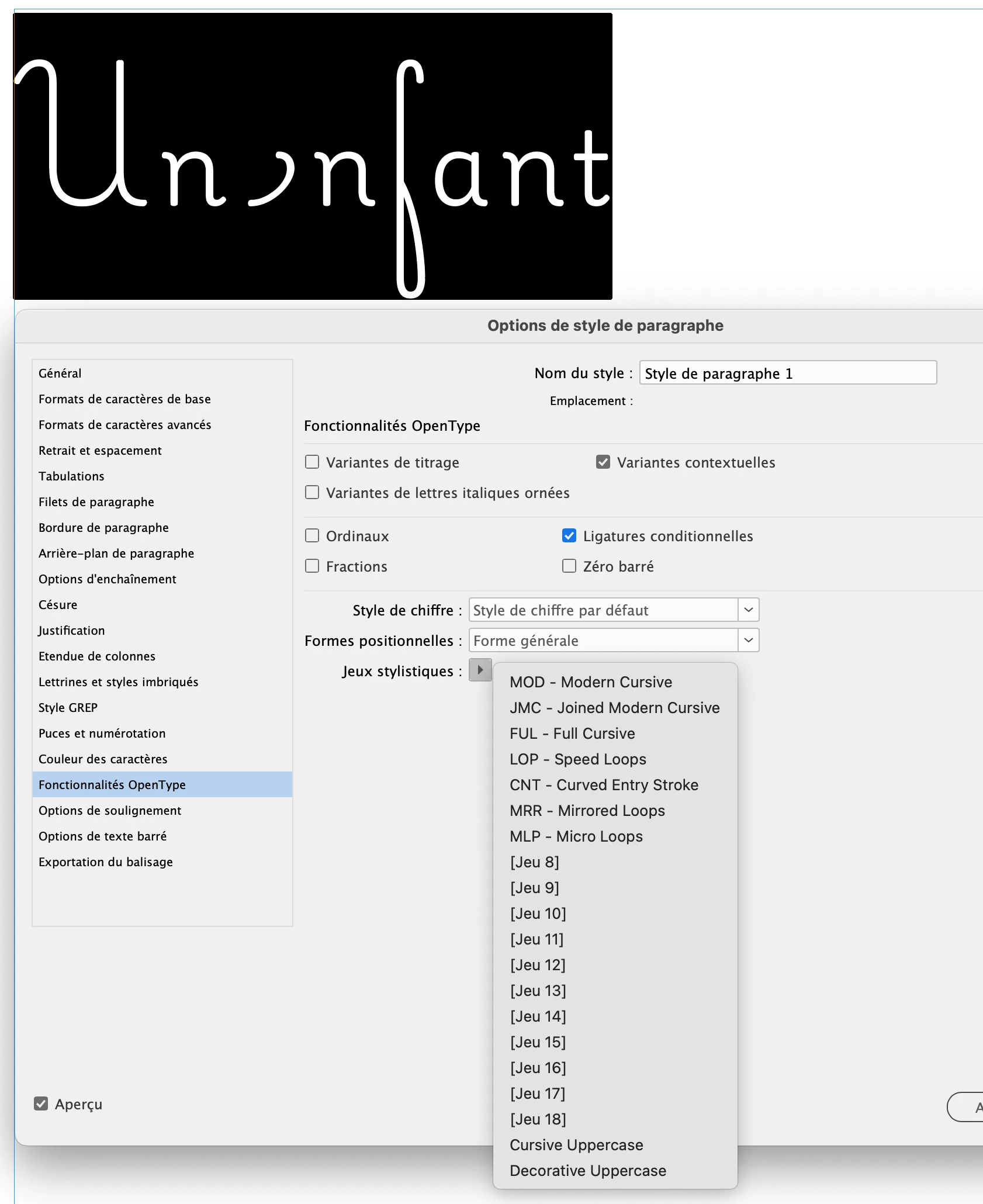
La documentation et les forums, en anglais et en français, ne m'ont rien donné de valable.
Est-ce que quelqu'un est confronté au même problème ? Une idée de solution ? Un problème connu ?

Je vais tenter ma chance aussi du côté de la fonderie, pour voir si c'est un sujet qu'ils connaissent. J'ai besoin de cette police pour un projet client !


Merci à la communauté.
Arnaud

Abhishek Rao
Abhishek RaoCorrect answer
Community Manager
May 23, 2025 5:10 PM UTC

Hi @arnaud.gautron,


Thanks again for your patience!

I heard back from the product team, and the issue you're seeing is due to the composer settings in InDesign. To get the correct rendering of the Playwrite CC FR Traditional font, you'll need to enable World-Ready Composer in your paragraph settings. Please follow the below steps: 

1. Select the text or paragraph.

2. Open the Paragraph panel (Window > Type & Tables > Paragraph).

3. From the panel menu (top right corner of the Paragraph panel), choose Adobe World-Ready Paragraph Composer.

Once enabled, InDesign should correctly display the contextual alternates and ligatures, similar to how they appear in TextEdit.


Let me know if this works for you.
Abhishek

8 replies

Frank Grießhammer
Adobe Employee
Adobe Employee
May 27, 2025 6:35 PM UTC

The Playwrite Installation Notes are an interesting read, pointing to the World Ready Composer as well.

Translate
Barb Binder
Community Expert
Community Expert
May 26, 2025 4:03 PM UTC

Thanks, @Abhishek Rao. I'm making notes because this is sure to come up again. 


~Barb

Translate
~Barb at Rocky Mountain Training
Barb Binder
Community Expert
Community Expert
May 23, 2025 7:55 PM UTC

This is facinating, @Abhishek Rao. Is it unique to Playwrite or do other fonts behave this way? 


~Barb

Translate
~Barb at Rocky Mountain Training
Abhishek Rao
Community Manager
Community Manager
May 26, 2025 2:29 PM UTC

Hi @Barb Binder,


Great question, and thank you for your continued curiosity and insights.

I checked with our product and font teams, and yes, this behavior isn't unique to Playwrite. Fonts that rely on advanced OpenType substitutions such as contextual alternates using GSUB Lookup Type 2 (multiple substitutions), require the Adobe World-Ready Paragraph Composer to render correctly in InDesign.

This includes scripts like Arabic, Devanagari, and some specially designed display fonts (like Playwrite CC FR Traditional) that depend on advanced glyph substitution features for proper shaping.

Interestingly, the Default Composer in InDesign doesn't fully support this level of substitution, which is why switching to the World-Ready Composer resolves the issue.


It's a good reminder for all of us to consider enabling World-Ready Composer when working with fonts that have extensive OpenType capabilities!

Abhishek

Translate
Zaid Al Hilali
Community Expert
Community Expert
May 27, 2025 6:03 AM UTC
quote

It's a good reminder for all of us to consider enabling World-Ready Composer when working with fonts that have extensive OpenType capabilities!

Abhishek


By @Abhishek Rao


Thanks Abhishek. This is important to me too and I'm going to test few things on our end based on your feedback up here.

Translate
Abhishek Rao
Community Manager
Community Manager
May 23, 2025 4:33 PM UTC

Hi @arnaud.gautron,


Thank you for sharing the detailed information and screenshots.

I've reviewed the issue on my end using both InDesign 20.3.1 and 19.5.4 and was able to reproduce the same behavior. 

I've reached out to the product team to investigate this further. I'll update you here as soon as I hear back from them.


Appreciate your patience,
Abhishek Rao

Translate
Abhishek Rao
Community Manager
Abhishek RaoCommunity ManagerCorrect answer
Community Manager
May 23, 2025 5:10 PM UTC

Hi @arnaud.gautron,


Thanks again for your patience!

I heard back from the product team, and the issue you're seeing is due to the composer settings in InDesign. To get the correct rendering of the Playwrite CC FR Traditional font, you'll need to enable World-Ready Composer in your paragraph settings. Please follow the below steps: 

1. Select the text or paragraph.

2. Open the Paragraph panel (Window > Type & Tables > Paragraph).

3. From the panel menu (top right corner of the Paragraph panel), choose Adobe World-Ready Paragraph Composer.

Once enabled, InDesign should correctly display the contextual alternates and ligatures, similar to how they appear in TextEdit.


Let me know if this works for you.
Abhishek

Translate
Participant
May 23, 2025 7:23 PM UTC

It definitively works !

Merci.

Arnaud

Translate