
Participant
January 22, 2025
Question

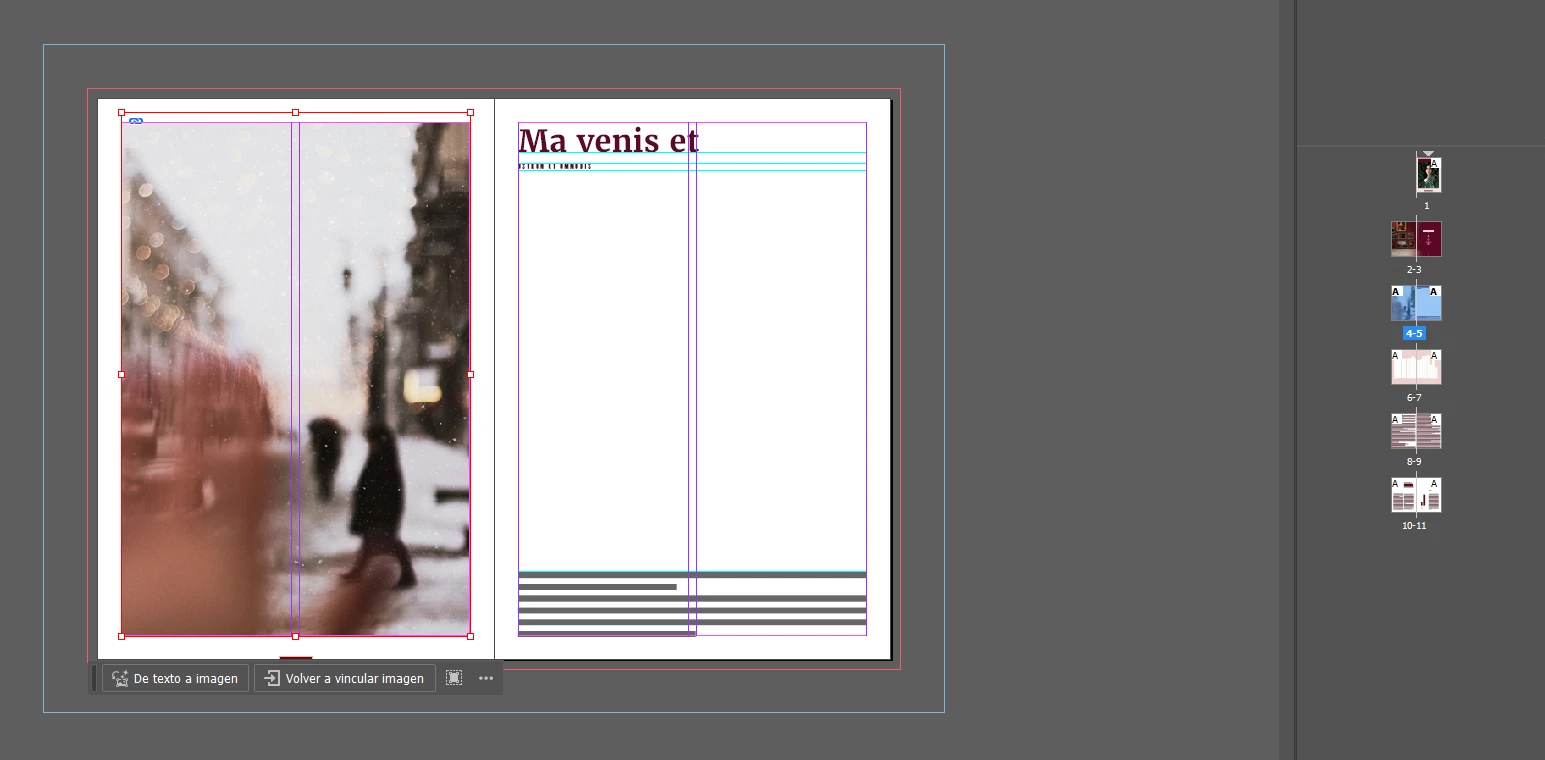
Pongo dos columnas y no me modifica el texto.
  • January 22, 2025
  • 3 replies
  • 210 views

Solo me sale la guía pero el texto sigue en una columna.

He desinstalado, he quitado las preferencias, no sé cómo hacer para que me cambie a las columnas que le digo. Si lo pongo en la página maestra o principal, tampoco se cambia. 

¿Me podéis ayudar?


Muchas gracias.

3 replies

jmlevy
Community Expert
Community Expert
January 27, 2025

Hi @Carolina31911310vyrz 

As it's named, guides are guides… I mean that it doesn't make automatically text frames set as 2 columns. You must select the text frame and choose to set it as a 2 columns frame, as @Abhishek Rao wrote.

kglad
Community Expert
Community Expert
January 23, 2025

in the future, to find the best place to post your message, use the list here, https://community.adobe.com/

p.s. i don't think the adobe website, and forums in particular, are easy to navigate, so don't spend a lot of time searching that forum list. do your best and we'll move the post (like this one has already been moved) if it helps you get responses.


<"moved from cc desktop bugs">
Abhishek Rao
Community Manager
Community Manager
January 27, 2025

Hello @Carolina31911310vyrz


Would you mind sharing the version of InDesign and the details of the OS? 

I tested it on my end using the "Text Frame Options" to increase the number of columns, and my text partitioned correctly. I recommend resetting your preferences and testing again (make sure to back up your preferences first). You can refer to this guide: https://adobe.ly/3CeUPbT.

If it still doesn't work, could you share your file so we can investigate further?


Let me know how it goes. 


^

Abhishek 


kglad
Community Expert
Community Expert
January 22, 2025

is that indesign?  ie, what app?

Participant
January 23, 2025
Sí es InDesign