
Inspiring
November 9, 2025
Question

POPUP TOOLS DON'T OPEN IN THE NEW INDESIGN 21.0

  • November 9, 2025
  • 5 replies
  • 133 views

When the action windows are arranged on the side of the screen in the workspace, occasionally, in a completely random manner, clicking on them does not open the required action window. They can only be used if they float in window (which of course complicates the work). The problem is solved independently after a long time or by restarting the software.


The POPUP-STICK WINDOW DON'T OPEN
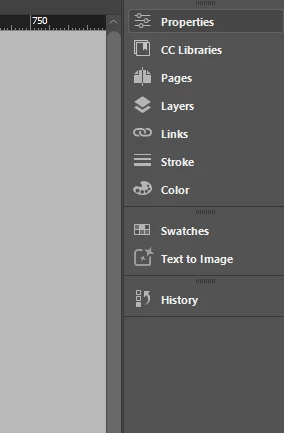
 

Only if I DETACH it.
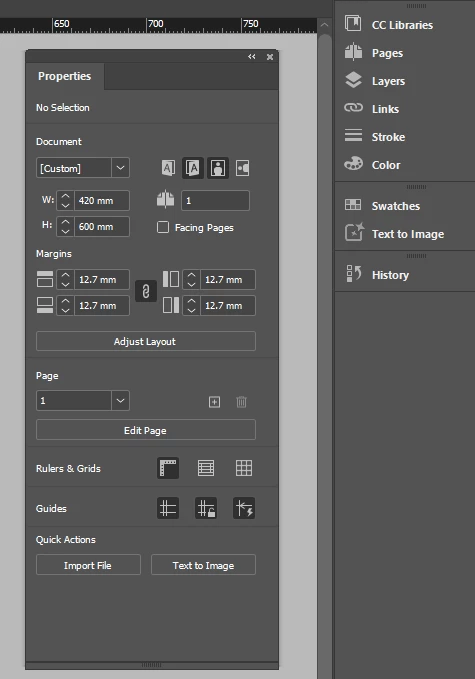
*The problem is intermittent. And that's a real problem.


5 replies

Shay_HCLAuthor
Inspiring
November 18, 2025

Finally, an UPDATE PATCH v21.0.1 has arrived, and I think the problems have been resolved.
We'll see in a few days.

Thank you all for your help.

Abhishek Rao
Community Manager
Community Manager
November 14, 2025

Greetings everyone,


Thank you for providing the information. I understand how annoying it can be. In addition to what the experts have recommended, could you please try the suggestions mentioned in this thread and see if they are helpful: https://adobe.ly/43Zprsk

I would appreciate it if you could give it a shot and inform me whether the situation improves or if the issue persists.


I look forward to hearing your feedback.

Abhishek

Barb Binder
Community Expert
Community Expert
November 13, 2025

As a gentle reminder to all reading this, we are under no obligation to update to the latest version as soon as it is released. This is not limited to Adobe applications: I follow this for Microsoft apps and Apple apps as well. 

My recommendations:

  1. Disable auto-updates in the CC Desktop app
  2. Update on your schedule but watch the prompts: disable the defaults to remove the previous version and migrate preferences
  3. By all means, download and play with the .0 release—the new Flex Layouts look cool—but don't move meaningful work over until at least the .1 release. Maybe later. 

~Barb 

~Barb at Rocky Mountain Training
Participant
November 13, 2025

I have the same issue. Happens everytime I open a new file. I have found  that if you go to "Window > Workspace > Reset Workspace" it fixes it but have to do this every time I open a new file. Come on Adobe, we pay enough money each month to not have to put up with these bugs and issues on each new release / update!

Mike Witherell
Community Expert
Community Expert
November 9, 2025

Hi Shay,

I have experienced the same problem and solved it by resetting InDesign. Start by visiting Preferences > General. There is a reset button at the bottom of this dialog box.


More info

https://community.adobe.com/t5/indesign-discussions/reset-indesign-preferences-and-other-troubleshooting/m-p/11990234

Mike Witherell
Shay_HCLAuthor
Inspiring
November 10, 2025

Thank you for your attention! But....  didn't work.

This issue is something new..  came with the new release.

I hope this BUG will fixed in the next update.

Mike Witherell
Community Expert
Community Expert
November 10, 2025

To be clear, I ended up resetting several times before it cleared up the problem.

Sometimes you will want to reset in different ways. There are 4 ways.

Read especially about the third way to delete/reset caches.

Read about it here:

https://community.adobe.com/t5/indesign-discussions/reset-indesign-preferences-and-other-troubleshooting/td-p/11990234

Mike Witherell