

Bhaskar Arumugam
Known Participant
June 24, 2024
Question

Possible to Dynamic Wrapping of Chapter Titles in InDesign?

  • June 24, 2024
  • 2 replies
  • 305 views

Hi there,

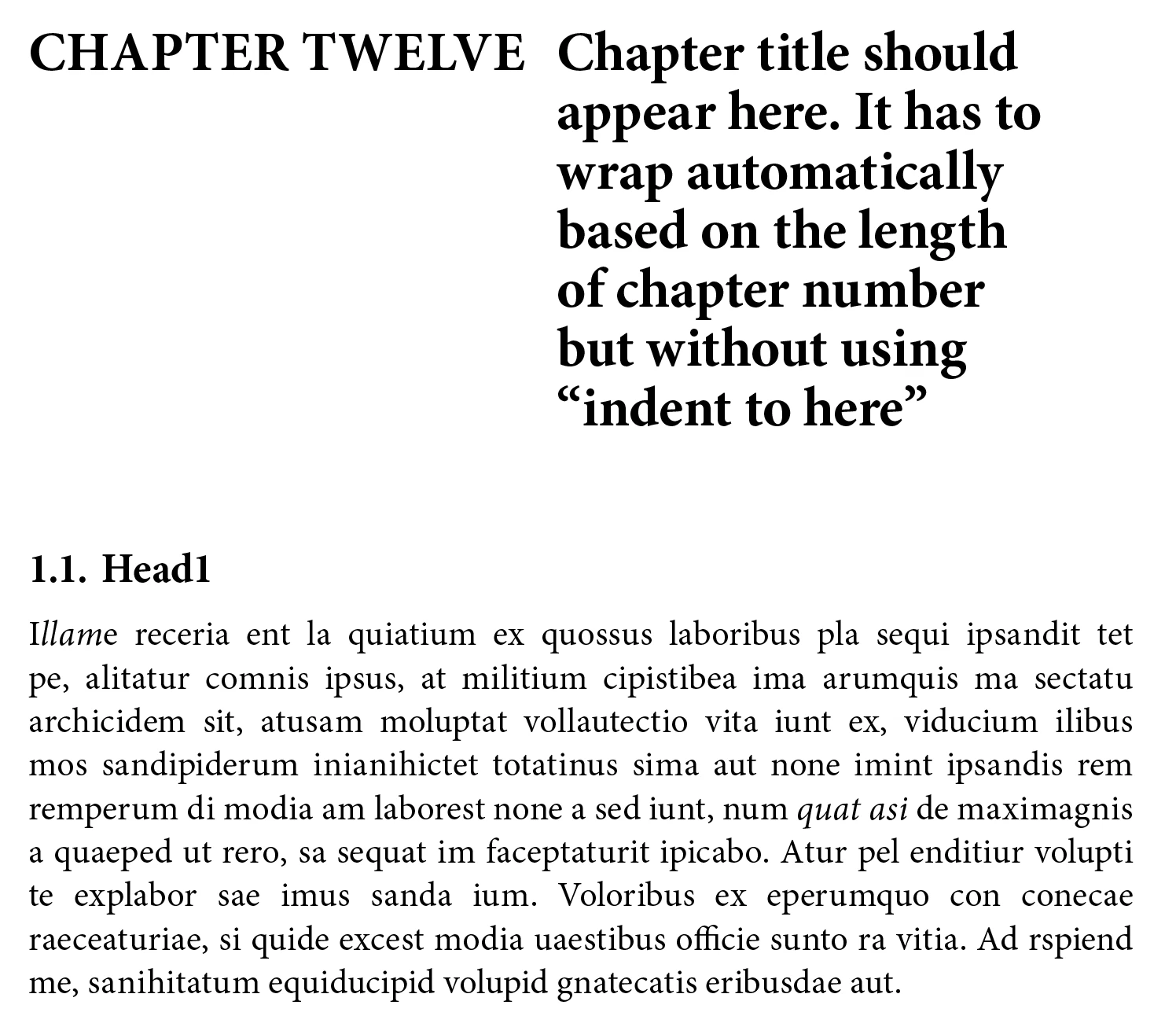
I'm looking for a solution to format chapter titles so that they wrap dynamically based on the length of the chapter number. The requirements are:


  1. The chapter title should start after an em space from the chapter number.
  2. The chapter title should wrap automatically without using the "indent to here" feature.


For example, "CHAPTER ONE" and "CHAPTER TWELVE" should both have their titles aligned properly and wrap naturally based on the length of the chapter number.


Please refer to the attached screenshot for a visual example of what I'm trying to achieve.


Any help or guidance on achieving this would be greatly appreciated!


Thanks,
Bhaskar


This topic has been closed for replies.

2 replies

Peter Spier
Community Expert
Community Expert
June 24, 2024

It would be fairly easy, I think to add the indent to here character using GREP Find/Change.

Find Chapter\s\w+~m and change to $0~i

Add the paragraph formatting for your chapter titles in the Find Formatting field.

TᴀW
Legend
June 24, 2024

But this is exactly what 'indent to here' is for! Why don't you want to use it?

You can achieve a hanging indent in InDesign without 'indent to here', but you would have to adjust it manually for each chapter number, as their lengths are different.

The only alternative would be to use some sort of inline object with text wrap. But 'indent to here' is the better solution.