
Postscript is adding white over images.
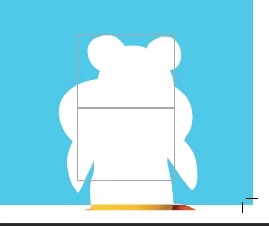
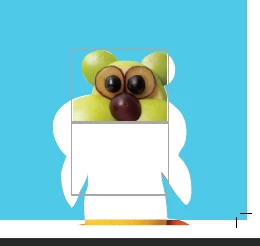
When I create a PDF of a saddle-stitched booklet from InDesign (Print booklet > postscript file > distill through acrobat), it sometimes places a white box overtop of images. It doesn't seem to be specific to any file types either it's more or less just random. Most images within the booklet are fine, but some are obscured by white.
I had asked this question previously, and someone had thought it was just an overprint preview issue, which I thought solved the issue. While turning on overprint preview did fix the issue on screen, the printed file still has the white. So, unfortunately, turning on overprint can cause me to miss these boxes and send an incorrect file to print.
The boxes are not behind the images and it does not seem to be the white box effect or the yucky discolored syndrome issues that I have seen posted previously.
I can manually go into acrobat edit and delete the white boxes which are just covering the images, but this doesn't always work great. Attached are a few screenshots, first is what the PDF looks like after distilling, second is what I see after entering acrobat edit and the third is after deleting the "box" covering part of the image.
All my creative cloud programs are up to date. Any advice is appreciated!



 AdChoices