
Known Participant
June 3, 2025
Answered

Potentially Damaged PDF Warning When Exporting from InDesign – Safe to Use for Print?

  • June 3, 2025
  • 2 replies
  • 319 views

Hi, I've been exporting my book design as PDFs from InDesign from time to time as I work on my book and they have been exporting fine. But I am suddenly getting the message below. Do I need to worry about this? The PDFs do still open ok and I can read them ok. I haven't done anything out of the ordinary with the design. This also happened with my last book that I had printed locally and it printed fine. But this new design is for Amazon so I can't afford for it to be a corrupt file. 
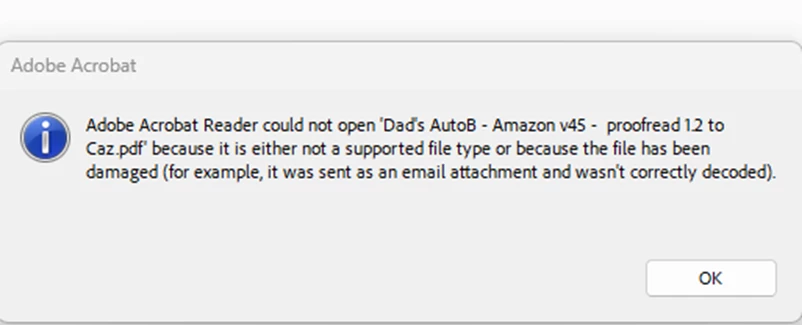


<Title renamed by MOD>


Correct answer Mike Witherell

Hi Ali,

Try an experiment: greatly simplify the filename to be shorter and not use any periods until you get to the .pdf filename ending. Maybe limit the name length to 8 or 10 characters. See if it will export then?

2 replies

leo.r
Community Expert
Community Expert
June 4, 2025
quote

Hi, I've been exporting my book design as PDFs from InDesign from time to time as I work on my book and they have been exporting fine. But I am suddenly getting the message below. Do I need to worry about this? The PDFs do still open ok and I can read them ok.


By @ali_4619


Is it possible that you're running some kind of a process on your machine that can potentially modify files in a subtle way? A backup system, anti-virus, corporate security software etc. Anything that constantly scans files on your system.

Mike Witherell
Community Expert
Mike WitherellCommunity ExpertCorrect answer
Community Expert
June 3, 2025

Hi Ali,

Try an experiment: greatly simplify the filename to be shorter and not use any periods until you get to the .pdf filename ending. Maybe limit the name length to 8 or 10 characters. See if it will export then?

Mike Witherell
ali_4619Author
Known Participant
June 4, 2025

Thanks so much. Shortening the document title did work the first time I exported it. But there's definitely a quirk going on because when I exported it a second time as a further trial, I got the error message. But it worked fine  the third time I tried. (I deleted the document from my pc each time).  I expect this must be a bug on the Acrobat side not InDesign. Thanks for your help as I can press on. I might just need to save things a few times.