Answered
Preflight
Good morning, in my document preflight it shows an error of Text not scaled proportionally, but all the text is with the same scale: 103%. I've changed it to 100% but it's still showing an error. Would you help me? Thankful.

Good morning, in my document preflight it shows an error of Text not scaled proportionally, but all the text is with the same scale: 103%. I've changed it to 100% but it's still showing an error. Would you help me? Thankful.
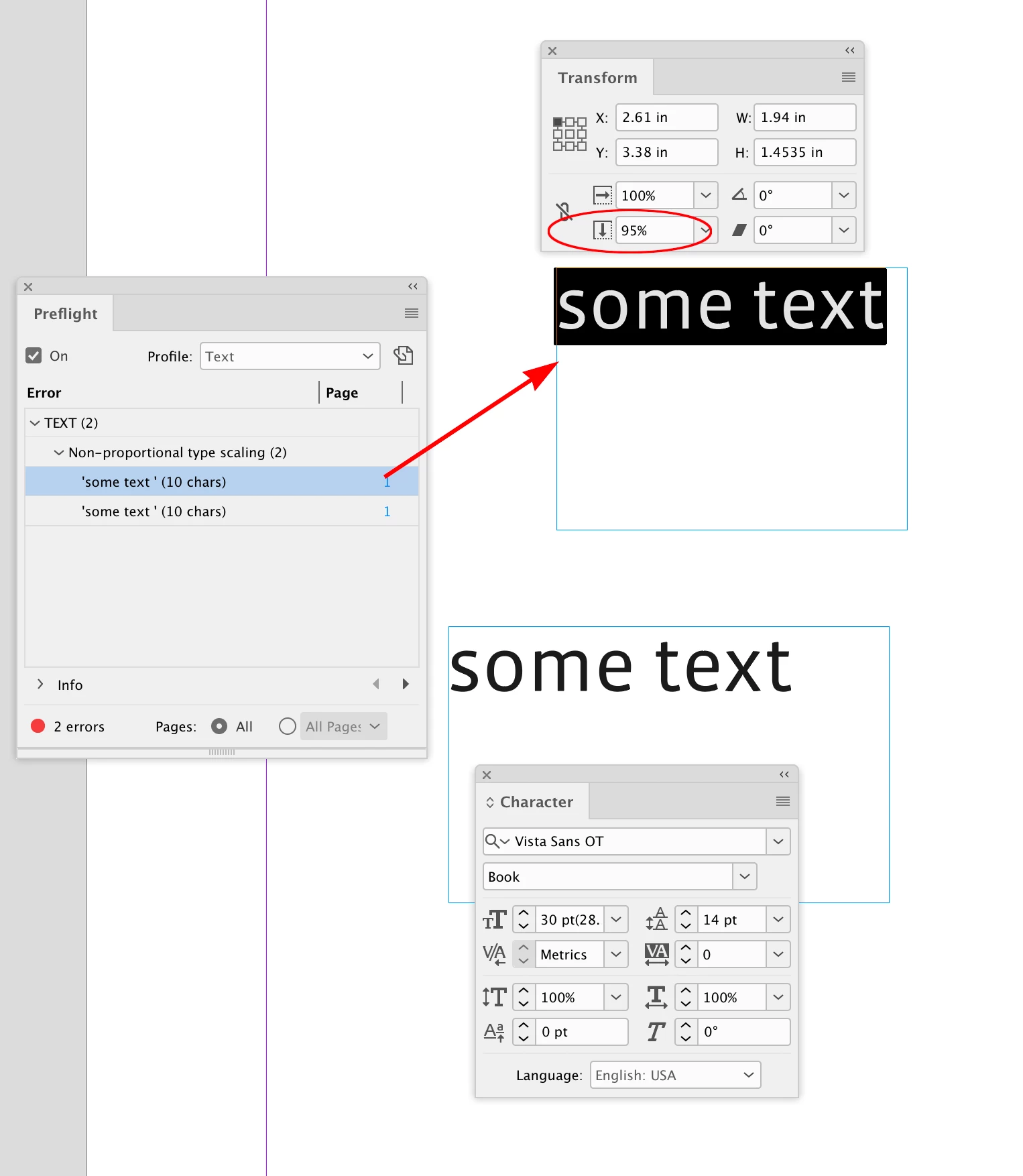
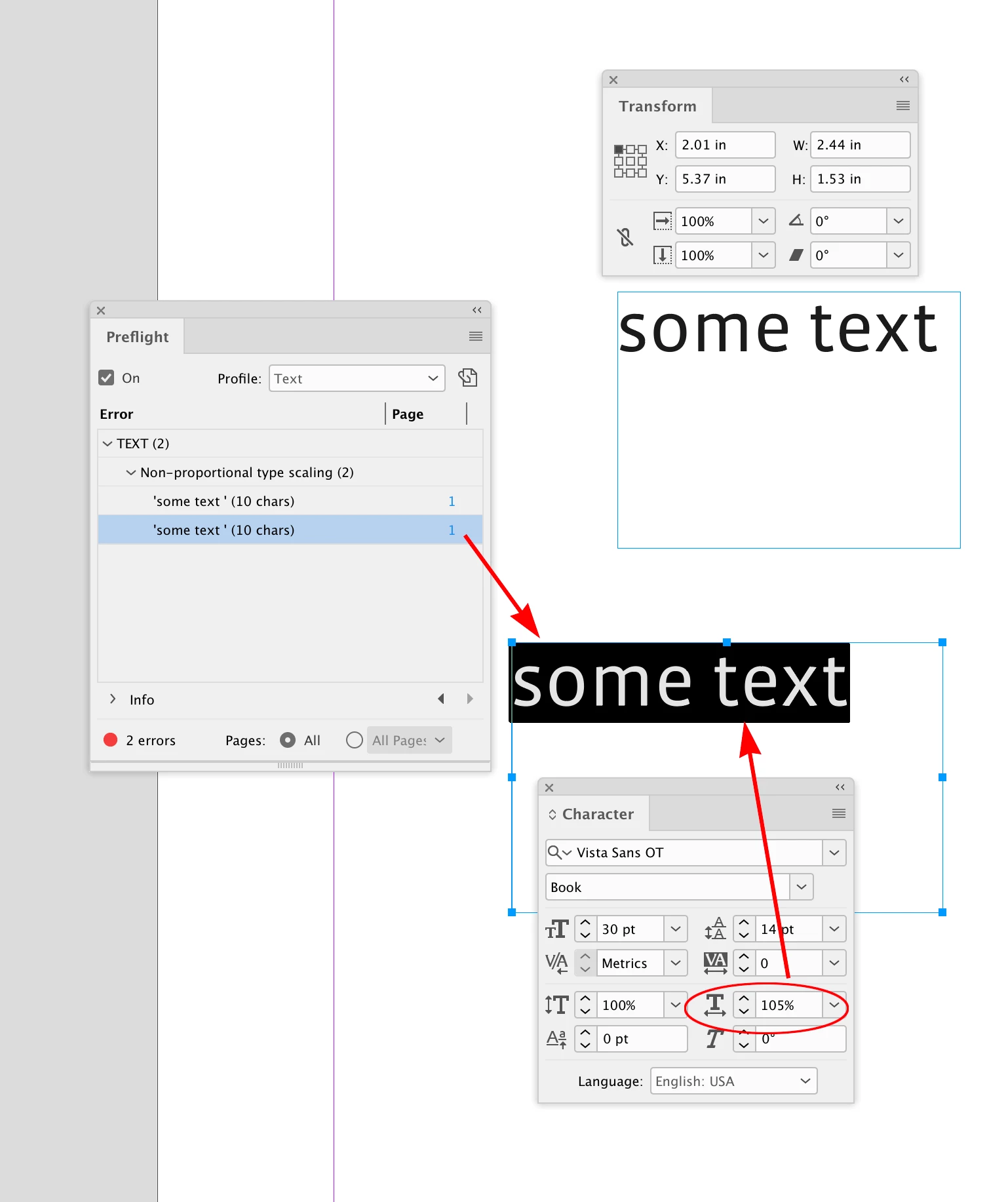
Hi @cecyfernandes , Are you checking both the text’s Vertical and Horizontal Scaling, as well as the text frame’s scaling?
Already have an account? Login
No account yet? Create an account
Enter your E-mail address. We'll send you an e-mail with instructions to reset your password.


 AdChoices