Participant
May 3, 2023
Question

Preflight Error - "Type too small"

  • May 3, 2023
  • 2 replies
  • 557 views

Working in InDesign (18.0) on Mac

--

I got a preflight error that one of my master pages had too small of type. Type panel and transform panel all read normal. I've never gotten this error before.
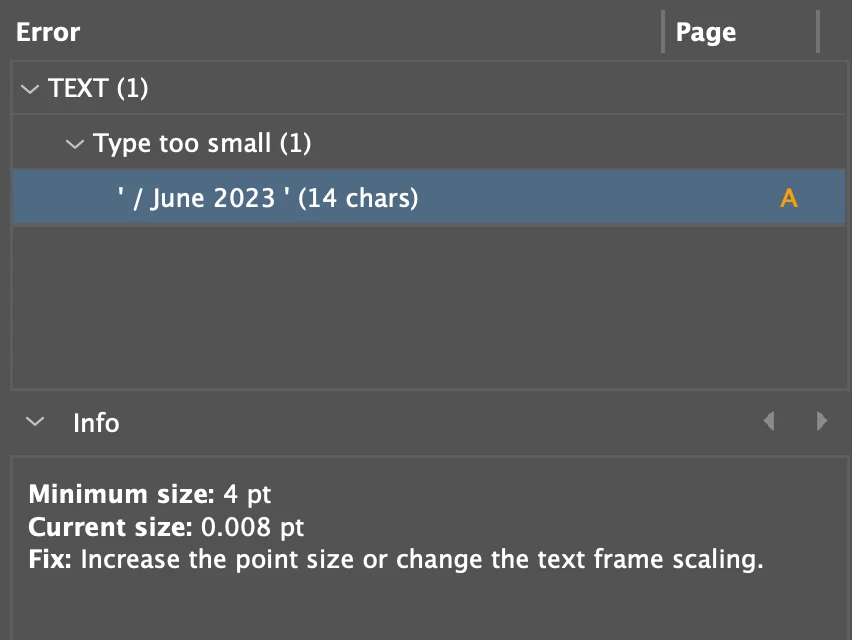
I could transfer the master page to another document and it wouldn't have the error. I could copy a matching text box or create a brand new one into that master page and it suddenly would have the error as well.


Through some trial and error, I was able to isolate the problem to a single page in my document that had that master page applied (but looked totally normal). Once I completely deleted that page and created a new page and reapplied the master, the error went away. 


Anybody know what could have caused that? That page was absolutely fine before today, and there weren't even any edits to that specific page recently. Absolutely maddening. 

This topic has been closed for replies.

2 replies

Willi Adelberger
Community Expert
Community Expert
May 3, 2023

This file has probably a preflight profile attached which watches if a font size is to small. Attach a more useful profile to thar file in the Preflight Panel menu. 

Steve Werner
Community Expert
Community Expert
May 3, 2023

It sounds like your file was somewhat corrupted. It's especially possible for files that have been around a long time and/or have had crashes which might have caused corruption. When this occurs again, you might try saving the files as an IDML files (File > Save As > InDesign CS4 or Latger [IDML]. Opening the IDML can often remove some corruption.

Participant
May 3, 2023

This document is only a couple weeks old, though the same master pages are transferred into each new document. No crashes on this document, or indeed InDesign at all in the past month or so, which is rare. Perhaps it was related to the InCopy links on the page? But why that would've caused the master page to glitch on this one page is beyond me. Every other page with that master applied was fine. Once I added in a new page, I repasted everything exactly how it was and no issues. 


I'll have to try that IDML trick, I haven't heard that before. Thank you! 


(PS I suppose they're called parents now, instead of masters, but they're always master pages in my mind)