
Participant
January 8, 2024
Answered

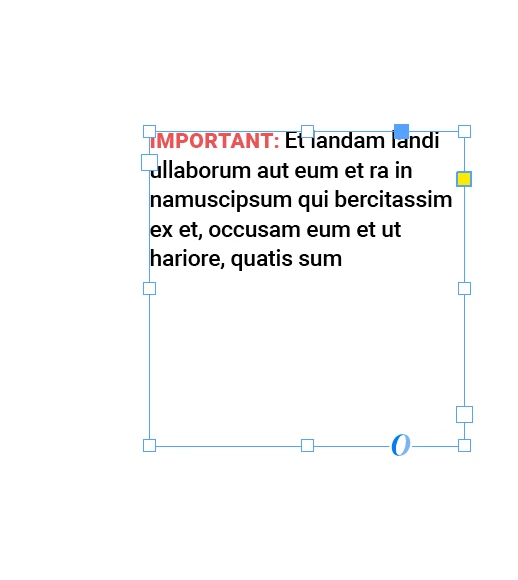
Preloaded text in paragraph style

  • January 8, 2024
  • 3 replies
  • 348 views


I'm working on manuals and most of the time it has notes similar to the image above, that has it's own paragraph style. Is there a way to make this paragraph style add the text "Important:" whenever I use this paragraph style so I don't have to keep typing them everytime I add these notes?
This topic has been closed for replies.
Correct answer jmlevy

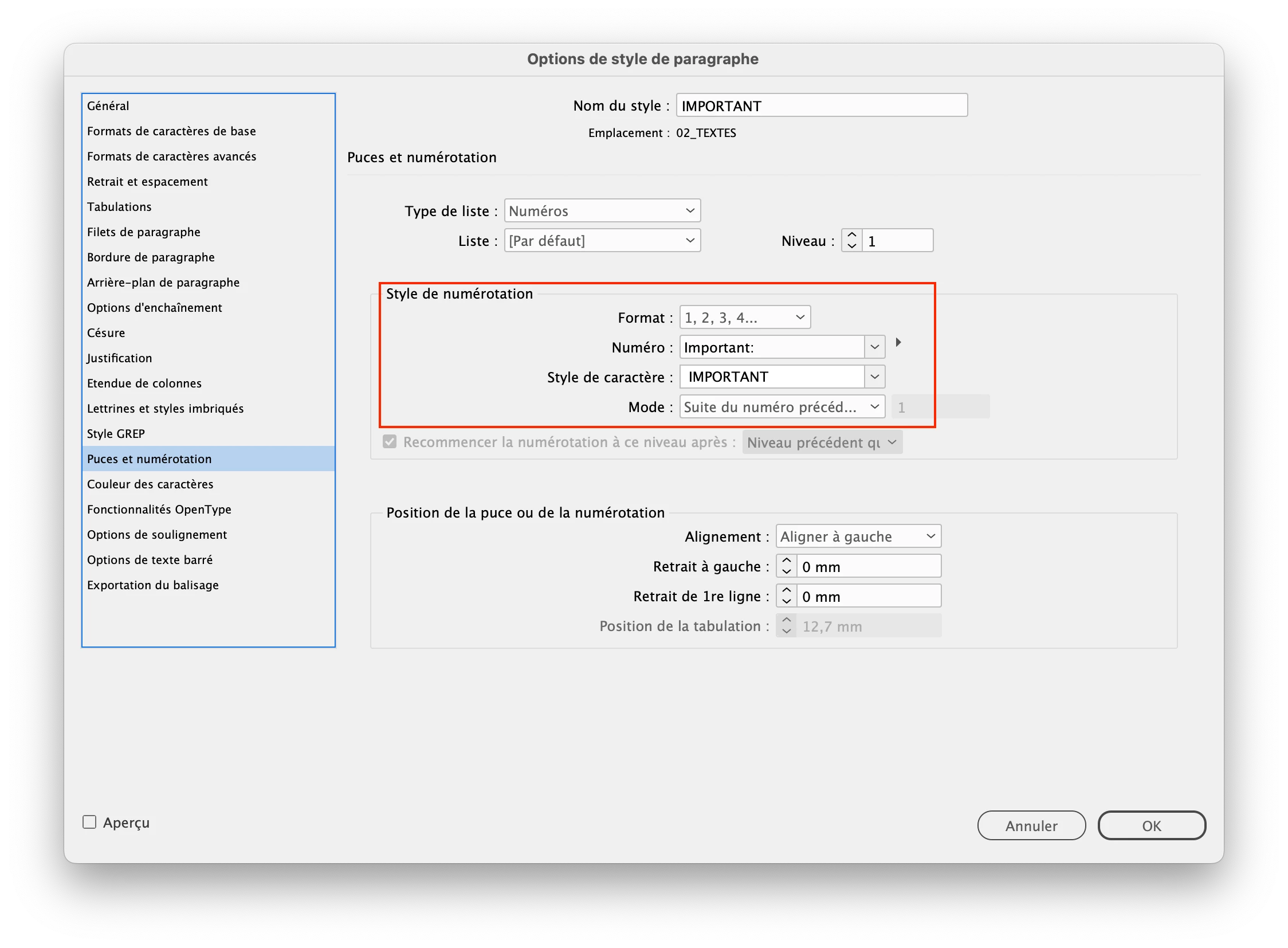
Yes: use the auto numbering feature but replace the numbering by the word “important:” as shown in my screenshot. I use it also for manuals with the words “caution”, “note”…

3 replies

DaemionAuthor
Participant
January 8, 2024

I have to add one more thing as I was working on this. You have to create a new list  if you intend to insert this paragraph style in between auto numbered paragraphs so it won't mess with the auto numbering of your document


James Gifford—NitroPress
Legend
January 8, 2024

That's a good point. Are you sure it interferes if you set the numbering to None? (That's part of what I meant by causing strange and unwanted effects... it's great that the feature is so flexible, but I suspect it could cause some real hair-tearing consequences if not watched carefully, as this kind of 'coloring outside the lines' all too often does.)


And, being a style, it lends itself to changing the tag text globally, sometimes not a small thing. 🙂

DaemionAuthor
Participant
January 8, 2024

Yes I tried your suggestion before I created the list and it does break the auto numbering even if you have it continue from previous number

DaemionAuthor
Participant
January 8, 2024

Thanks for the quick reply! I knew it had something to do with numbering/bulleting. You guys are awesome as always!

jmlevy
Community Expert
jmlevyCommunity ExpertCorrect answer
Community Expert
January 8, 2024

Yes: use the auto numbering feature but replace the numbering by the word “important:” as shown in my screenshot. I use it also for manuals with the words “caution”, “note”…

James Gifford—NitroPress
Legend
January 8, 2024

Minor note: the Format field should be set to 'None' for this tweak... non?


It doesn't appear to make any difference, if you don't use the number placeholder, but I can see some invisible bag filling with unused numbers until the document breaks. Or some such.