Participant
December 3, 2019
Question

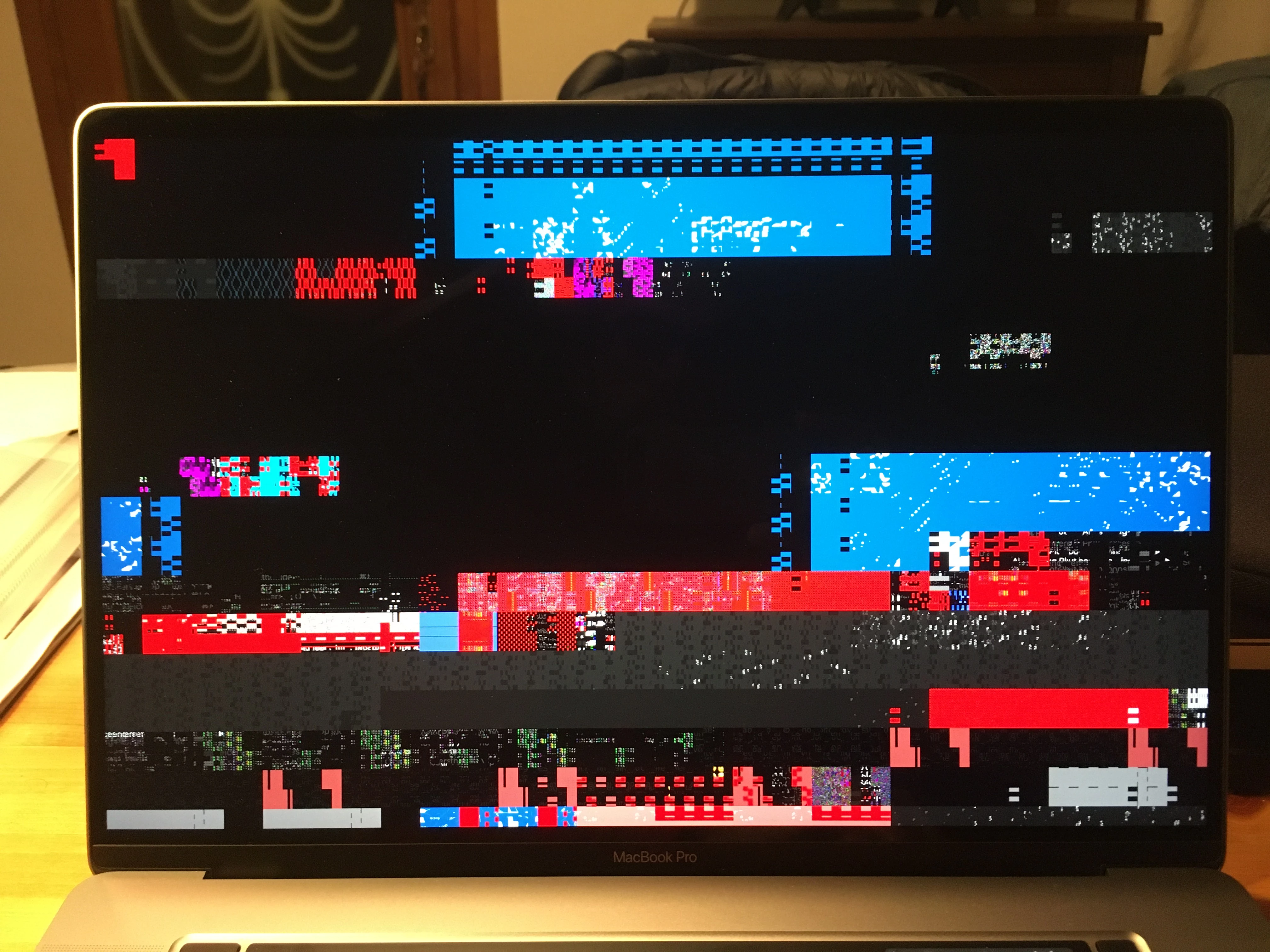
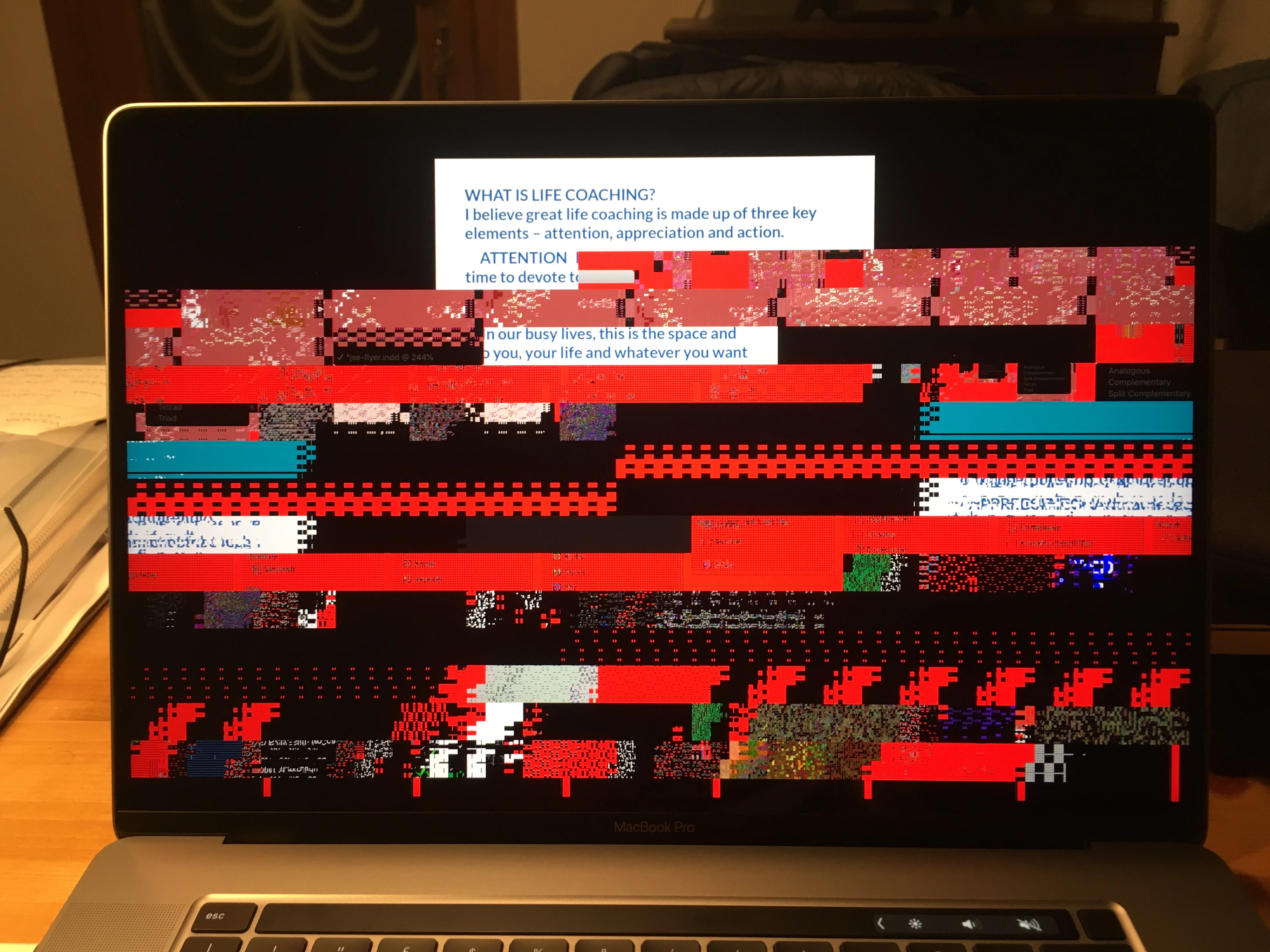
Presentation mode (Shift+W) issue on new MacBook Pro 16"

  • December 3, 2019
  • 5 replies
  • 1082 views

I've just came across this issue with Presentation Mode in InDesign 2020 on new Macbook Pro 16". It happens with GPU Performance enabled... 

Moreover, I don't think it's a hardware issue since the Apple Store gave me a new laptop and the problem is still there.

Any help? Nice glitchy effect by the way!

Thank you

Nino
This topic has been closed for replies.

5 replies

Participant
January 20, 2020

Same issue, Any help Adobe?

BobLevine
Community Expert
Community Expert
January 21, 2020

Did you even bother to read the responses? Nothing's changed!

Participant
January 21, 2020

Disabling gpu accelaration did not work for me though. Still the same issue.

Participant
January 18, 2020

Hey, got same problem over here. Plus I got some issues with Photoshop: When moving around in a picture, it's extremely shaky. I got my new macbook pro 16" replaced, too. Problems remaining with the new model.

ar7Author
Participant
January 18, 2020

I actually have some issues even with the Premiere and After Effects preview...

marcc33335525
Participant
December 10, 2019

Hi AR7,


I'm having the same issue on a new Macbook Pro out of the box and the latest InDesign 2020.

Hope that Adobe's team solves it quickly.


Regards 🙂

Marc

BobLevine
Community Expert
Community Expert
December 10, 2019
GPU performance problems have been an issue for years.
Participant
December 4, 2019

I have exactly the same problem.

Rishabh_Tiwari
Legend
December 4, 2019

Hi Andrey,


We're so sorry to hear about the trouble you are facing with InDesign. Please disable the GPU Performance under Preferences as suggested by Ashutosh. I will pass on your feedback to our Product team and you can do that too by upvoting this request and sharing your comments here https://indesign.uservoice.com/forums/601180-adobe-indesign-bugs/suggestions/38791729-presentation-mode-shift-w-glitch-in-catalina


This is the best way of communicating with the Engineering and Product Management teams regarding issues and suggestions so they can be implemented in future releases. 


Regards

Rishabh

Ashutosh_Mishra
Inspiring
December 3, 2019

Hi there,


Sorry to hear about your experience. This issue has been reported to our Engineering team and they are working on it.
Right now, only solution is to disable the GPU Performance under Preferences.


Regards,

Ashutosh