
Jon Fletcher
Participating Frequently
November 14, 2022
Question

"Preserve local edits" greyed out in linked text options

  • November 14, 2022
  • 1 reply
  • 571 views

I am working on a guide made up of many chapters. Each chapter is intended to also function as a standalone document, so I have two alternate layouts, one with page numbering restarting in each section, the other with page numbering running sequentially through all the sections.


I have internal cross references within individual chapters, which I have amended in the layout functioning as a single continuous guide. See screenshots.

Chapter as standalone doc



Chapter as part of longer guide
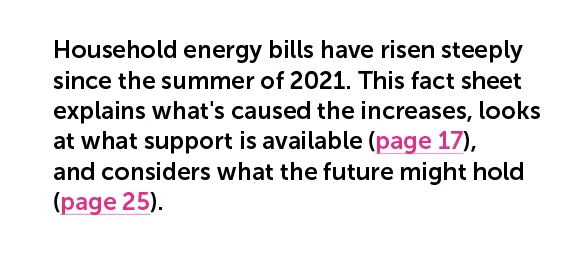


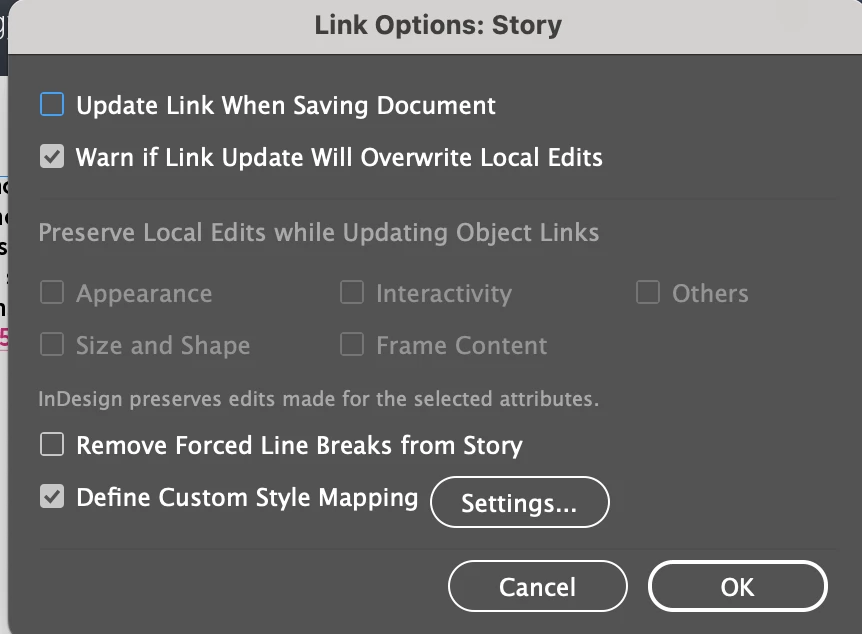
I would like to exclude these when the linked copy is updated. I assume that the best way to do this is using the 'preserve local edits' function, but this is greyed out when I click into the link options:


Any suggestions for how to fix much appreciated!

This topic has been closed for replies.

1 reply

Harshika Verma
Community Manager
Community Manager
November 15, 2022

Hi @Jon Fletcher,


Thank you for reaching out. This option appears when you have an object selected or, Simply, without having a document opened in InDesign. Go to Link Panel>Click Panel options from the flyout menu, and you will have all the options available.

Jon Fletcher
Participating Frequently
November 16, 2022

Hi @HARSHIKA_VERMA 


Thanks for your response. I already know where the options are though - as per screenshot.

My problem is that the preserve local edits option is greyed out, even with the text frame selected.

Any suggestions much appreciated.

Harshika Verma
Community Manager
Community Manager
November 18, 2022

Sorry for the delay in response, @Jon Fletcher. I am unable to reproduce the issue at my end on my windows machine on InDesign 18 version. Please see the attached screenshot-


Could you please tell us the version of InDesign and the operating system you're working on? 


We will try our best to investigate and help you.


Thanks,

Harshika