
Pamela99
Known Participant
March 9, 2023
Answered

Preset Templates all Missing on Adobe InDesign New Document Page

  • March 9, 2023
  • 2 replies
  • 8807 views

Hello,

Preset templates have totally disappeared in the latest update. Well, at least mine have. I can see their boxes, but there is no content and I have no functionality if I select one .This is a screenshot of my New Doc page [not legacy]. I am given the option to search for templates, but get directed to Adobe's Stock site where I get 10 free assets and am then charged. Is anyone else having this issue, and if so do we know if Adobe plans to address this? I have the same problem in Photoshop.
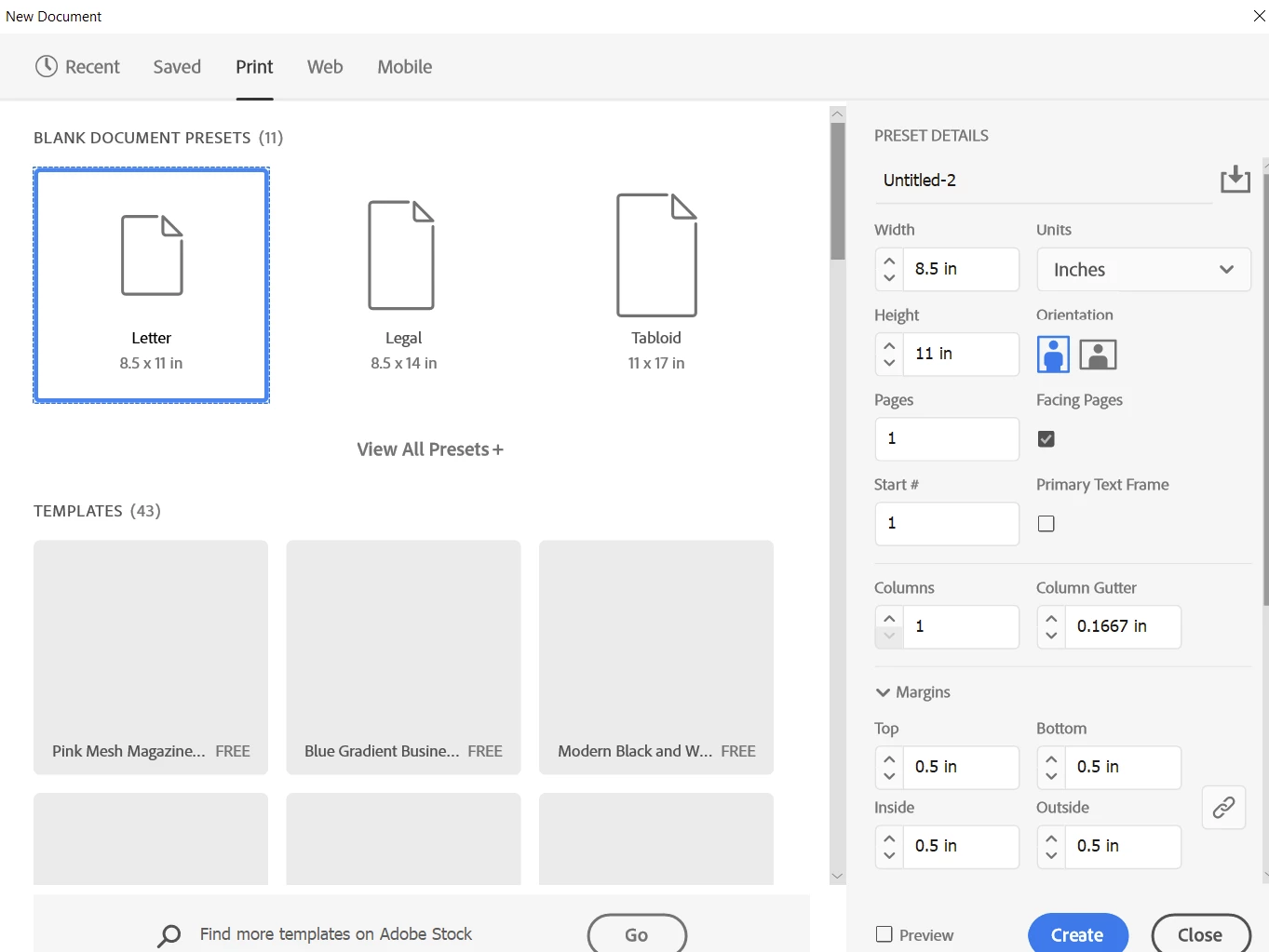


This topic has been closed for replies.
Correct answer Harshika Verma

Hi @Pamela99,


Thank you for reporting the issue. As rightly informed by our expert, this is a known bug, and the team is actively working on it. We will keep you posted with the update.


Thanks,

Harshika


Hi All,


Thank you for your understanding and patience throughout this process. We're pleased to inform you that the latest release of InDesign 18.4 addresses this issue and should provide a resolution for you. If the update is available in your country, we kindly request that you install it and let us know if the problem is resolved.


Note:- This is a phase-wise rollout, and updates will be available to users of different countries in the coming days. Check your notifications in the Creative Cloud Desktop application, or refresh the application to check for updates.


We genuinely appreciate your cooperation and will continue to support you in any way we can.


Thanks,

Harshika

2 replies

Steve Werner
Community Expert
Community Expert
March 9, 2023

This has been reported by at least a couple other people and seems to be a bug, but is not happening to most people so it's hard to determine the cause.


Here's a link to the Bug section of the InDesign UserVoice website of other reports:


                Unable to see Preset Templates in New Document     

Steve Werner
Community Expert
Community Expert
March 9, 2023

Please add your vote and comments so it gets more attention.


Harshika Verma
Community Manager
Community Manager
March 31, 2023

Hi @Pamela99,


Thank you for reporting the issue. As rightly informed by our expert, this is a known bug, and the team is actively working on it. We will keep you posted with the update.


Thanks,

Harshika

Rene Andritsch
Community Expert
Community Expert
March 9, 2023

Neither the latest InDesign nor Photoshop show this behavior on my end. Did you try a restart of the app and machine to solve this? If that doesn’t help you could try to reset InDesign’s preferences following this great guide: https://community.adobe.com/t5/indesign-discussions/reset-indesign-preferences-and-other-troubleshooting/td-p/11990234