



Prevent anchored graphics from exporting in EPUB?
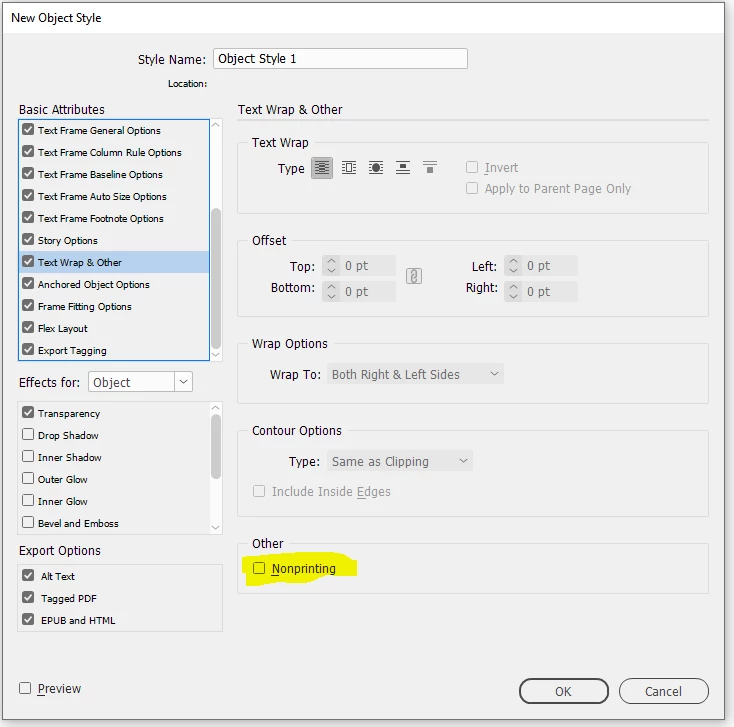
I have a book document intended to design both the print and ebook editions. For the most part I use layers to control what shows in the ebook and print versions. For print, I have some anchored objects in certain places: QR codes next to the text they support, and stylish section headings that I couldn't figure out how to do as simply inline so they are anchored text frames. I anchor them so that they stay in the right place (including the right page) while I experiment with font sizes, line spacing, margins, etc. But the problem is that because they are anchored to the main text flow (which is in the layer that is used for both print and ebook), the graphics are showing up the EPUB export - I don't want that. Is there a way to exclude all graphic content (or all anchored content) from EPUB export? Or a setting for the object itself to say it should not be exported? Google AI Overview says no (it suggests a hidden layer or moving them to the pasteboard, both of which defeat the purpose), but perhaps there is something in the newest version of InDesign, or a trick you guys know but Google doesn't.

 AdChoices