Participant
April 28, 2021
Answered

Prevent hyphens from newlining in InDesign

  • April 28, 2021
  • 3 replies
  • 623 views

Say I have a list of names, and one of them has a hyphen, like 

"First Last First Last First Last-name" 
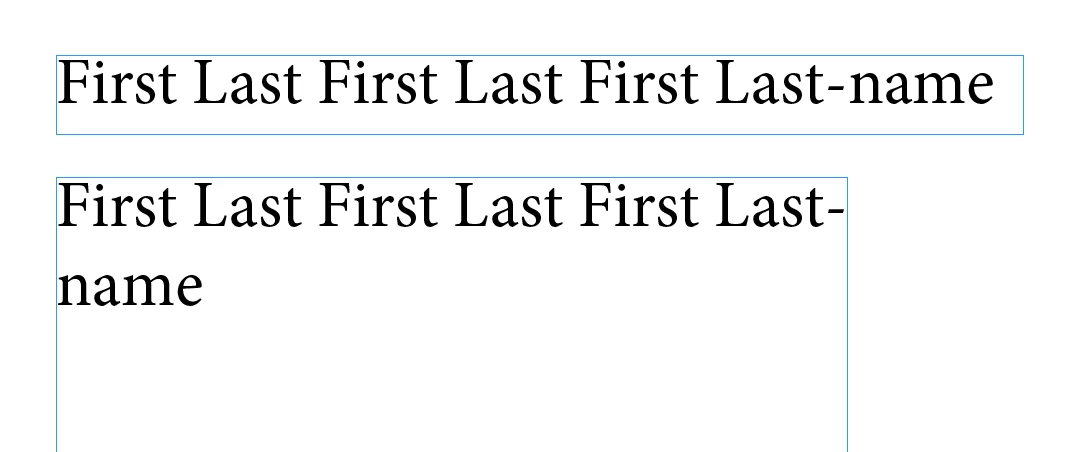
Even with hyphenation turned off, InDesign still will split a word that has a hyphen in it along a new line if it's near the edge. Is there a way to disable this behavior?

This topic has been closed for replies.
Correct answer Brad @ Roaring Mouse

Replace the hyphen with a Non-Breaking Hyphen (option-Command-hyphen on a Mac, not sure off hand what the key command is on a PC), also found under the Type Menu > Insert Special Character > Hyphens and Dashes...

3 replies

Eric Dumas
Community Expert
Community Expert
April 28, 2021

Have you tried to use hyphenation, with increased numbers for the values.

This could allow you to keep words together.

And if you use 'hard hyphens' you should keep words together.

More details at The difference between hard and soft hyphens in InDesign - ADD (accessible-digital-documents.com)

Brad @ Roaring Mouse
Community Expert
Brad @ Roaring MouseCommunity ExpertCorrect answer
Community Expert
April 28, 2021

Replace the hyphen with a Non-Breaking Hyphen (option-Command-hyphen on a Mac, not sure off hand what the key command is on a PC), also found under the Type Menu > Insert Special Character > Hyphens and Dashes...

radzmar
Community Expert
Community Expert
April 28, 2021

Hi,


select the text portion you don't want to break, then press [Ctlr]+[T] to open the character panel. Press the upper right button top open its menu and select the [No break] item.