Participant
October 31, 2019
Answered

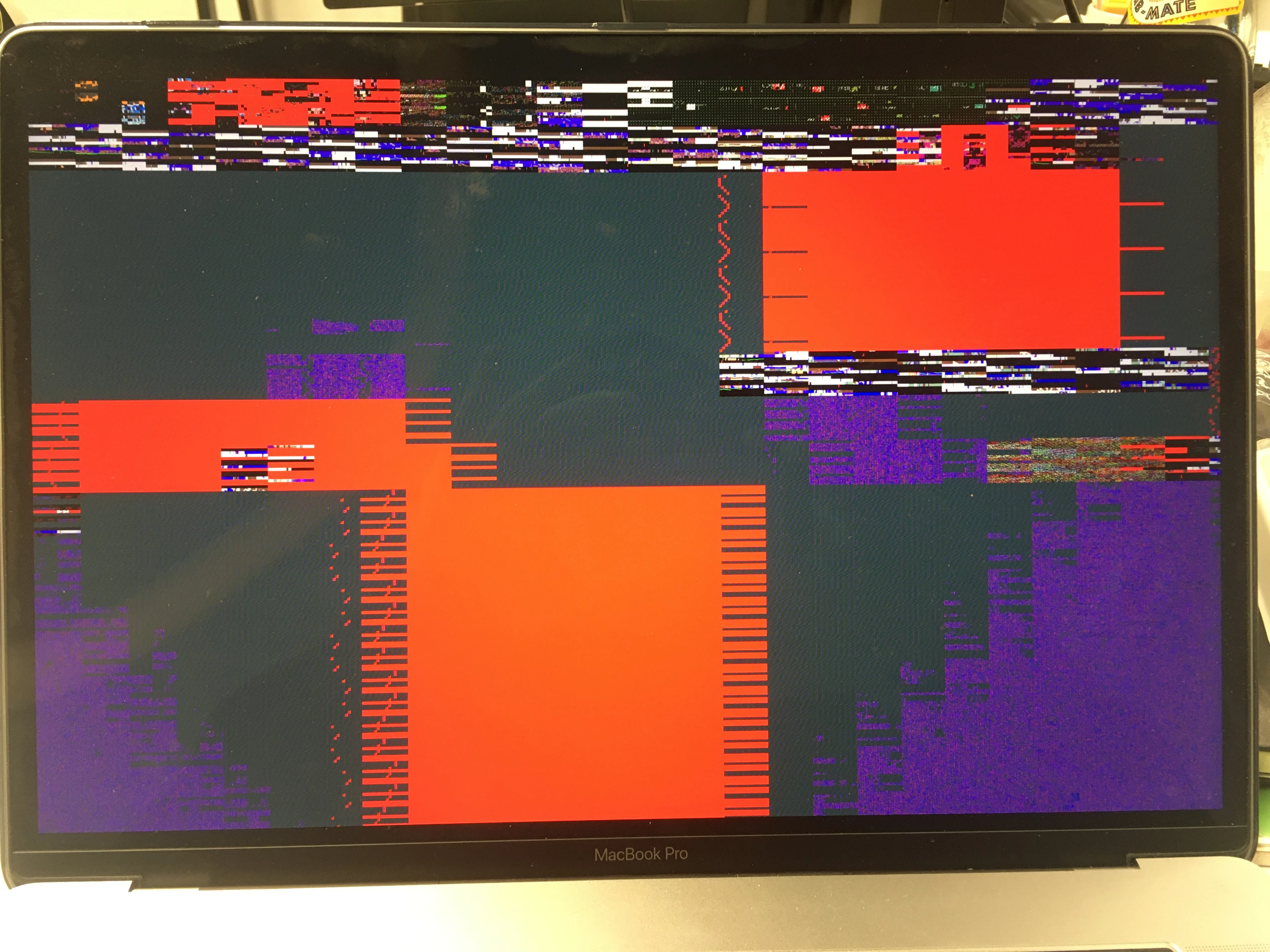
Preview Glitch Indesign CC Max OS Catalina

  • October 31, 2019
  • 3 replies
  • 2355 views

Hi Guys,
i just found one post here with the same problem but in spanish, so i didn't understand anything.
I have an annoying problem with the preview in Indesign CC. Everytime I move the cursor in the preview window this really scary glitch appears. The results from other posts did work for me (turn off GPU support). I am just a little scared that my GPU has a bigger problem other than just a program not working. Could this be my hardware? Apple Support gave me a few steps to do, which i did. no result. despite the gltich in INDD i dont have any other visible issues with my GPU

Specs:

Macbook Pro 2018
2,9 GHz 6-Core Intel Core i9

32 GB 2400 MHz DDR4

Radeon Pro 560X 4 GB
Intel UHD Graphics 630 1536 MB
This topic has been closed for replies.
Correct answer Ashutosh_Mishra

Hi there,


It is a known issue, which is already reported and being worked upon. You have already tried the suggested workaround (Turn off GPU Performance), which is being provided right now for such scenarios.


Also, You should not have any other GPU hardware issues if not visible. You can always run a hardware test to validate. This help article from Apple should help : https://support.apple.com/en-us/HT202731


Hope it helps!


Regards,

Ashutosh

3 replies

Inspiring
December 2, 2019

Any status on this fix? Today's update didn't do anything to help. Have to run a new MAc with GPU disabled. CC2019 has no issue.

Participant
November 12, 2019

Any Idea when the issue will be fixed?

BobLevine
Community Expert
Community Expert
November 12, 2019

Based on the fact that it's been this way since it was introduced, I'm going to say don't hold your breath.

Participant
December 18, 2019

Probably has to do with the newly implemented Metal support. Or does this occure on Windows too?


Ashutosh_Mishra
Ashutosh_MishraCorrect answer
Inspiring
October 31, 2019

Hi there,


It is a known issue, which is already reported and being worked upon. You have already tried the suggested workaround (Turn off GPU Performance), which is being provided right now for such scenarios.


Also, You should not have any other GPU hardware issues if not visible. You can always run a hardware test to validate. This help article from Apple should help : https://support.apple.com/en-us/HT202731


Hope it helps!


Regards,

Ashutosh

Participant
October 31, 2019

Hi Ashutosh,

thanks for the info! Yeah, the workaround works fine for me at the moment. Hardwaretest was negative, too. Thanks!
I was just worried that my +4k € machine has an issue within the first year using it.

Thanks and have a great time!