
Participating Frequently
September 13, 2021
Answered

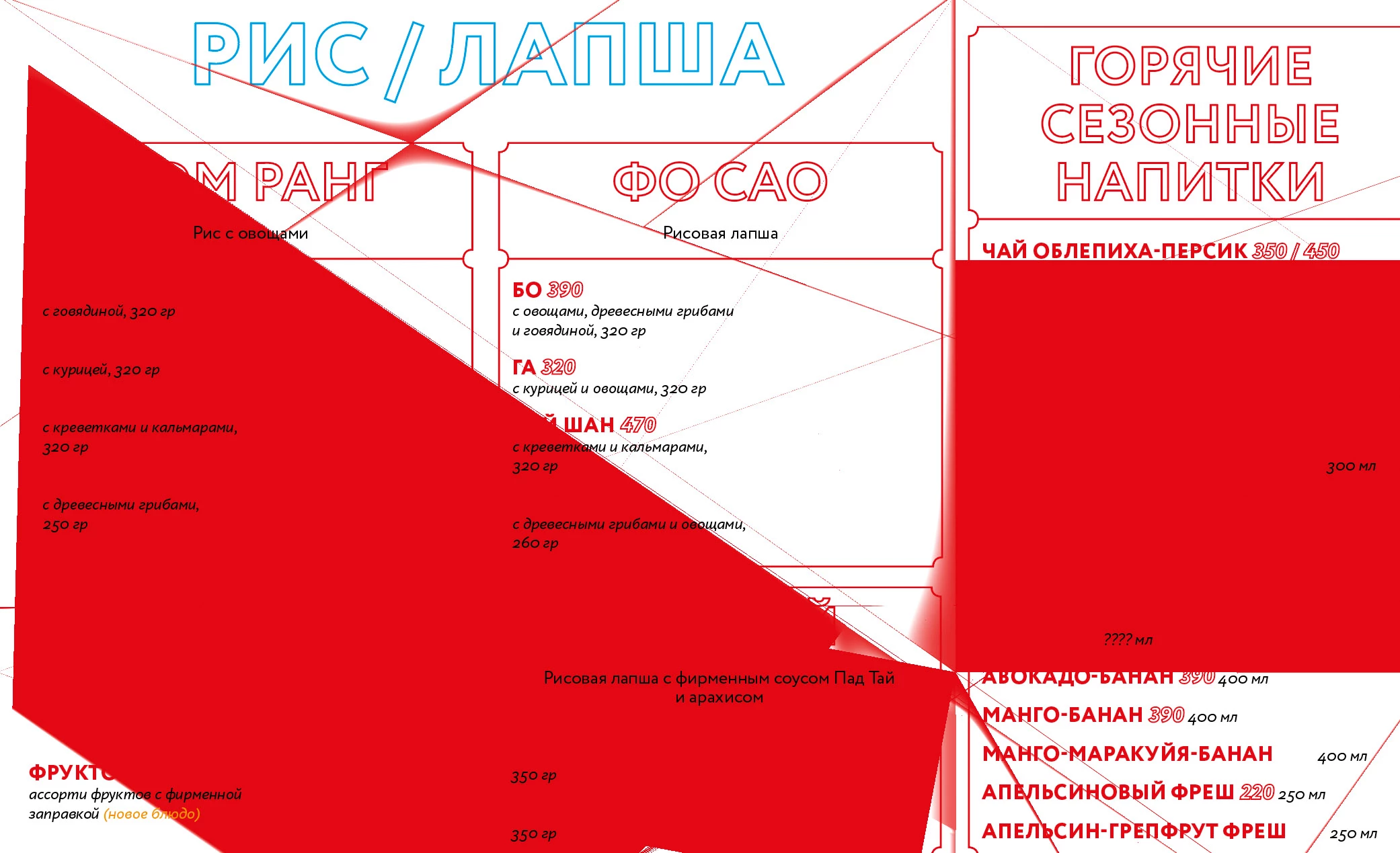
Preview (Screen mode) works incorrectly

  • September 13, 2021
  • 1 reply
  • 387 views

Hello! I am working in the latest version of InDesign (I have MacOS Big Sur). Often when I press the W key (view / screen mode / preview) something strange happens on the screen (see screenshot). This mode does not work correctly. This was not the case before. What is the problem?


This topic has been closed for replies.
Correct answer jmlevy

Turn off GPU performances (in the preferences)

1 reply

jmlevy
Community Expert
jmlevyCommunity ExpertCorrect answer
Community Expert
September 13, 2021

Turn off GPU performances (in the preferences)

Participating Frequently
September 13, 2021

Yes, thanks, this problem will probably be solved by turning off the GPU. But here's how to work without a GPU )) Adobe found a simular problem in Illustrator: GPU interferes with the correct display of some contours