
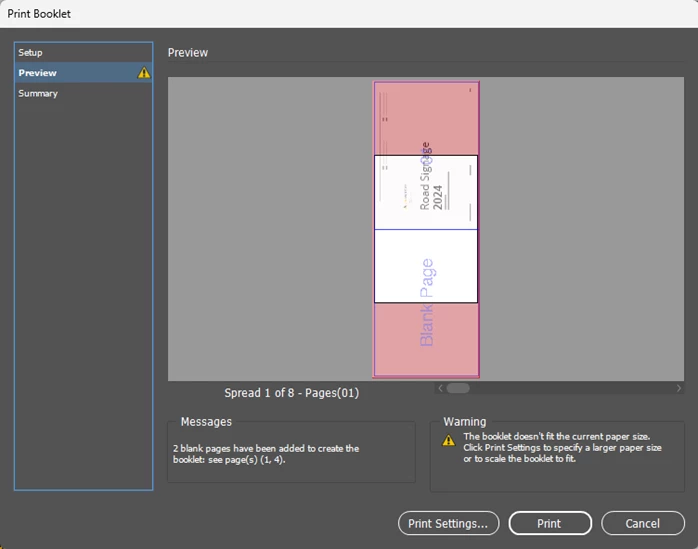
Print Booklet: A4 Landscape showing "Warning, The booklet doesn't fit the current paper size"
This one is driving slightly insane today, as I previously printed this booklet about a dozen times no problems. I have an indesign document of 14 pages in A4 landscape, that I am trying to print booklet style.
I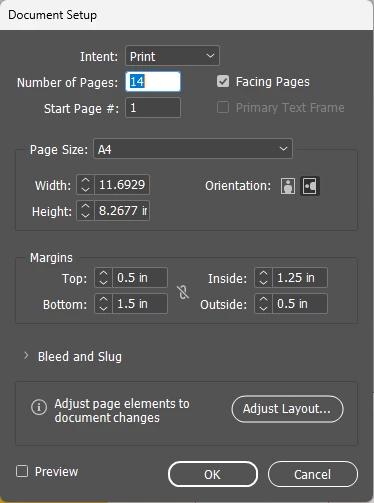
For some reason, I cannot get it to put one page, on a page.
Take a look at this and please tell me what I am missing here.
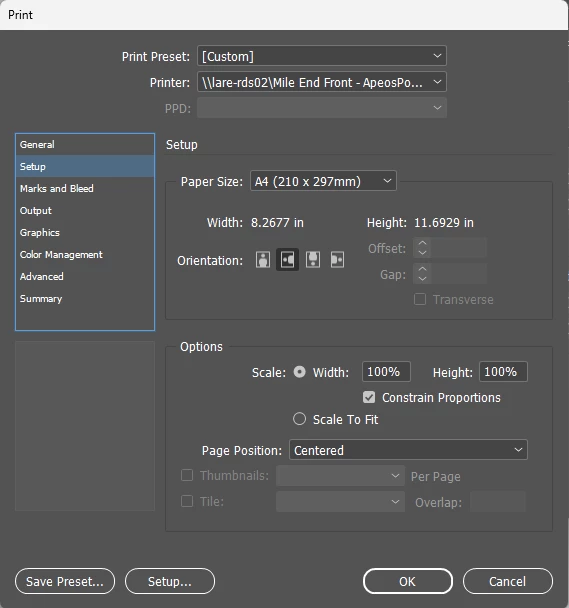
I even tried the 'Scale to fit' radio button, and have a look at what it does.
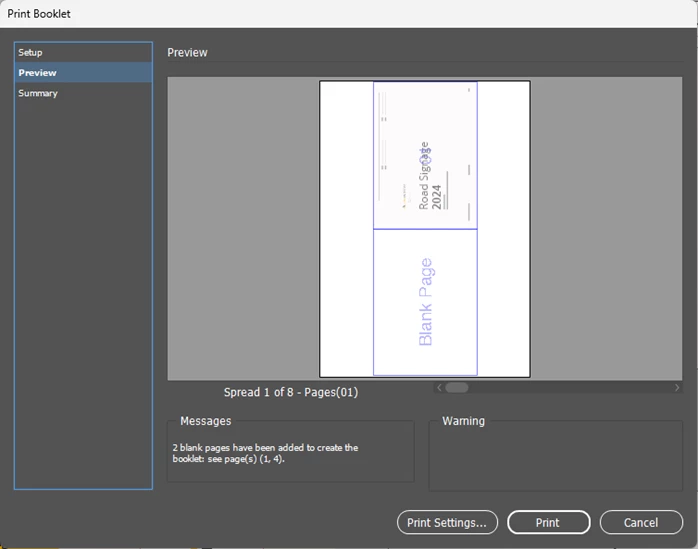
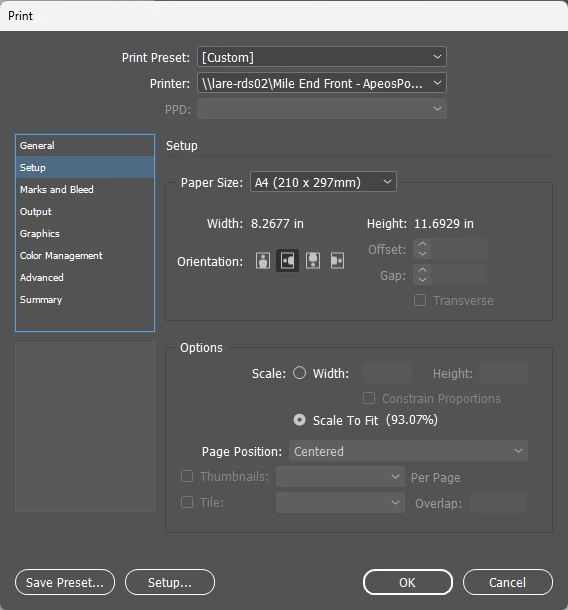
As you can see, it has put the entire spread on a single A4 page despite only scaling 93%.
I feel like I've printed booklet from indesign a thousand times, and even done it a dozen times with this exact booklet. I just cannot for the life of me figure out what is going wrong.
For note, I did recently have to export an A4 portrait booklet into PDF as spreads. However, this booklet is set to export as pages, not spreads and I have double checked this.
Print Summary Below
Print Preset: [Custom]
Printer: <omitted>
PPD: N/A
PPD File: N/A
Print Booklet
Booklet Type: 2-up Saddle Stitch
Auto Adjust Margins: On
Top Margin: 0 in
Bottom Margin: 0 in
Left Margin: 0 in
Right Margin: 0 in
Space Between Pages: N/A
Creep: 0 in
Bleed Between Pages: N/A
Signature Size: N/A
Print Blank Printer Spreads: On
General
Copies: 1
Collate: Off
Reverse Order: Off
Pages: All
Sequence: All Pages
Spreads: Off
Print Parent Pages: Off
Print Layers: All Layers
Print Non-printing Objects: Off
Print Blank Pages: Off
Print Visible Guides and Baseline Grids: Off
Setup
Paper Size: A4 (210 x 297mm)
Paper Width: 8.2677 in
Paper Height: 11.6929 in
Page Orientation: Landscape
Paper Offset: 0 in
Paper Gap: 0 in
Transverse: Off
Scaling: 100%
Constrain Proportions: On
Page Position: Centered
Thumbnails: Off
Tiling: Off
Marks and Bleed
Crop Marks: Off
Bleed Marks: Off
Registration Marks: Off
Color Bars: Off
Page Information: Off
Printer Mark Type: Default
Crop Mark Weight: 0.25 pt
Mark Offset from Page: 0.0833 in
Use Document Bleed Settings: Off
Bleed Top: 0 in
Bleed Bottom: 0 in
Bleed Inside: 0 in
Bleed Outside: 0 in
Include Slug Area: Off
Output
Color: Composite RGB
Text As Black: Off
Trapping: Off
Flip: None
Negative: Off
Screening: Default
Simulate Overprint: Off
Frequency: 70
Angle: 45
Graphics
Send Data: Optimized Subsampling
Download: Subset
Download PPD Fonts: On
PostScript®: Level 2
Data Format: Binary
Color Management
Document Profile: sRGB IEC61966-2.1
Color Handling: Let InDesign Determine Colors
Printer Profile: Document RGB - sRGB IEC61966-2.1
Preserve RGB Numbers: Off
Proof Profile: Document CMYK
Simulate Paper Color: On
Advanced
Print &as Bitmap: Off
Bitmap Resolution: 300
OPI Image Replacement: Off
EPS: Off
PDF: Off
Bitmap Images: Off
Transparency Flattener Preset: [Medium Resolution]
Ignore Spread Overrides: Off


 AdChoices