JessJoy
Inspiring
December 9, 2016
Answered

Print Booklet Printing Error: Problem initializing the current printer. Check the system print settings.

  • December 9, 2016
  • 2 replies
  • 4010 views

I have Adobe InDesign CC 2017 installed on two computers, one with Windows 7 and the other with Windows 10. Unfortunately, every time I use Print Booklet on the computer with Windows 10 it fails with this error:
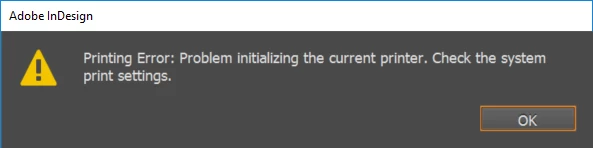
This problem never occurs on the computer with Windows 7, but our team members are upgrading to Windows 10 so I need to figure out how to get it to work on the new computers. I am still able to Export a PDF with the Adobe PDF printer, but just can not Print a Booklet. Is there a work around for this? Thank you!

This topic has been closed for replies.
Correct answer JessJoy

Never mind. One of our IT members found a weird workaround for it. He had me go to Print Settings... from the Print Booklet menu and change the printer from Adobe PDF to our real office printer then clicked 'OK'. Went back in to Print Settings and changed the printer BACK to Adobe PDF and clicked 'OK'. It solved the problem. Wish I didn't have to do that, but it works.

2 replies

Participant
January 19, 2018

Literally never had this problem until I was in a crunch for time...thanks for the fix. Ridiculous way to fix it, but spot on. Thanks again.

JessJoy
JessJoyAuthorCorrect answer
Inspiring
December 9, 2016

Never mind. One of our IT members found a weird workaround for it. He had me go to Print Settings... from the Print Booklet menu and change the printer from Adobe PDF to our real office printer then clicked 'OK'. Went back in to Print Settings and changed the printer BACK to Adobe PDF and clicked 'OK'. It solved the problem. Wish I didn't have to do that, but it works.

nicoleg56760787
Participant
July 19, 2017

I was having the same issue and used your fix above and it worked. Thank you--I was ready to pull my hair out!