
Karandeep25181533qchz
Participant
July 9, 2022
Answered

Print page pdf blank space

  • July 9, 2022
  • 2 replies
  • 449 views

My Adobe InDesign pdf (A4 size) leaving a lot of blank

space (top and bottom) as shown in the picture. How to remove that space? Thanks.
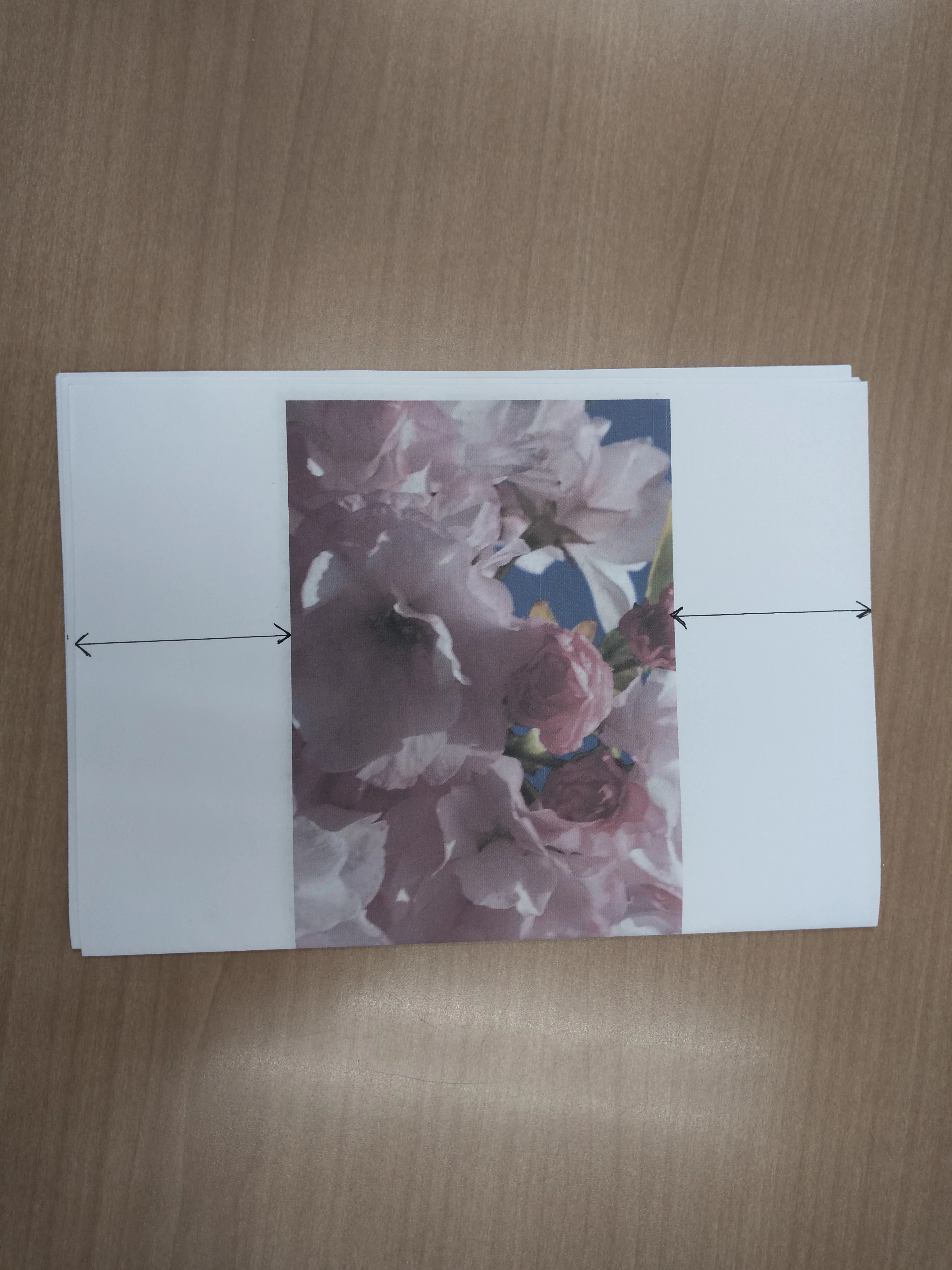
This topic has been closed for replies.
Correct answer Abambo

Isn't that space reflected in your InDesign file? Post a screenshot of what you see in InDesign.


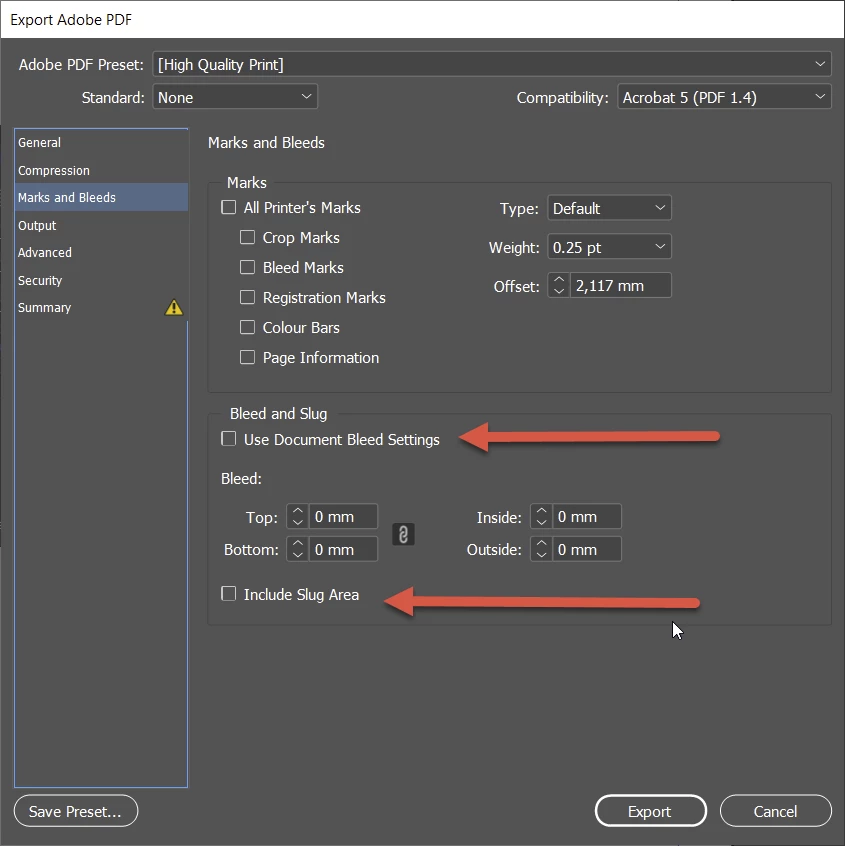
How do you create your PDF file? Export? Print? You should use Export! With your export options, you should especially check these:
 

2 replies

Abambo
Community Expert
AbamboCommunity ExpertCorrect answer
Community Expert
July 9, 2022

Isn't that space reflected in your InDesign file? Post a screenshot of what you see in InDesign.


How do you create your PDF file? Export? Print? You should use Export! With your export options, you should especially check these:


ABAMBO | Hard- and Software Engineer | Photographer
Willi Adelberger
Community Expert
Community Expert
July 9, 2022

Do you work with Paragraph Styles? You should. 
What are the keep settings?

Do you allow hyphenation? Is the first word short enough to fit in?

Do you have set the character property to Keep?

What are the text wrap settings of the image?

Is there any text frame left, the text can use?

Do you use several succeeding returns?


Show us a screen shoot of this and the next page with hidden characters turned on. 

Karandeep25181533qchz
Participant
July 9, 2022

Thank you so much sir! I'm new to Adobe InDesign. So I'm learning slowly. I will show you the screen shot a bit later.
