Participating Frequently
May 3, 2017
Question

Print problem!! Need help!

  • May 3, 2017
  • 5 replies
  • 321 views

Hi,

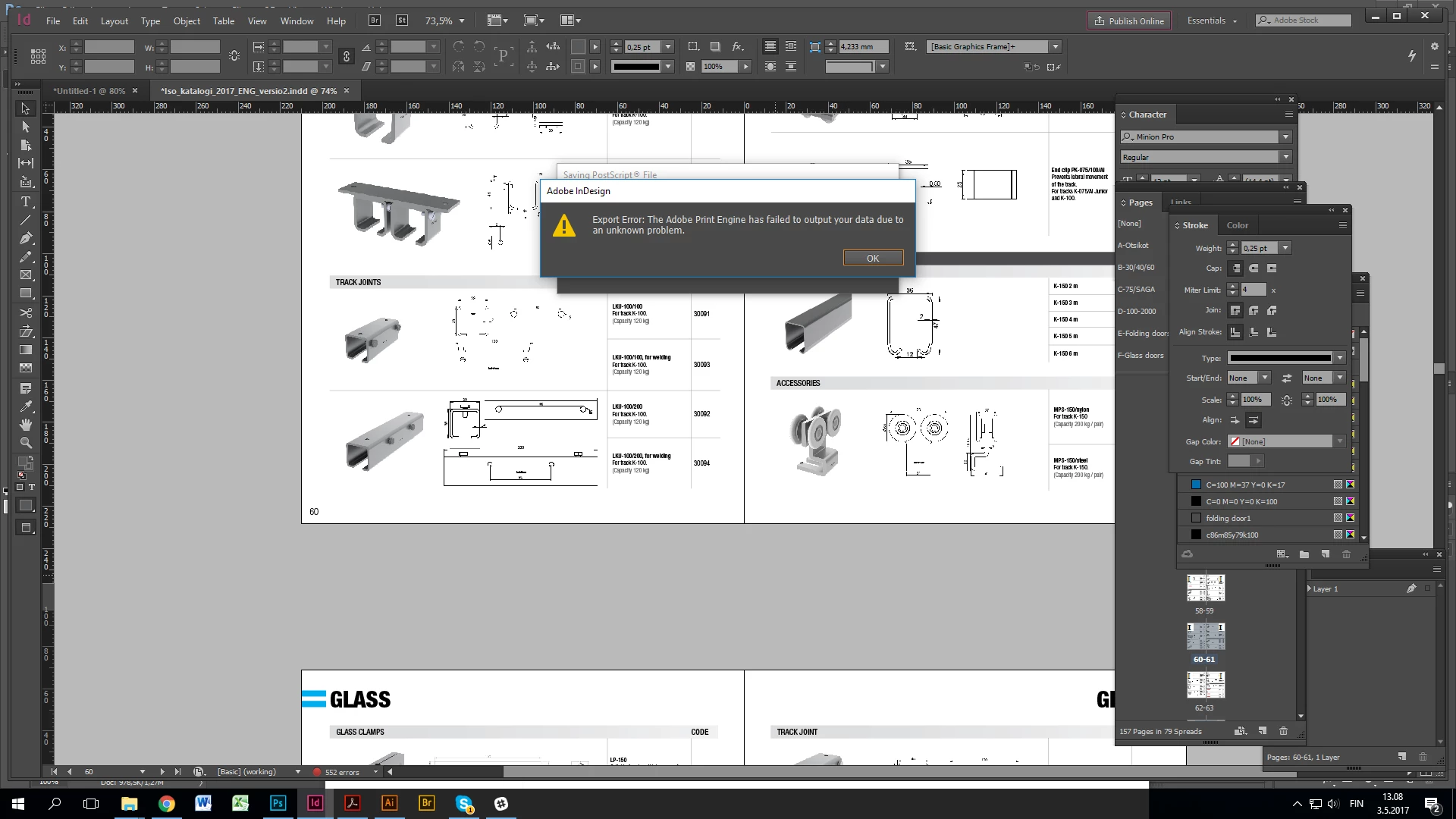
i´m trying to print Postscript from our catalogue and for some reason this problem below:


So i can print most of the pages just fine but this problem appearing in couple of random pages and i can´t even export functional PDF out of it.

So is there some elements, colours etc. that don´t belong there or what?

Can anybody help?

Best regards,
Teemu
    This topic has been closed for replies.

    5 replies

    wrensauer
    Inspiring
    May 22, 2017

    Hi Teemu,

    Were you able to resolve this issue with Bob or Rob's suggestions? Let us know if you need further assistance.

    Best,

    Wren

    rob day
    Community Expert
    Community Expert
    May 3, 2017

    Does the error happen on a direct export?

    Community Expert
    May 3, 2017

    By the look of your screen capture, the catalog appears to have CAD drawings. Many CAD applications create thousands and thousands of nodes and segments to create basic shapes, and unfortunately this data overload will create problems writing proper postscript data, including export directly to PDF.

    The solution mostly likely would be to simplify the extraneous vector data, or rasterize these problematic images to a suitable resolution for print.

    rob day
    Community Expert
    Community Expert
    May 3, 2017

    Are you using the Adobe PDF 9.0 PPD for the Postscript File?

    But why print postscript? Why not simply Export the PDF?

    BobLevine
    Community Expert
    Community Expert
    May 3, 2017

    In cases like this, it's usually a corrupt graphic or something similar. The tried and true troubleshooting method is to divide and conquer. Export half the document. If it works, try the other half.

    Keep breaking it down until you find the page that is causing the issue and then do the same with the page itself. Delete half the items. Export. Then the other half. Lather rinse repeat.